
Create a Meta Pixel (dataset)
Before you can set up Pixel and CAPI in the app, you need a Meta Pixel. In Meta’s current interface a Pixel is called a dataset, and its Dataset ID is the Pixel ID.
How to create a Meta Pixel
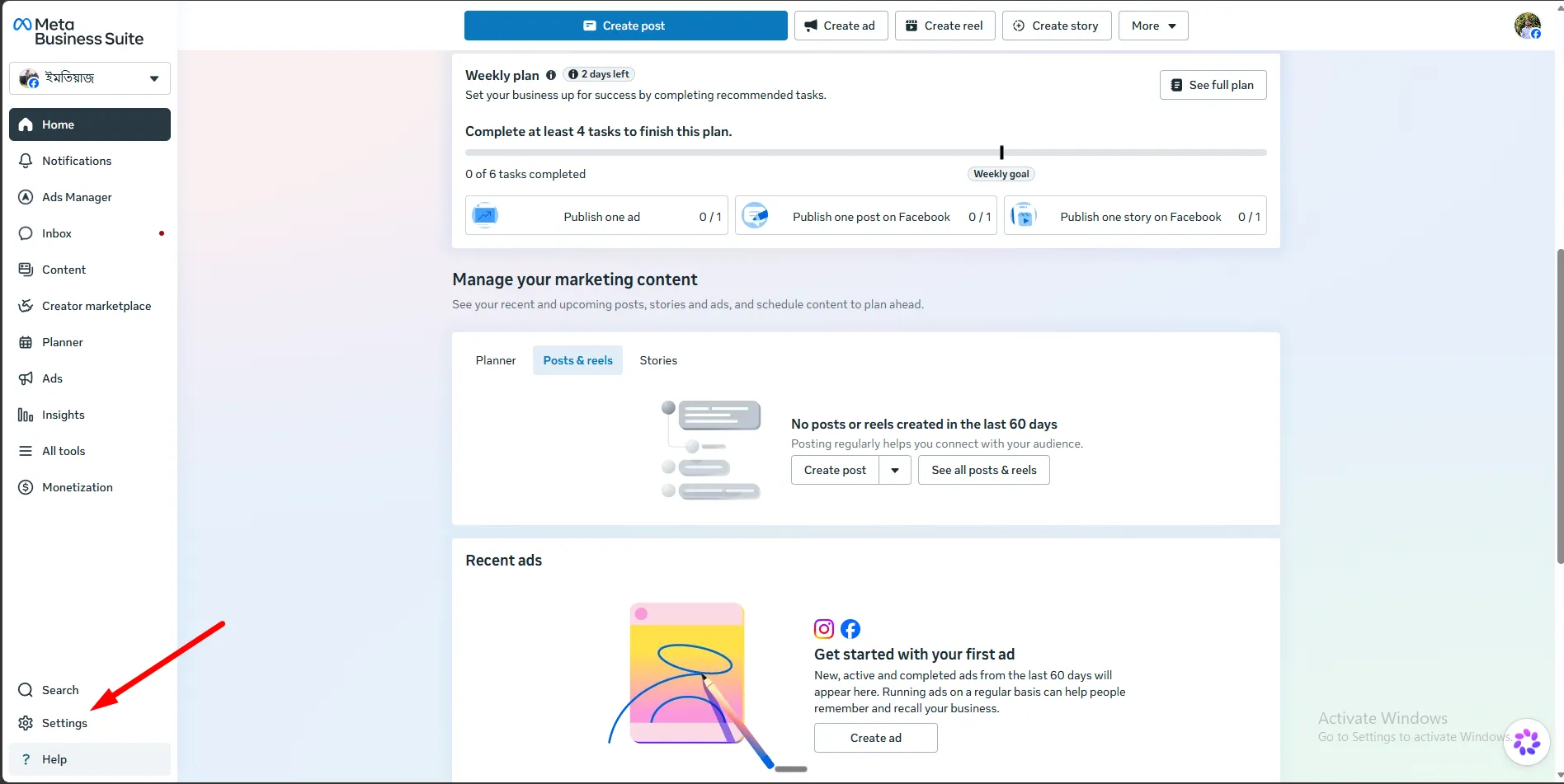
Section titled “How to create a Meta Pixel”Step 1: Go to Business Settings in Meta Ads.
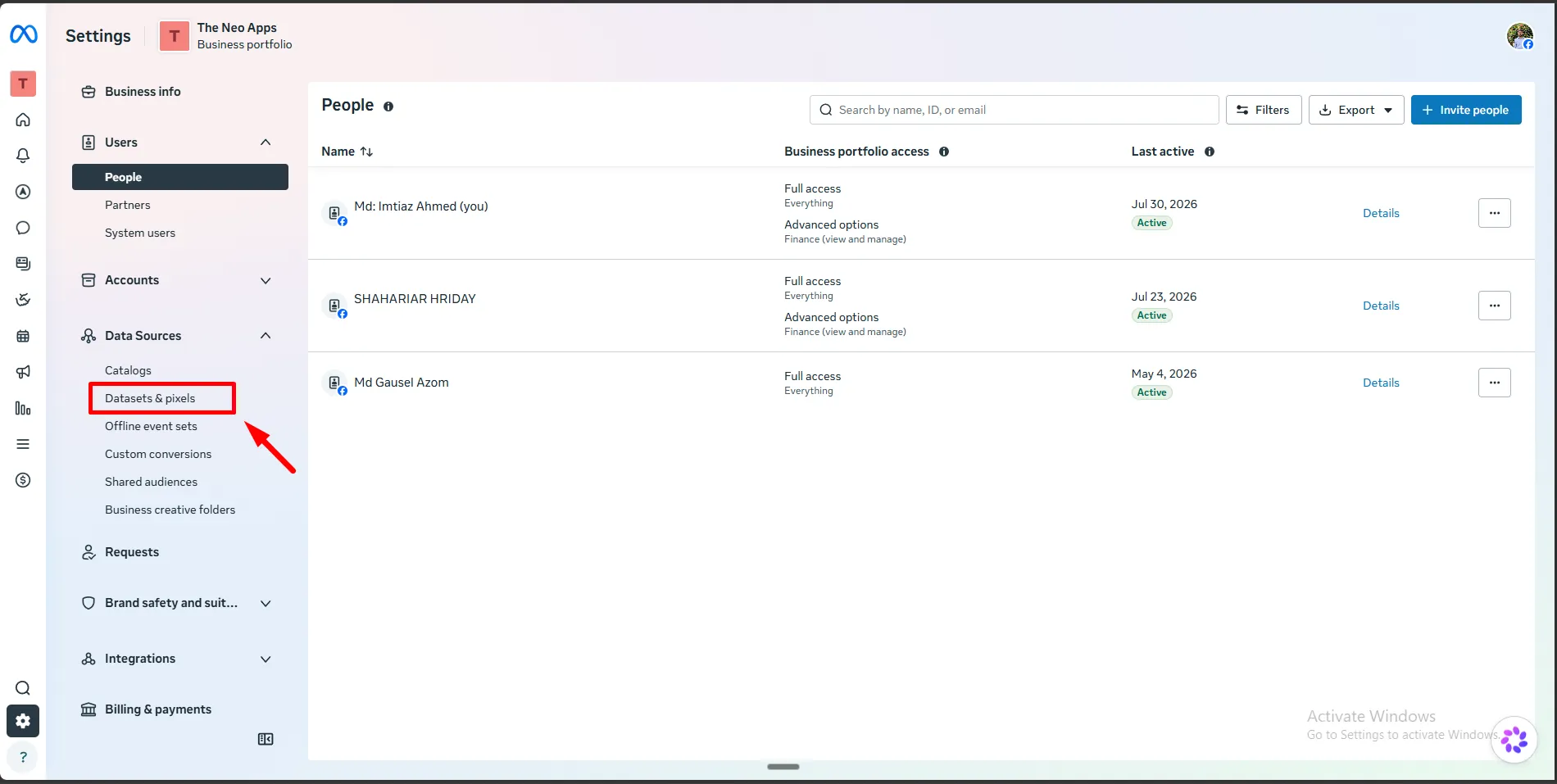
Step 2: Open Data Sources → Datasets.
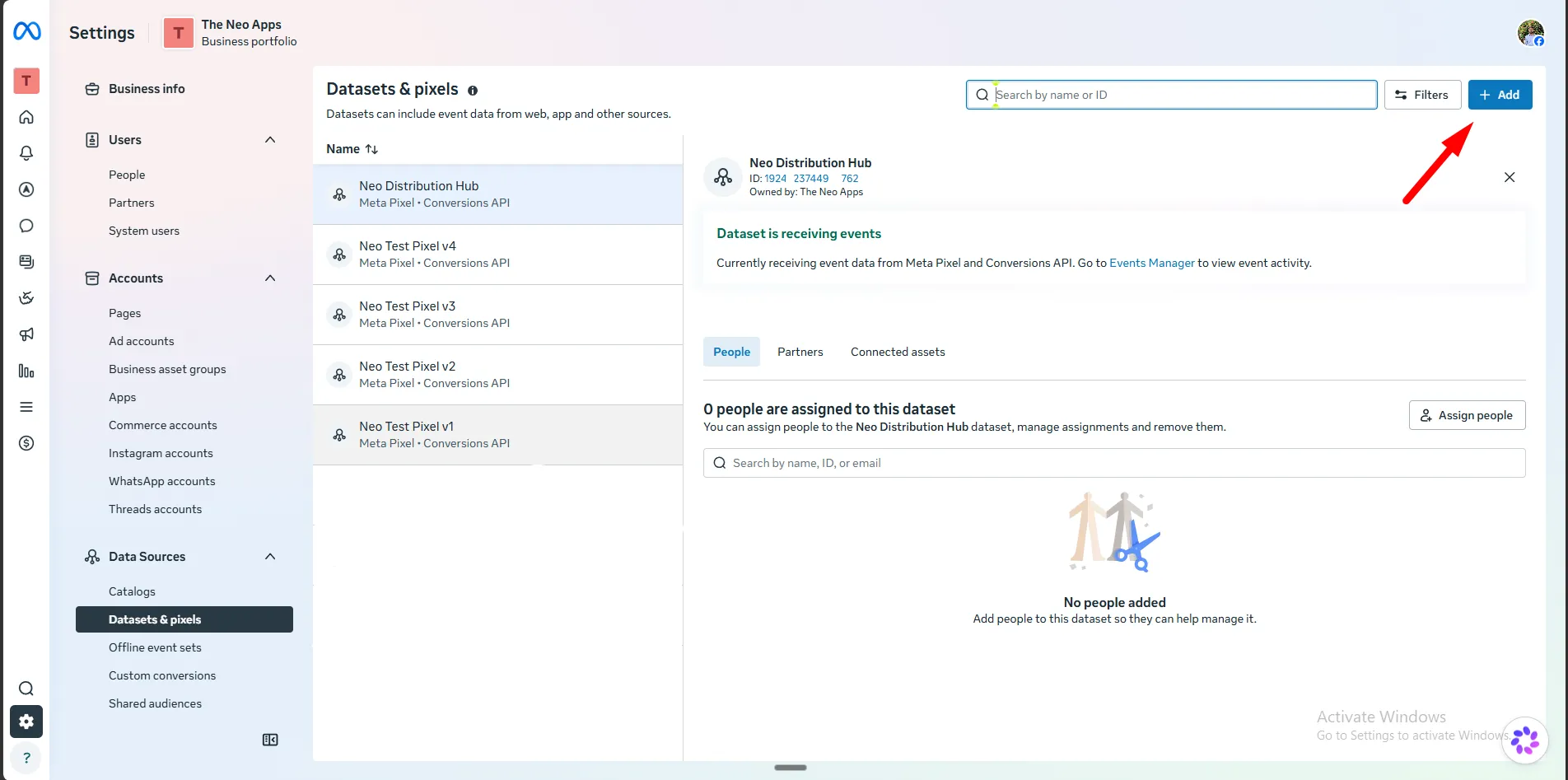
Step 3: Click Add to create a new dataset.
Step 4: Name your dataset, then click Create.
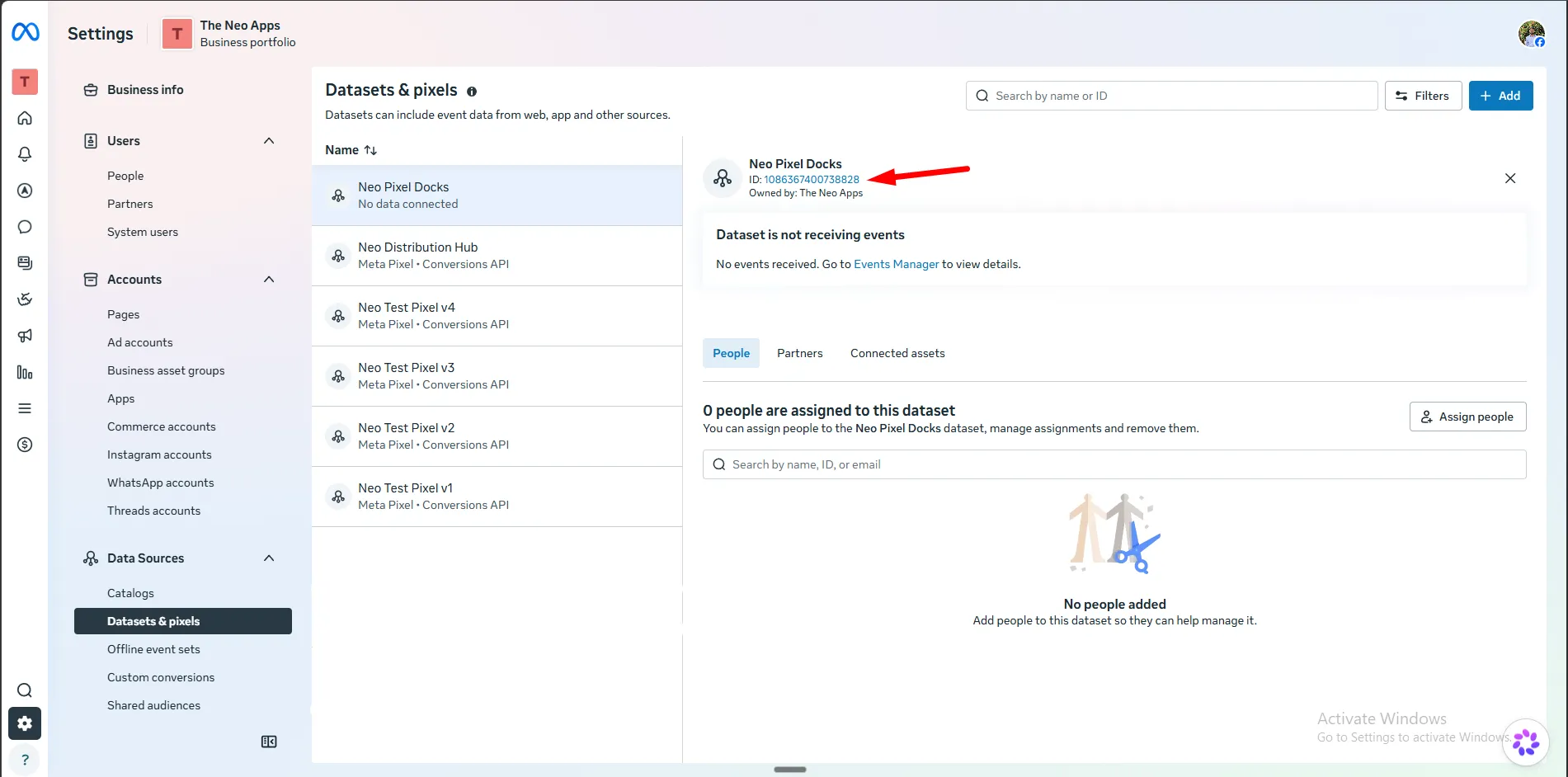
Step 5: Copy the Dataset ID.
Next steps
Section titled “Next steps”Now that you have your Dataset ID, set up Pixel and CAPI inside the app.