
Limit a rate to provinces and cities
You can show a shipping rate only for specific provinces or cities. This is useful for offering different rates by location.
Show a rate for specific provinces only
Section titled “Show a rate for specific provinces only”Step 1: Create a new rate, or open an existing one to edit.
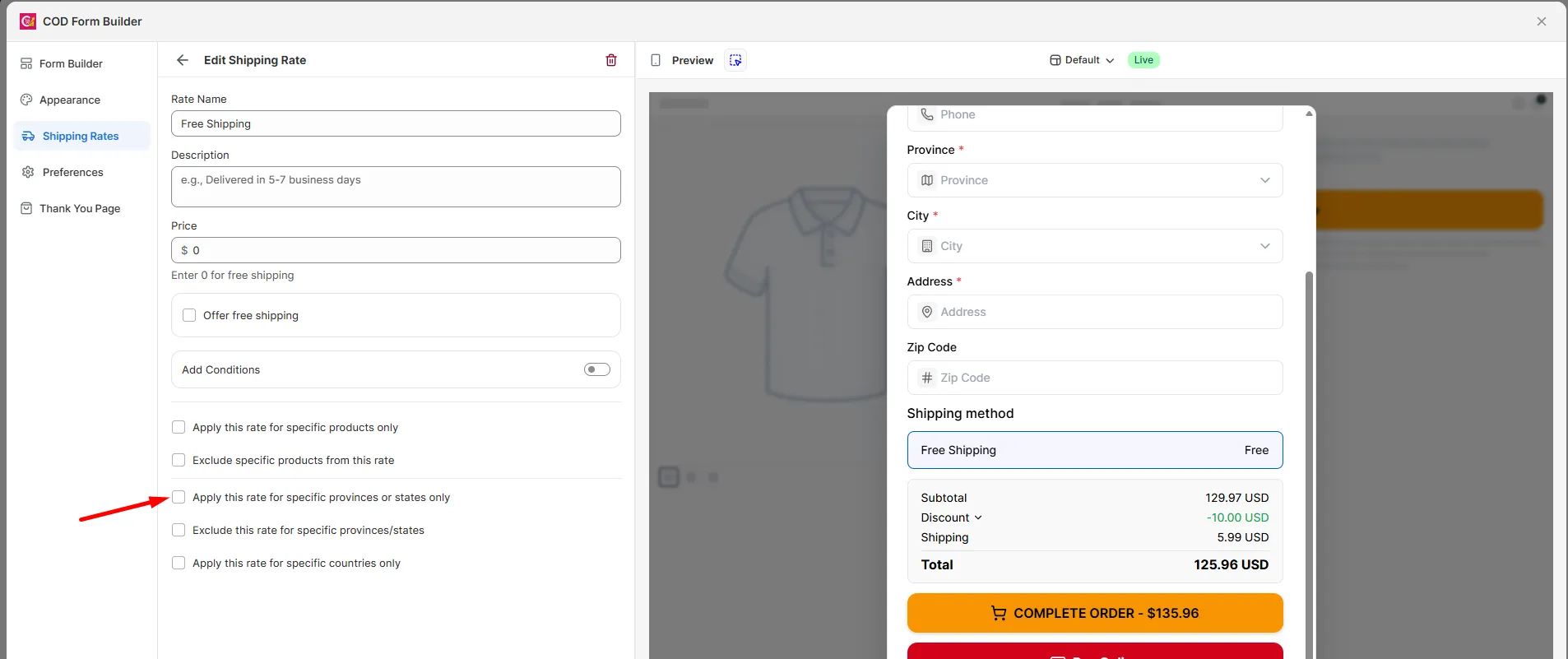
Step 2: Check Apply this rate for specific provinces or states only.
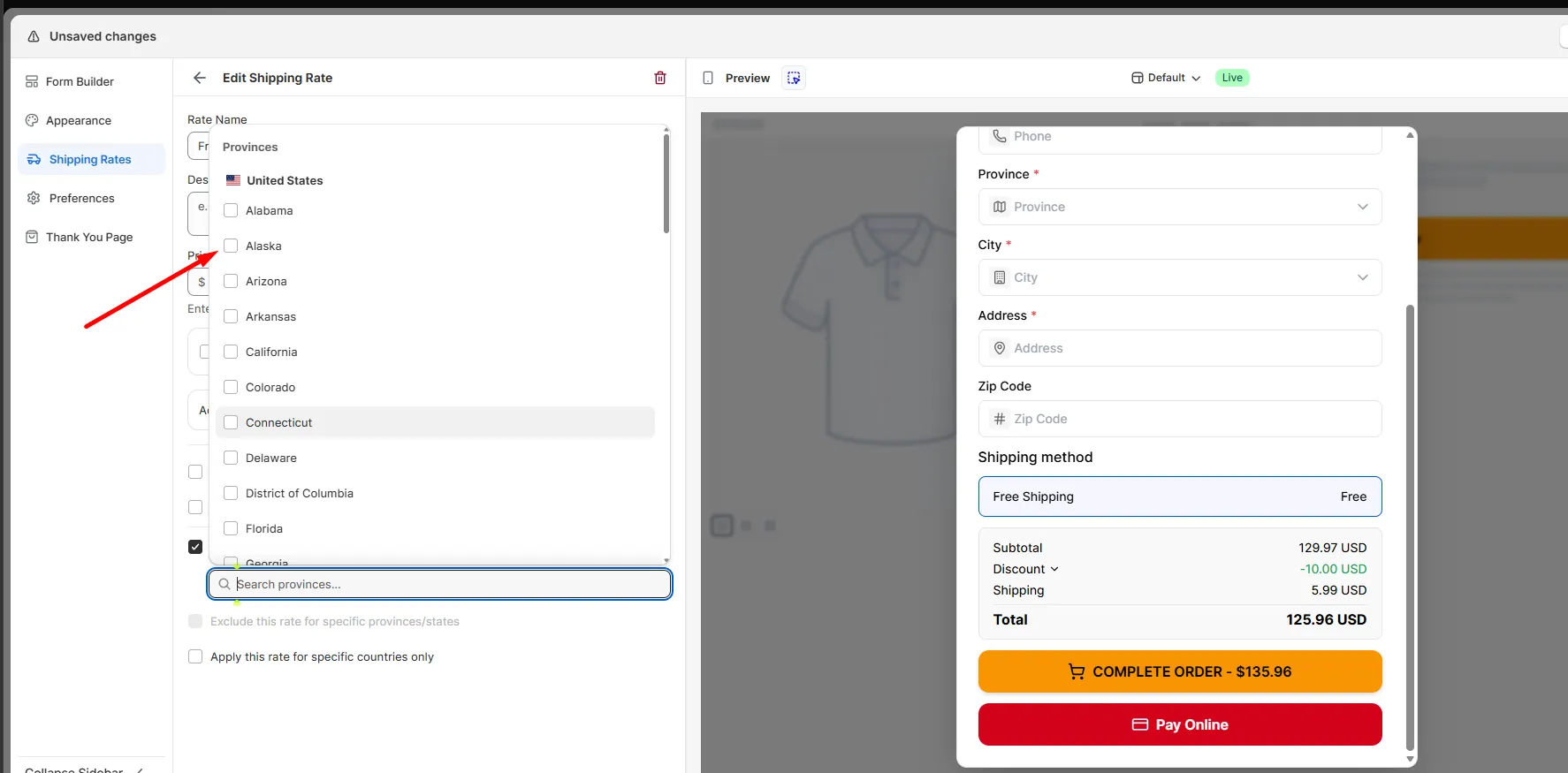
Step 3: Select the provinces where this rate should show.
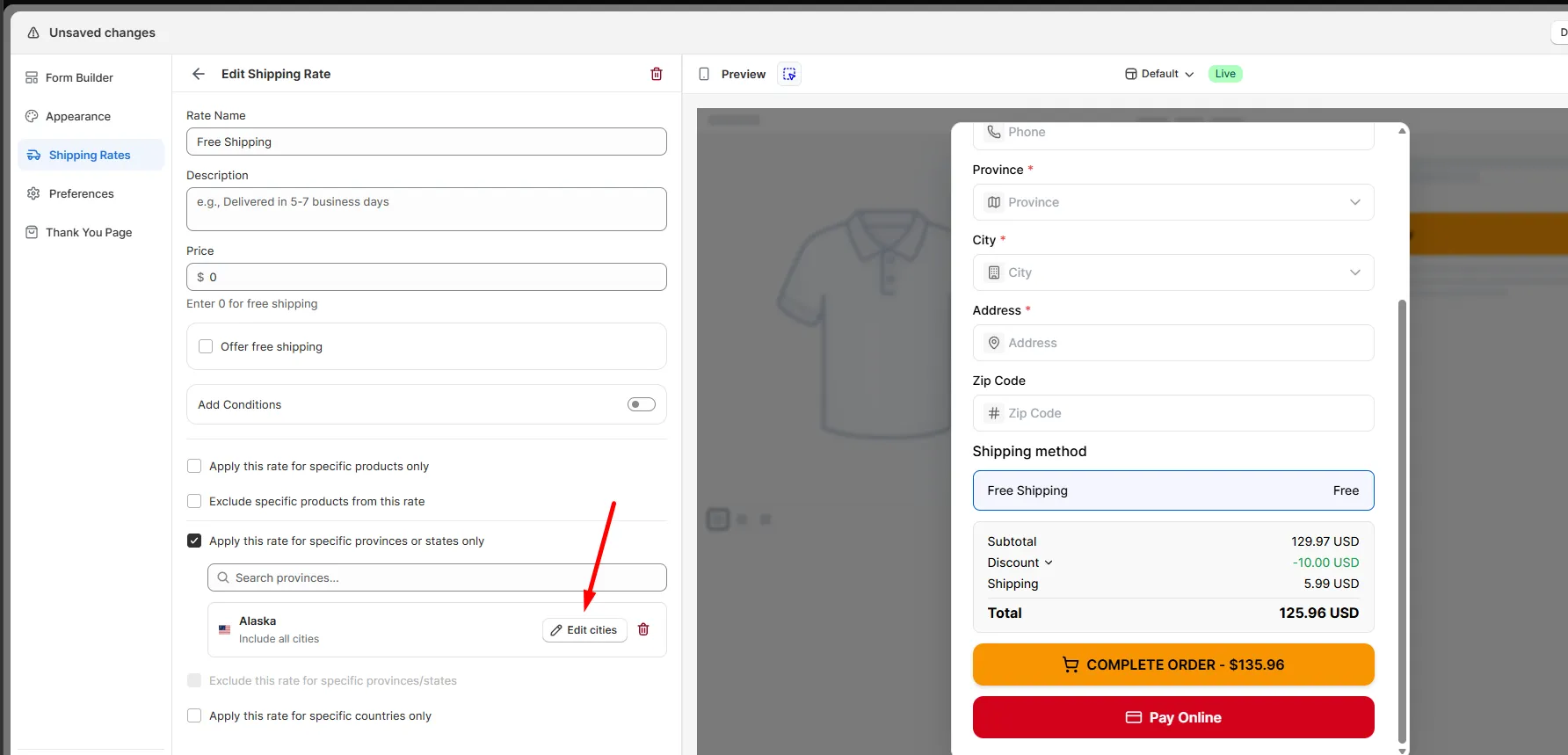
Step 4: Want it even more specific? Click Edit cities on a selected province to pick certain cities inside it.
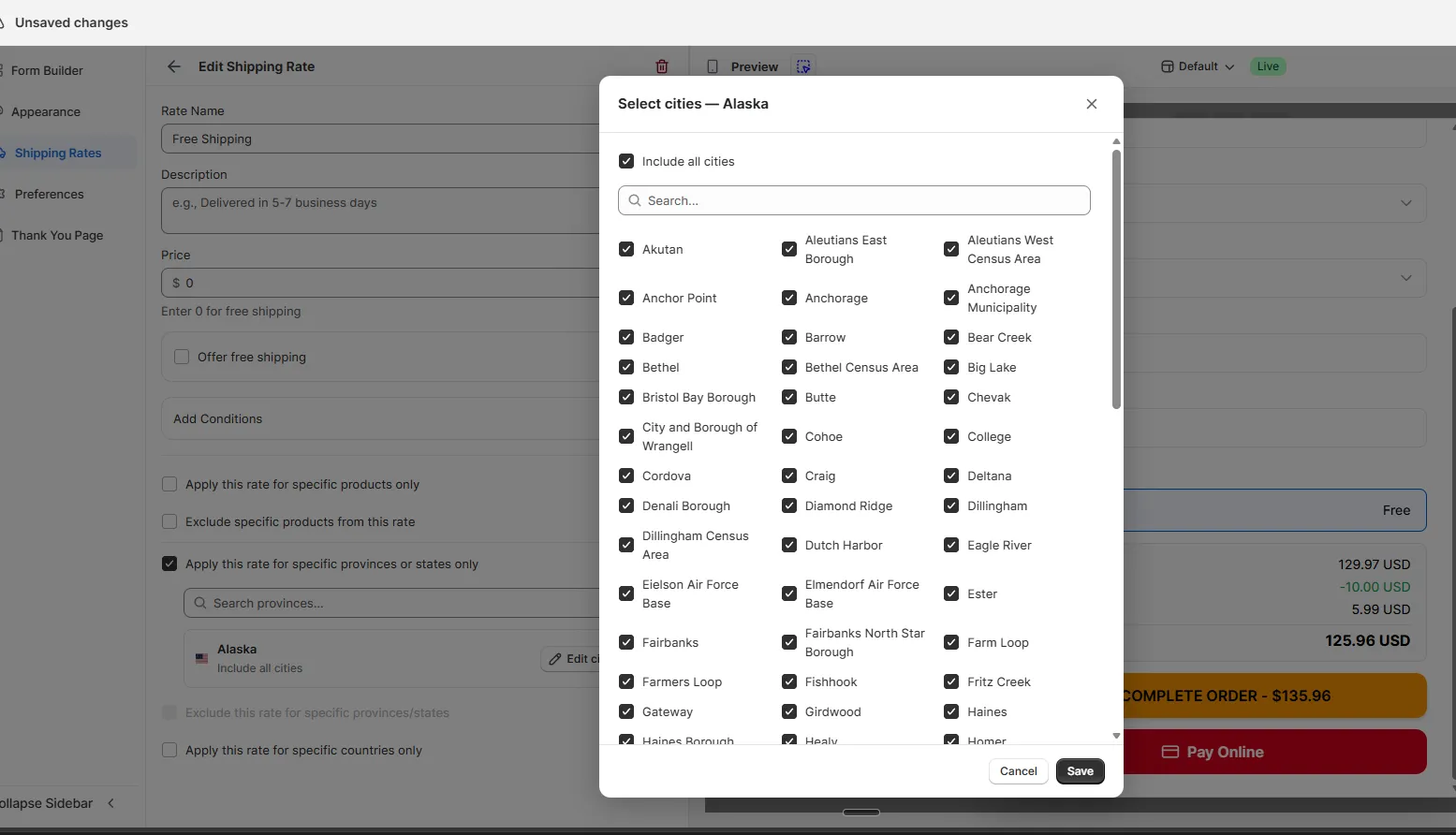
The rate now shows only when the customer’s province matches your selection.
Hide a rate for specific provinces
Section titled “Hide a rate for specific provinces”Step 1: Create a new rate, or open an existing one to edit.
Step 2: Check Exclude this rate for specific provinces/states.
Step 3: Select the provinces where this rate should not show.
The rate shows for all provinces except the ones selected.