
Whitelist IP addresses
Always allow COD orders from specific IP addresses, even if they would otherwise be blocked by another fraud rule.
How to whitelist IP addresses
Section titled “How to whitelist IP addresses”Step 1: Go to Fraud Control → Whitelist IP Addresses.
Step 2: Add IP addresses, one per line — for example 192.168.1.1.
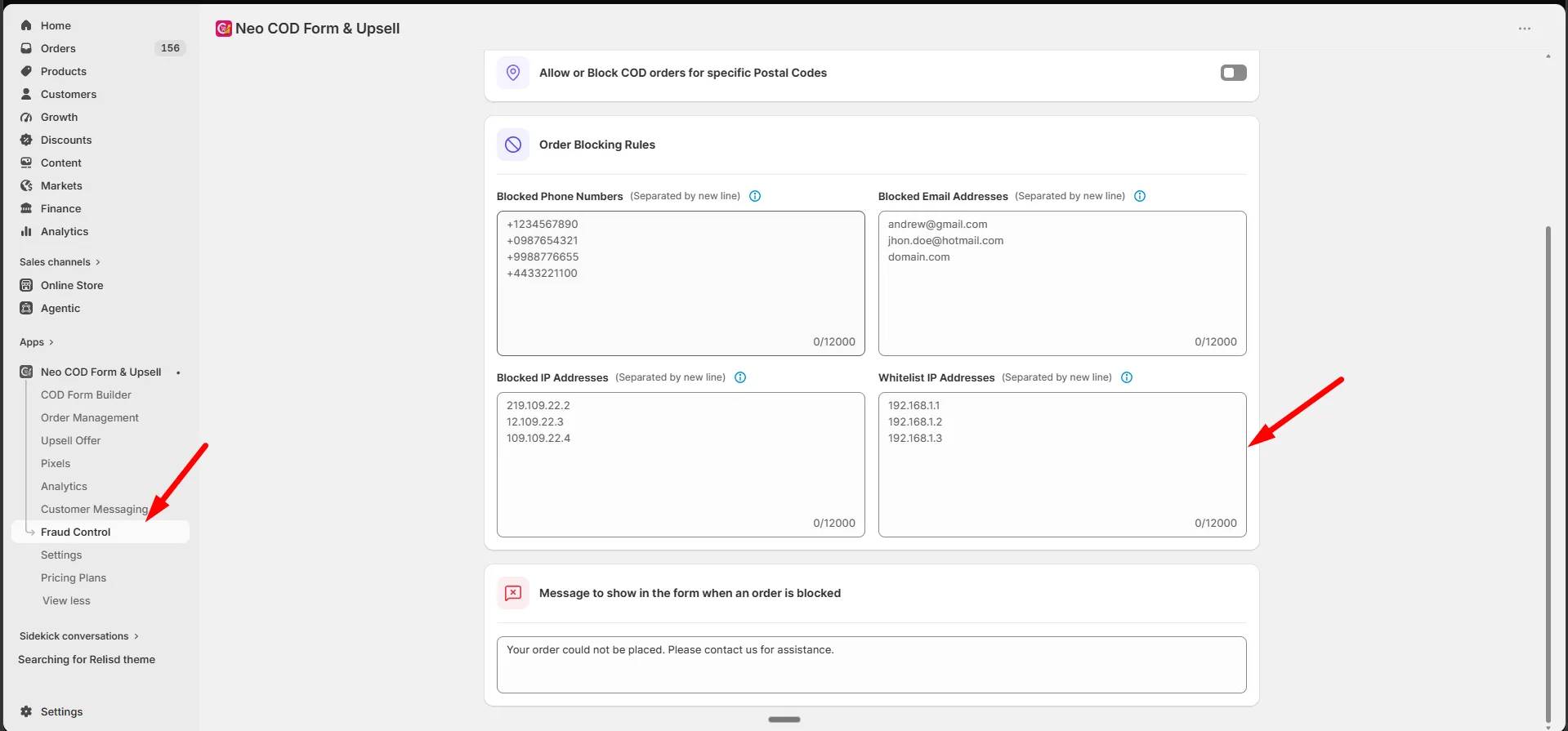
Step 3: Click Save.
- Invalid lines are flagged before saving.