
Add an additional COD fee
Charge an extra fee for Cash on Delivery orders. This fee is not applied to customers who pay online.
How to add an additional COD fee
Section titled “How to add an additional COD fee”Step 1: Go to Settings → Additional COD Fee.
Step 2: Turn on the switch.
Step 3: Choose a Fee Type:
| Type | What it does |
|---|---|
| Fixed amount | A set amount added to the order |
| Percentage of order total | A percentage of the order total |
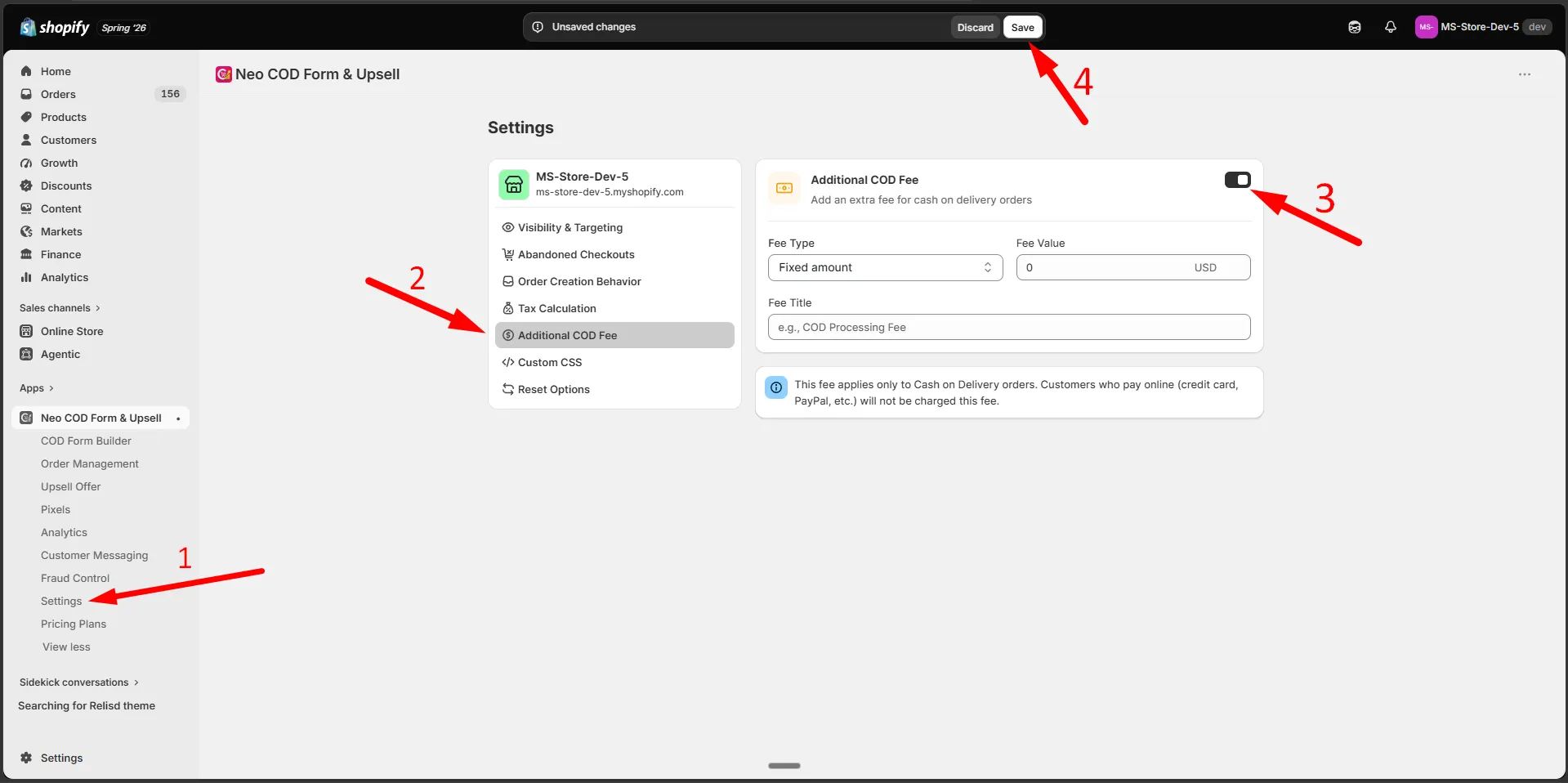
Step 4: Enter the Fee Value.
Step 5: Enter a Fee Title, for example “COD Processing Fee”. This is shown to the customer at checkout.
Step 6: Click Save.