
Send abandoned cart recovery messages
A recovery message is sent to customers who leave items in their cart without completing the order.
How to enable abandoned cart recovery messages
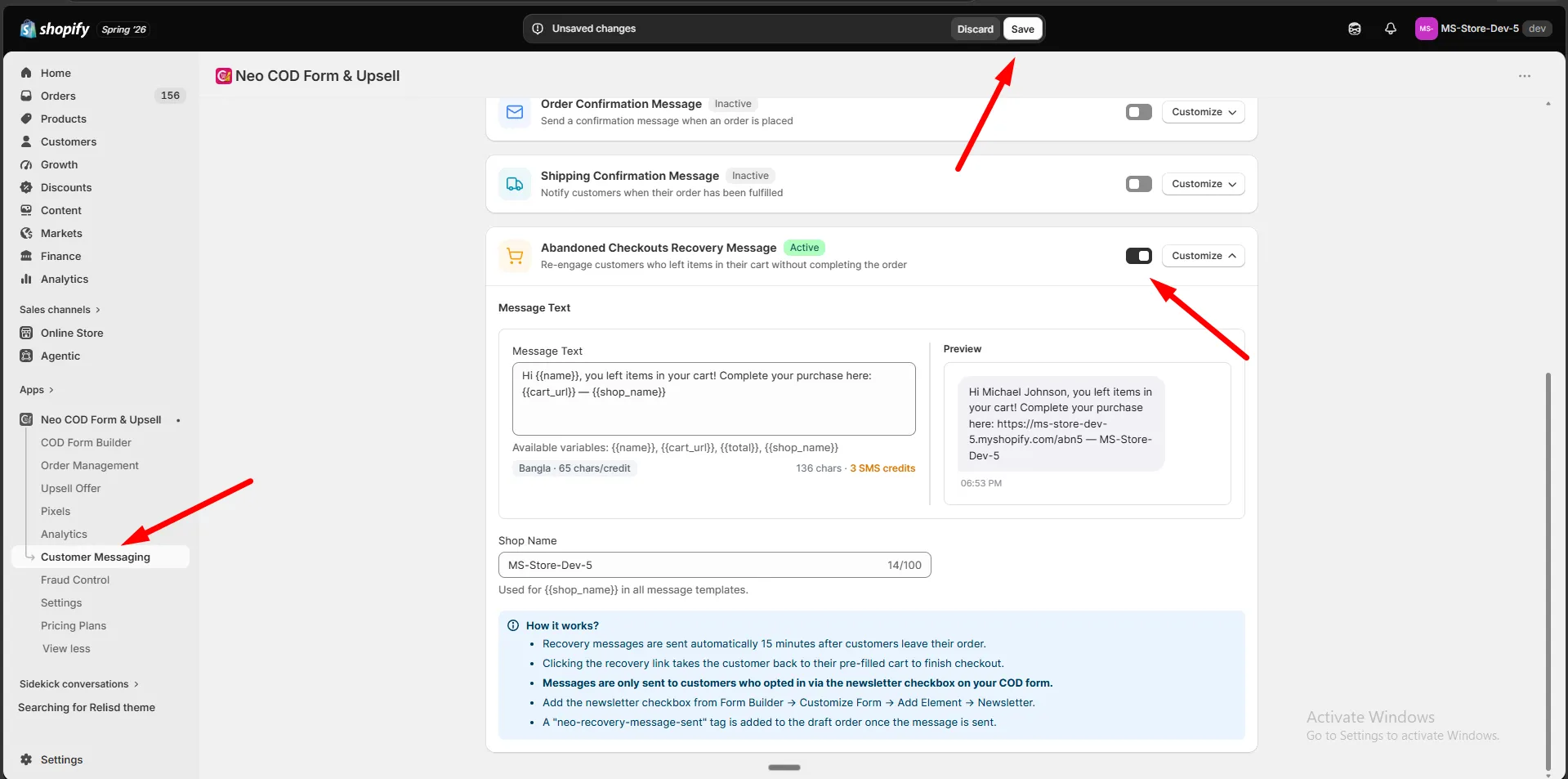
Section titled “How to enable abandoned cart recovery messages”Step 1: Go to Customer Messaging.
Step 2: Set the Messaging Channel (SMS or WhatsApp) in the channel card.
Step 3: Make sure your Balance has enough funds — top up if needed.
Step 4: Find Abandoned Checkouts Recovery Message and turn on the switch.
Step 5: Click Customize.
Message
Section titled “Message”Step 1: Write the message under Message Text.
Step 2: Use these variables:
| Variable | Inserts |
|---|---|
{{name}} |
Customer name |
{{cart_url}} |
Link back to the pre-filled cart |
{{total}} |
Cart total |
{{shop_name}} |
Your store name |
Step 3: Check the Preview.
Required settings
Section titled “Required settings”Recovery messages will not send until both of these are done:
Step 1: Go to Settings → Abandoned Checkouts and turn on Abandoned Cart Recovery.
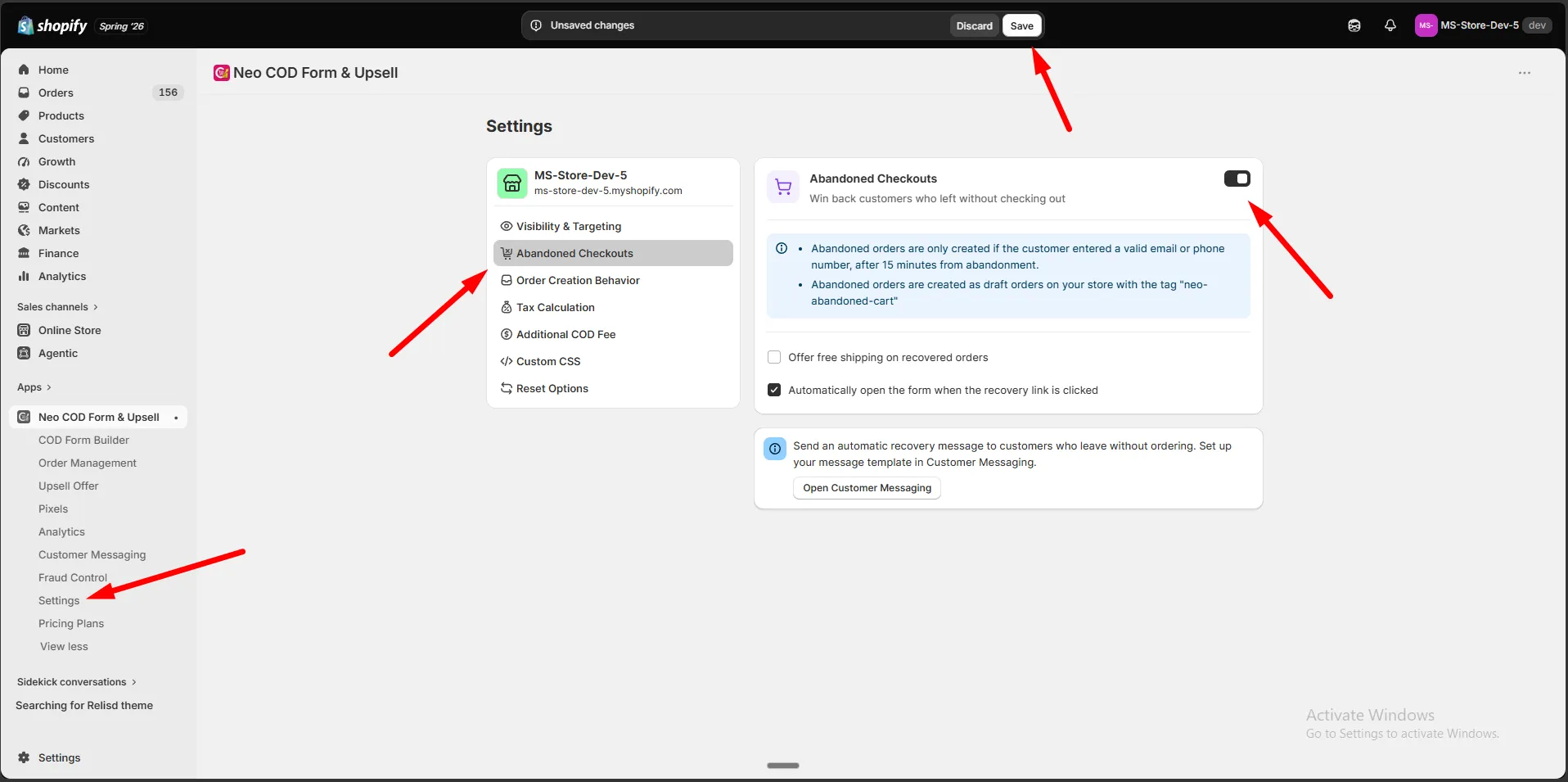
Step 2: Add a Newsletter checkbox to your COD form, under Form Builder → Customize Form → Add Element → Newsletter.
Click Save.
How it works
Section titled “How it works”- Recovery messages send automatically 15 minutes after a customer leaves checkout.
- The message links back to the customer’s pre-filled cart so they can finish checkout.
- A
neo-recovery-message-senttag is added to the draft order once the message is sent.