
Customize the input fields
Input fields are where customers type their name, phone, and address. You can restyle all of them at once so the form matches your storefront.
How to customize the input fields
Section titled “How to customize the input fields”Step 1: Open Form Builder → Appearance → Input Field.
Step 2: Change the settings you want — label position, colors, border radius, and more. Every change shows up right away in the live preview.
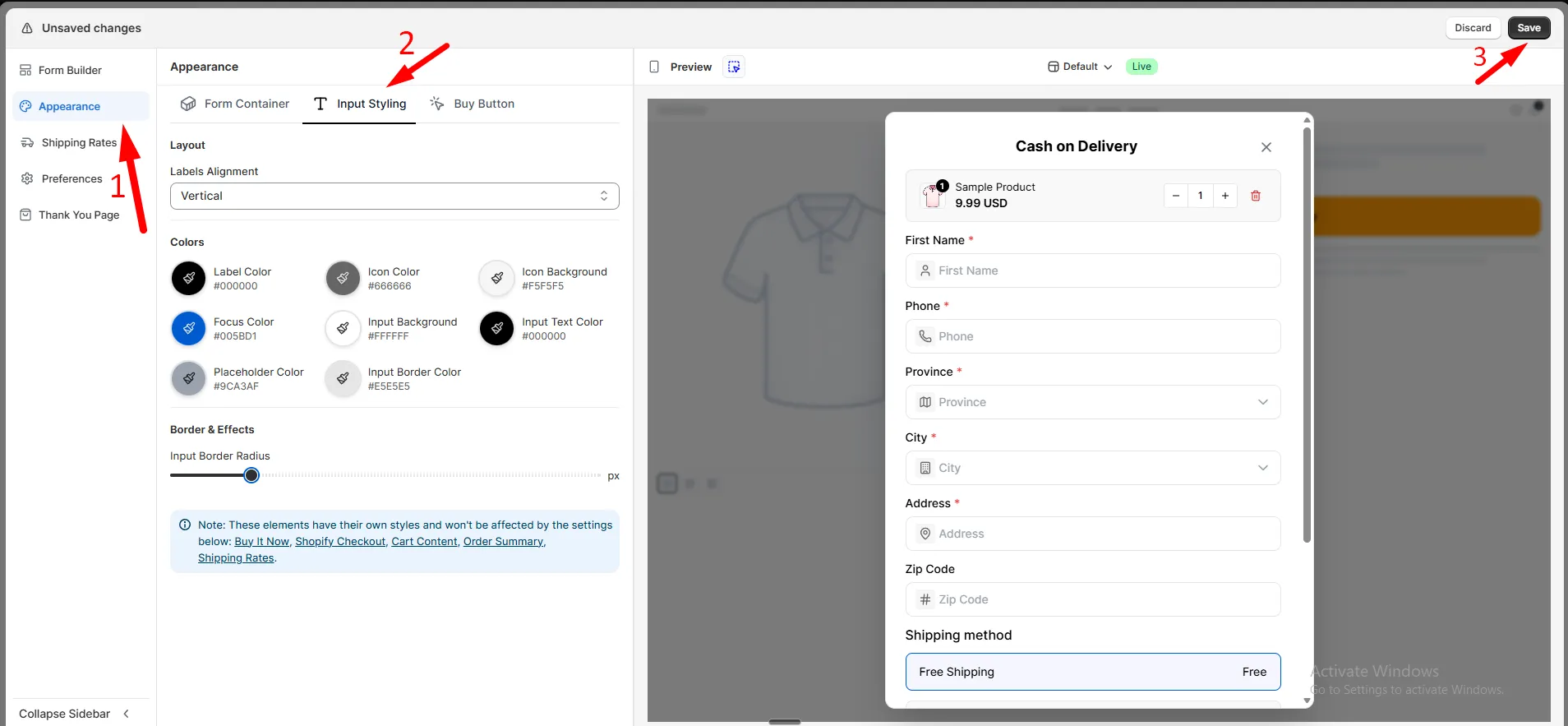
Step 3: Click Save.