
Add an "Order via WhatsApp" button
The WhatsApp Button element opens WhatsApp on the customer’s device and connects them directly to your WhatsApp number.
Add the button
Section titled “Add the button”Step 1: Go to Form Builder → Elements and add the WhatsApp Button element.
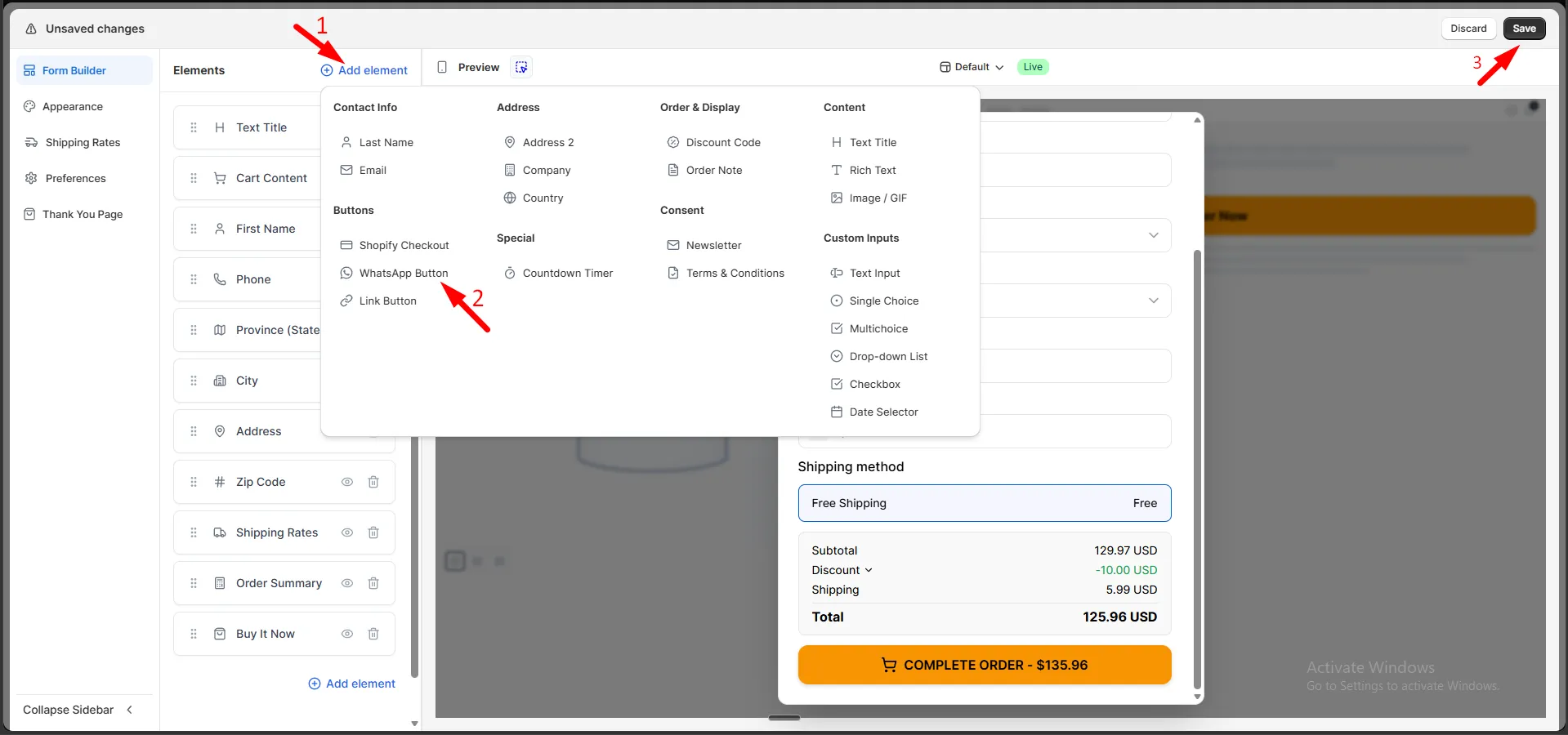
Step 2: Set Button Text. Use {{total}} to show the order total.
Step 3: Optionally set a Button Subtitle.
Step 4: Enter Your WhatsApp Phone Number, including the country code.
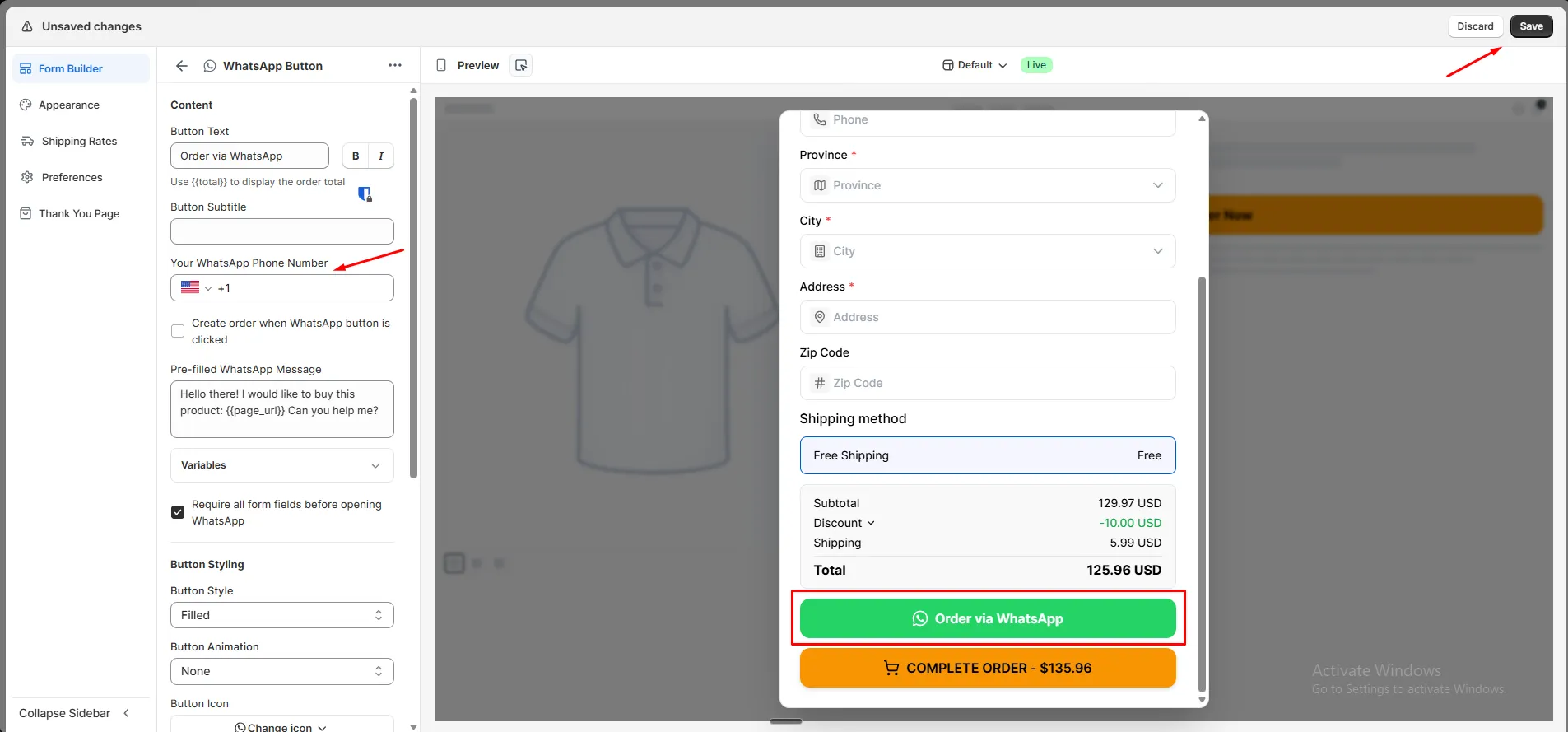
Step 5: Click Save.
Style the button
Section titled “Style the button”Customize the button’s color, size, border, and other styling under Button Styling.