
Set a custom money format
By default, your form shows prices using your store’s money format. You can turn this off and set your own format instead.
Where to find it
Section titled “Where to find it”Go to Form Builder → Preferences → Money Format.
How to set a custom money format
Section titled “How to set a custom money format”Step 1: Check Use custom currency format.
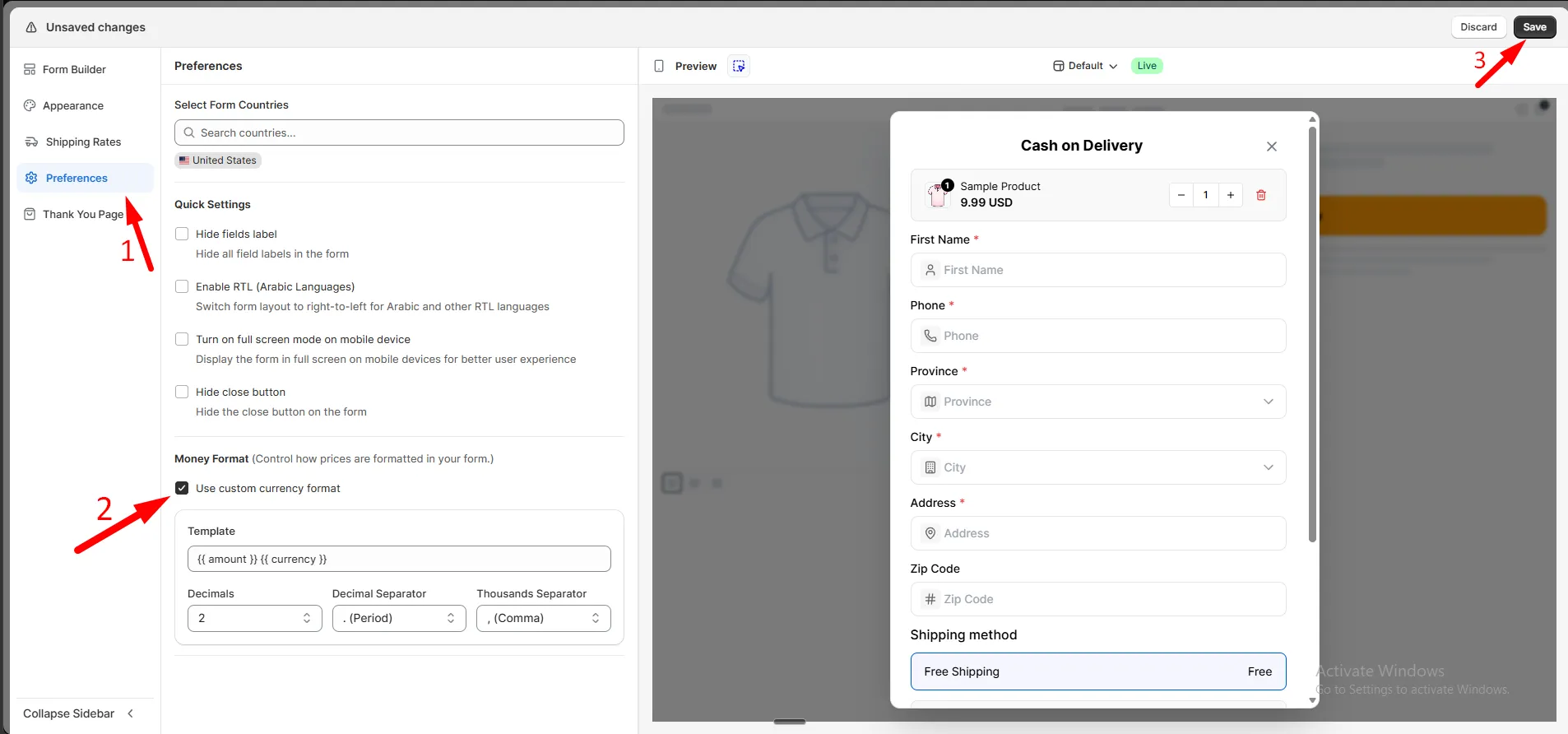
Step 2: Set your format:
| Setting | What it does |
|---|---|
| Template | How the price is shown, e.g. {{ amount }} {{ currency }} |
| Decimals | Number of digits after the decimal point |
| Decimal Separator | Symbol used before decimals, e.g. . |
| Thousands Separator | Symbol used to group thousands, e.g. , |
Step 3: Click Save.