
Find a customer's IP address
Every order placed through the COD form saves the customer’s IP address on the order. You’ll need it if you want to block someone who keeps sending fake orders, or whitelist an IP you trust.
How to find the customer IP address
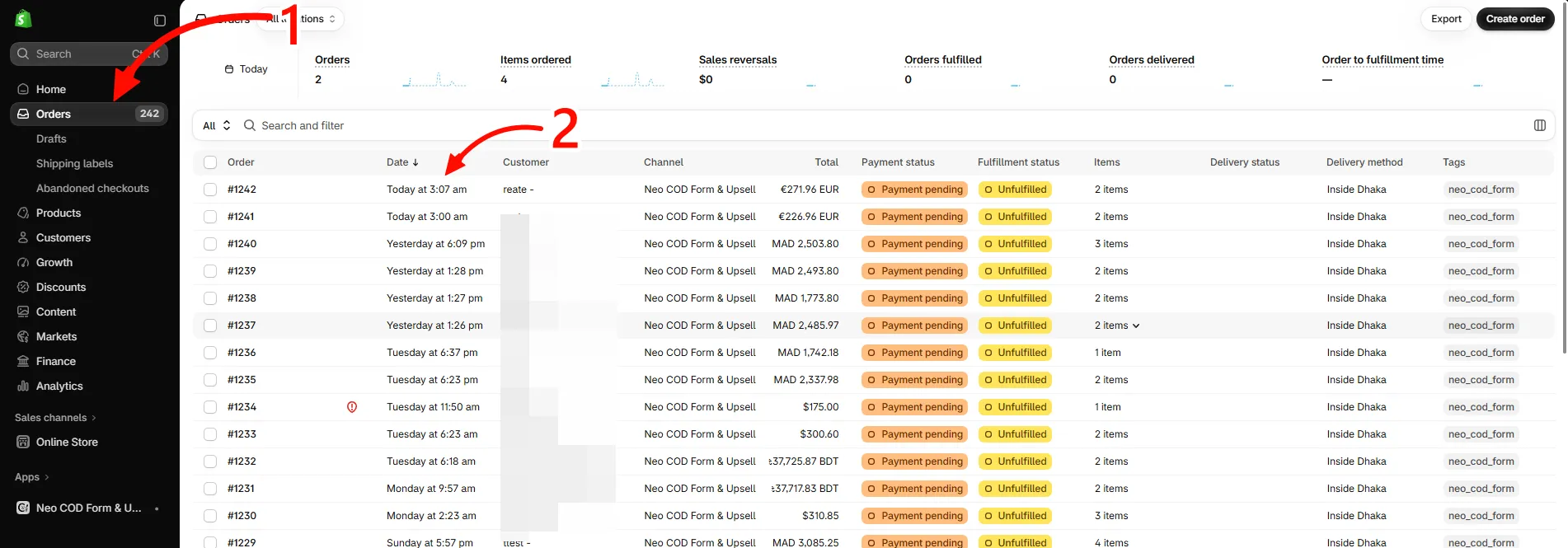
Section titled “How to find the customer IP address”Step 1: In your Shopify admin, click Orders.
Step 2: Click the order you want to check.
Step 3: On the order page, look at the Additional details section on the right. The IP address is listed under Customer IP.
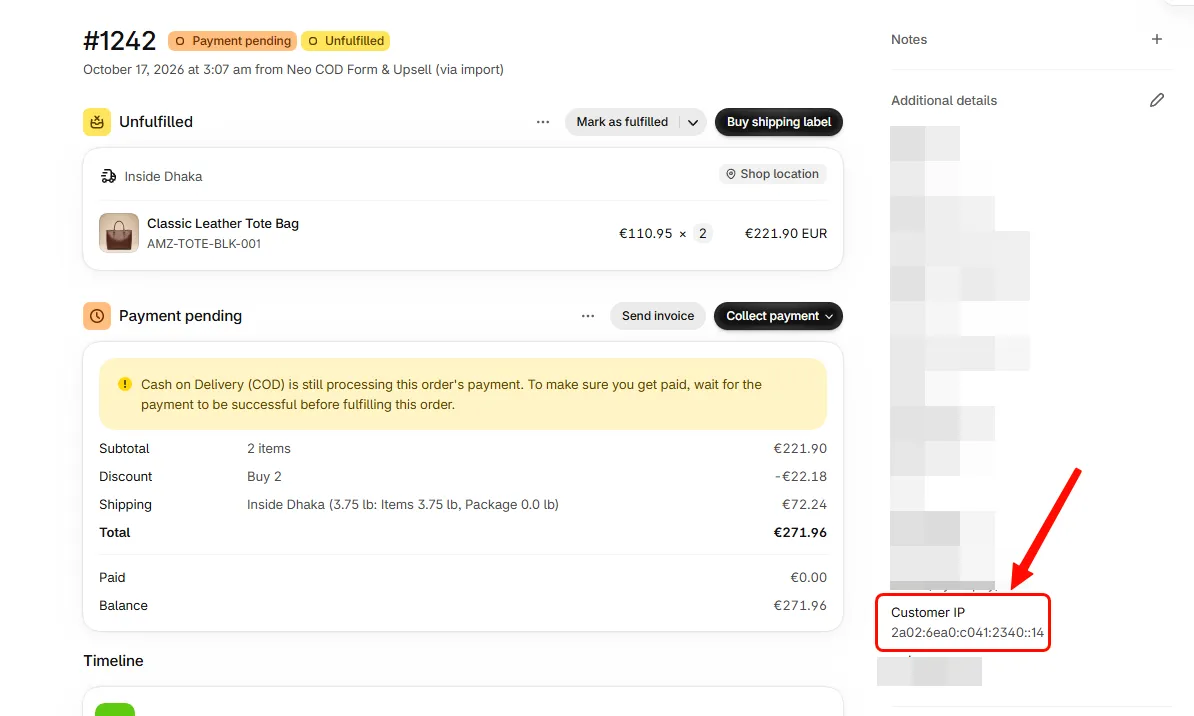
You can copy the address from there and paste it into your blocklist or whitelist.
- The IP can be IPv4 (like
219.109.22.2) or IPv6 (like2a02:6ea0:c041:2340::14). Both work in the blocking and whitelist rules. - Some customers share an IP, for example on mobile data or a shared office network. Blocking that IP blocks everyone behind it, so check a few orders before you block.