
Generate a Conversions API access token
Before turning on Conversions API in the app, you need an access token from Meta.
How to generate the access token
Section titled “How to generate the access token”Step 1: Go to Meta Events Manager and select your dataset, then open Settings.
Step 2: Scroll down to Conversions API and click Generate Access Token.
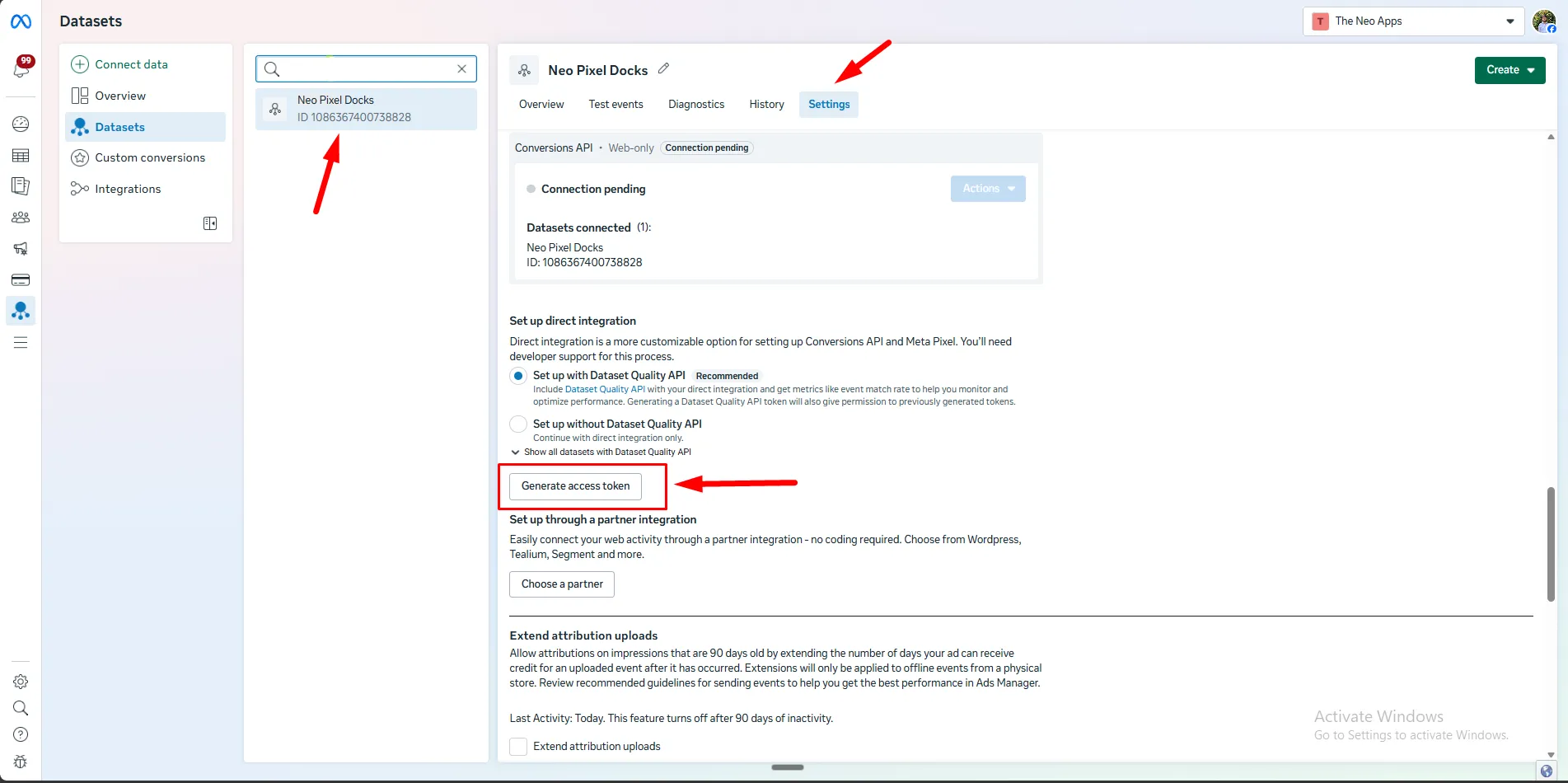
Step 3: Copy the token.
Next steps
Section titled “Next steps”Paste this token into the Conversion API Token field when you set up Pixel and CAPI in the app.