
Enable RTL for right-to-left languages
RTL switches your form layout to right-to-left. Use this for Arabic and other right-to-left languages.
Where to find it
Section titled “Where to find it”Go to Form Builder → Preferences → Quick Settings.
How to enable RTL
Section titled “How to enable RTL”Step 1: Turn on Enable RTL (Arabic Languages).
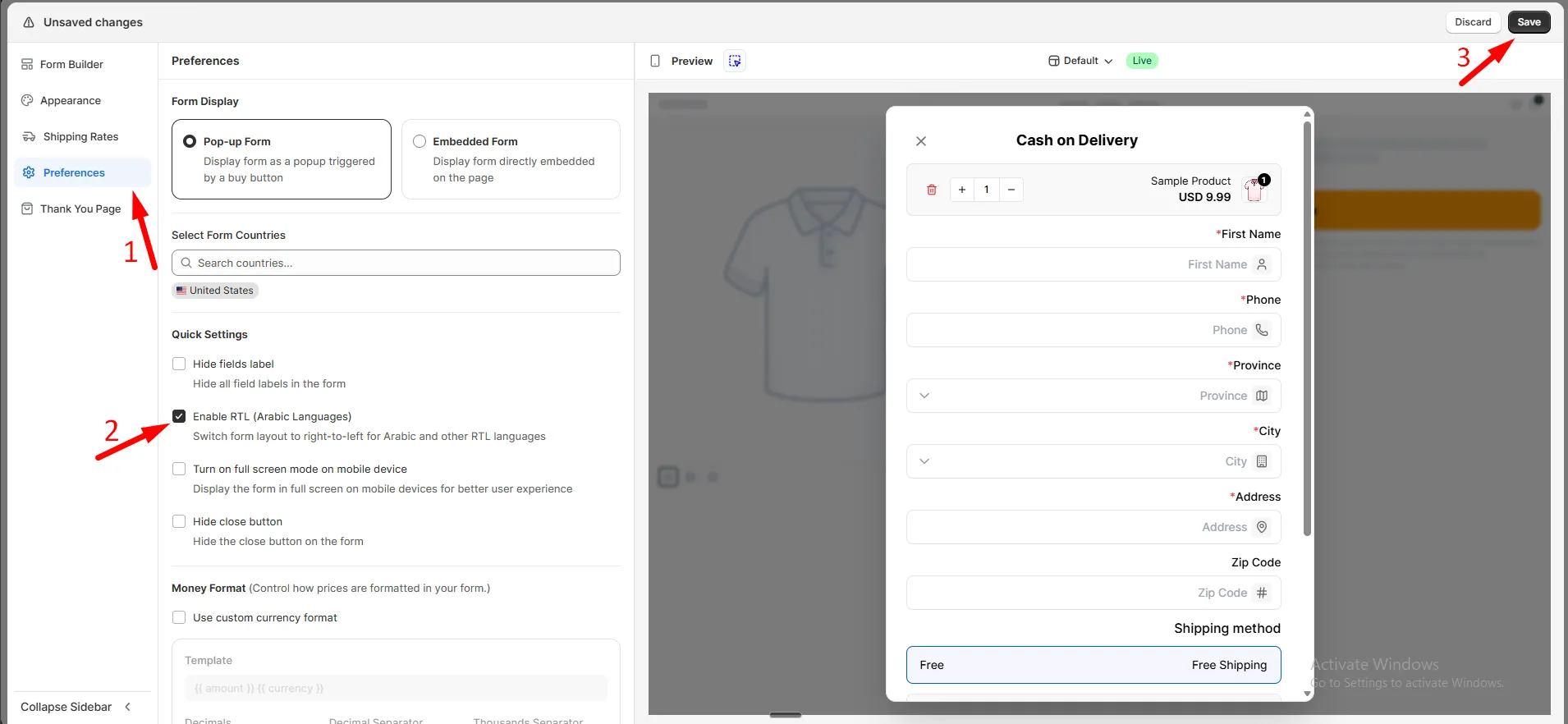
Step 2: Click Save.
Your form now displays right-to-left.