
Block or allow specific postal codes
Allow or block COD orders based on the customer’s postal code. Use it to stop taking COD in areas you cannot deliver to reliably.
How to block or allow specific postal codes
Section titled “How to block or allow specific postal codes”Step 1: Go to Fraud Control → Allow or Block COD orders for specific Postal Codes.
Step 2: Turn on the switch.
Step 3: Choose a mode:
| Mode | What it does |
|---|---|
| Allow Only | Only listed postal codes can place COD orders. All others are blocked. |
| Block Only | Listed postal codes cannot place COD orders. All others are allowed. |
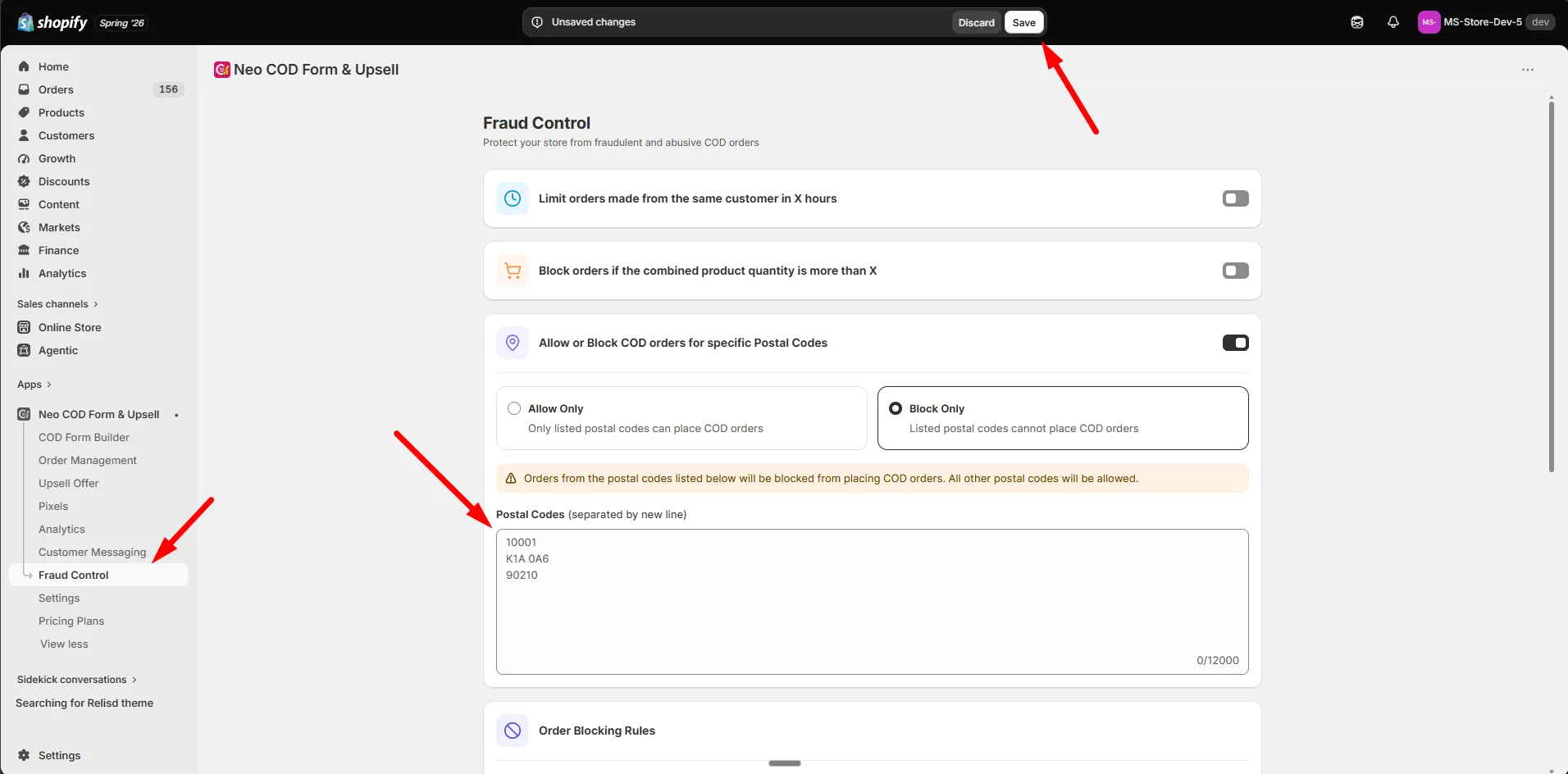
Step 4: Add postal codes under Postal Codes, one per line — for example 10001, K1A 0A6, 90210.
Step 5: Click Save.
- Each postal code must be 2–12 characters, using letters, numbers, spaces, and dashes only.
- Invalid lines are flagged before saving.