
Limit orders from the same customer
This blocks a customer from placing more than one order within a set time window, using their IP address, phone, or email.
How to limit orders from the same customer
Section titled “How to limit orders from the same customer”Step 1: Go to Fraud Control → Limit orders made from the same customer in X hours.
Step 2: Turn on the switch.
Step 3: Set the waiting time next to Limit 1 order per IP address, phone or email within.
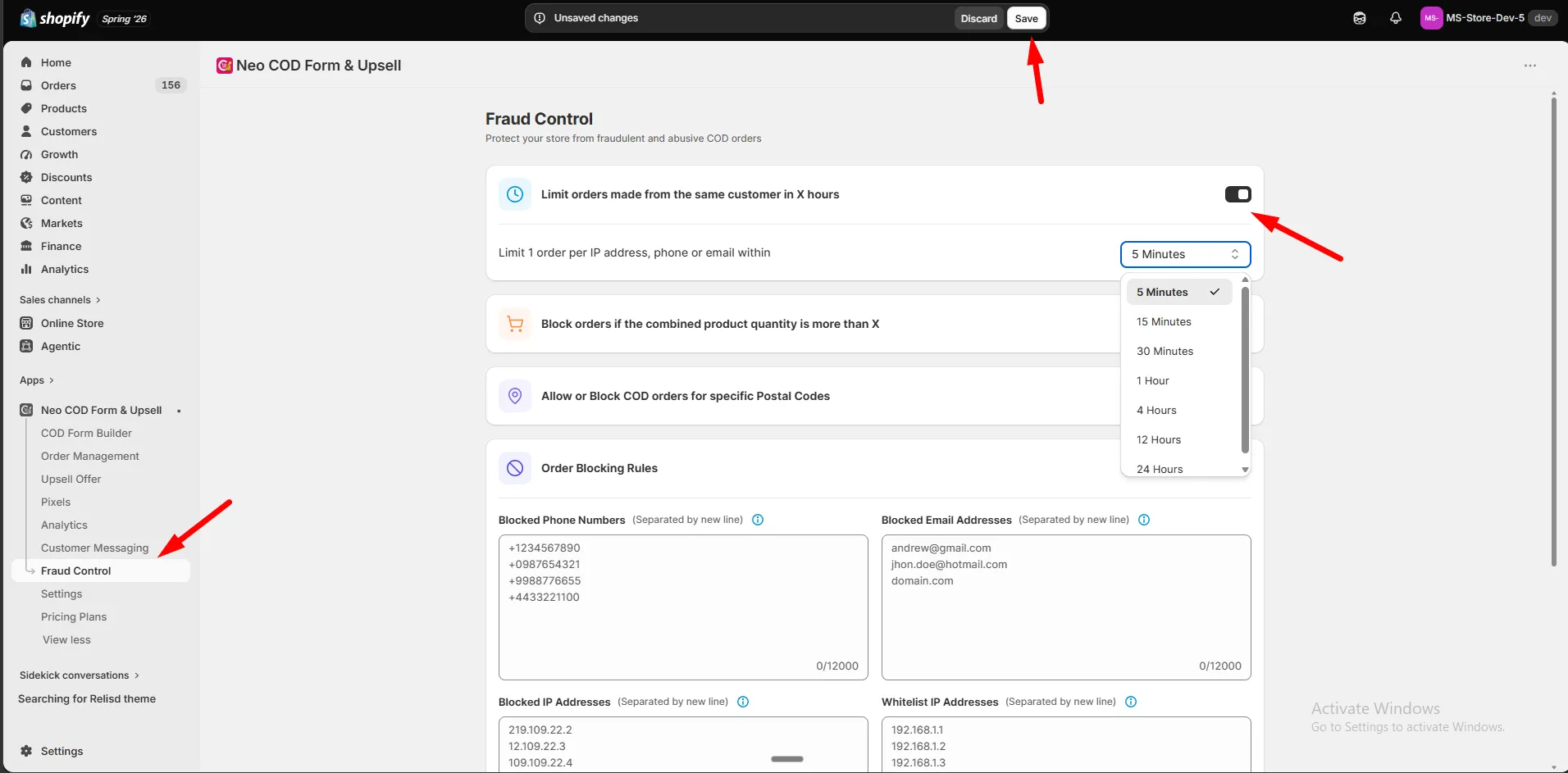
Options: 5 min, 15 min, 30 min, 1 hour, 4 hours, 12 hours, 24 hours.
Step 4: Click Save.
- A blocked customer sees the message set in Message to show in the form when an order is blocked.
- A whitelisted IP overrides this rule. See Whitelist IP addresses.