
Block phone numbers, emails, and IP addresses
Block COD orders from specific phone numbers, email addresses, or IP addresses.
How to block phone numbers, emails, and IP addresses
Section titled “How to block phone numbers, emails, and IP addresses”Step 1: Go to Fraud Control → Order Blocking Rules.
Step 2: Add entries under the list you need, one per line:
| List | Example |
|---|---|
| Blocked Phone Numbers | +1234567890 (country code optional) |
| Blocked Email Addresses | andrew@gmail.com |
| Blocked IP Addresses | 219.109.22.2 |
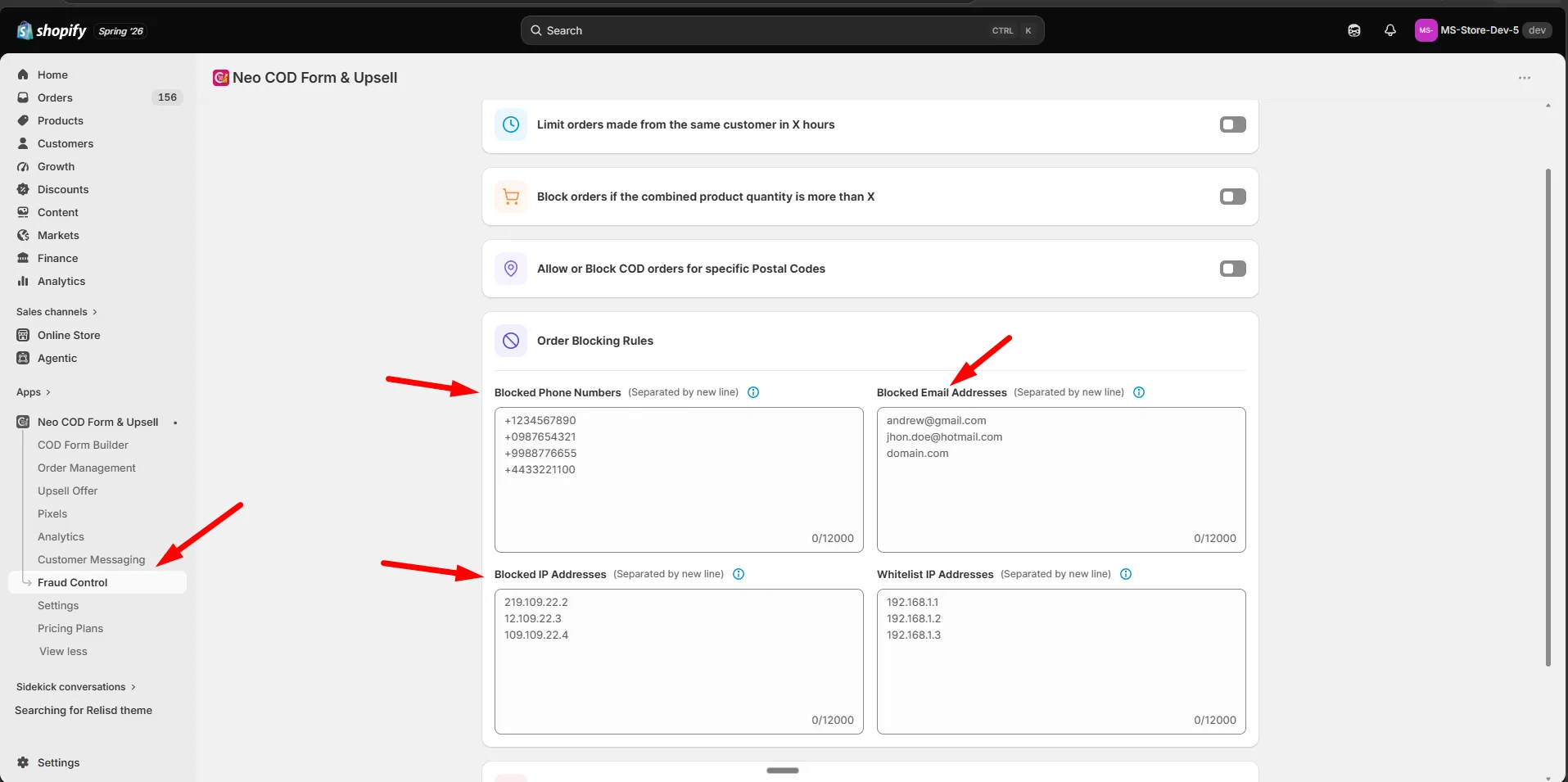
Step 3: Click Save.
- Invalid lines are flagged before saving.
- Blocked customers see the message set in Message to show in the form when an order is blocked.