
Top up your messaging balance
Your balance pays for services like SMS and WhatsApp messages. Top it up before enabling any customer message, or messages will not send.
How to top up your balance
Section titled “How to top up your balance”Step 1: Open the app and go to Customer Messaging.
Step 2: Find the Balance card. It shows your current balance.
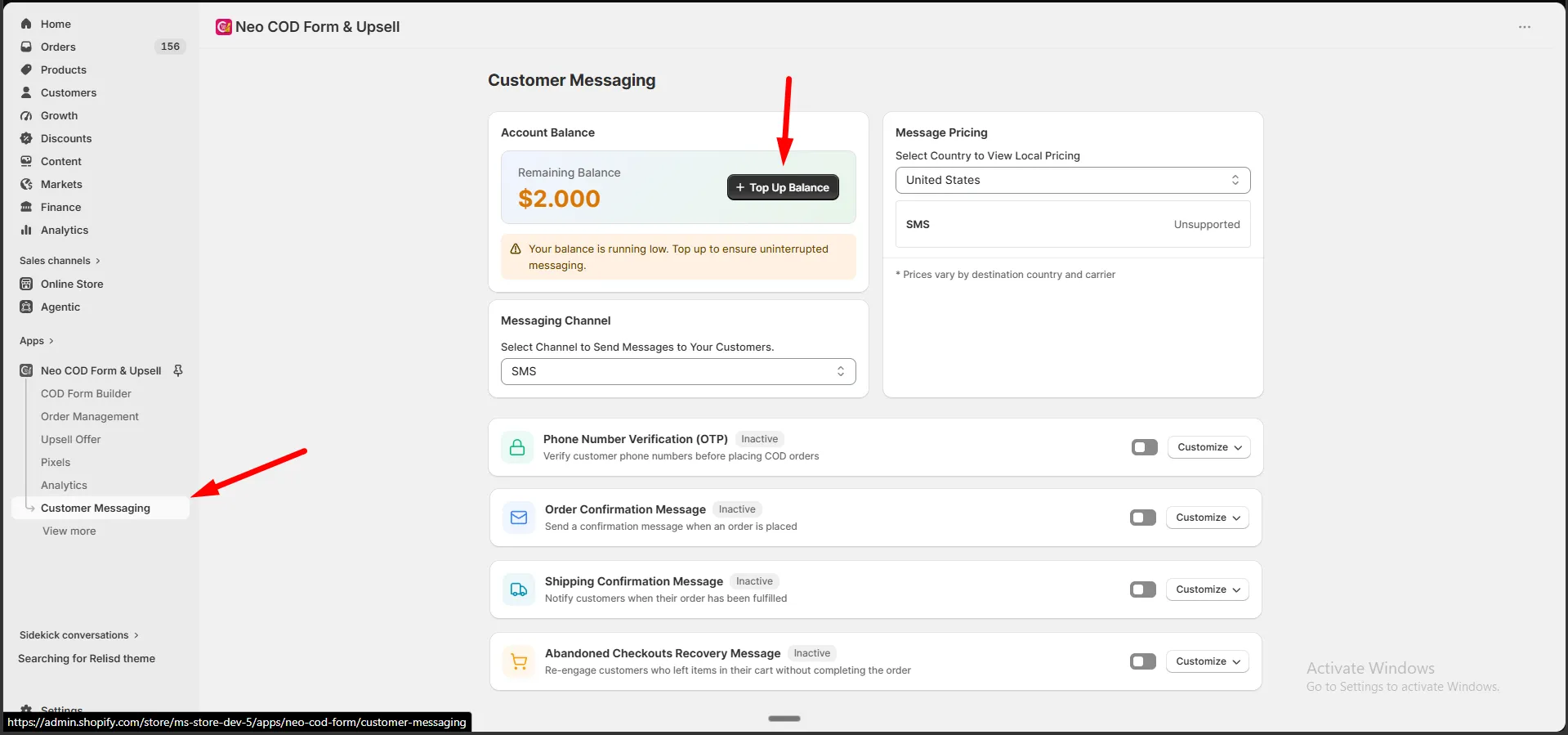
Step 3: Click Top Up.
Step 4: Choose an amount — a quick amount ($5, $10, $20, $50, $100), or click Custom to enter your own.
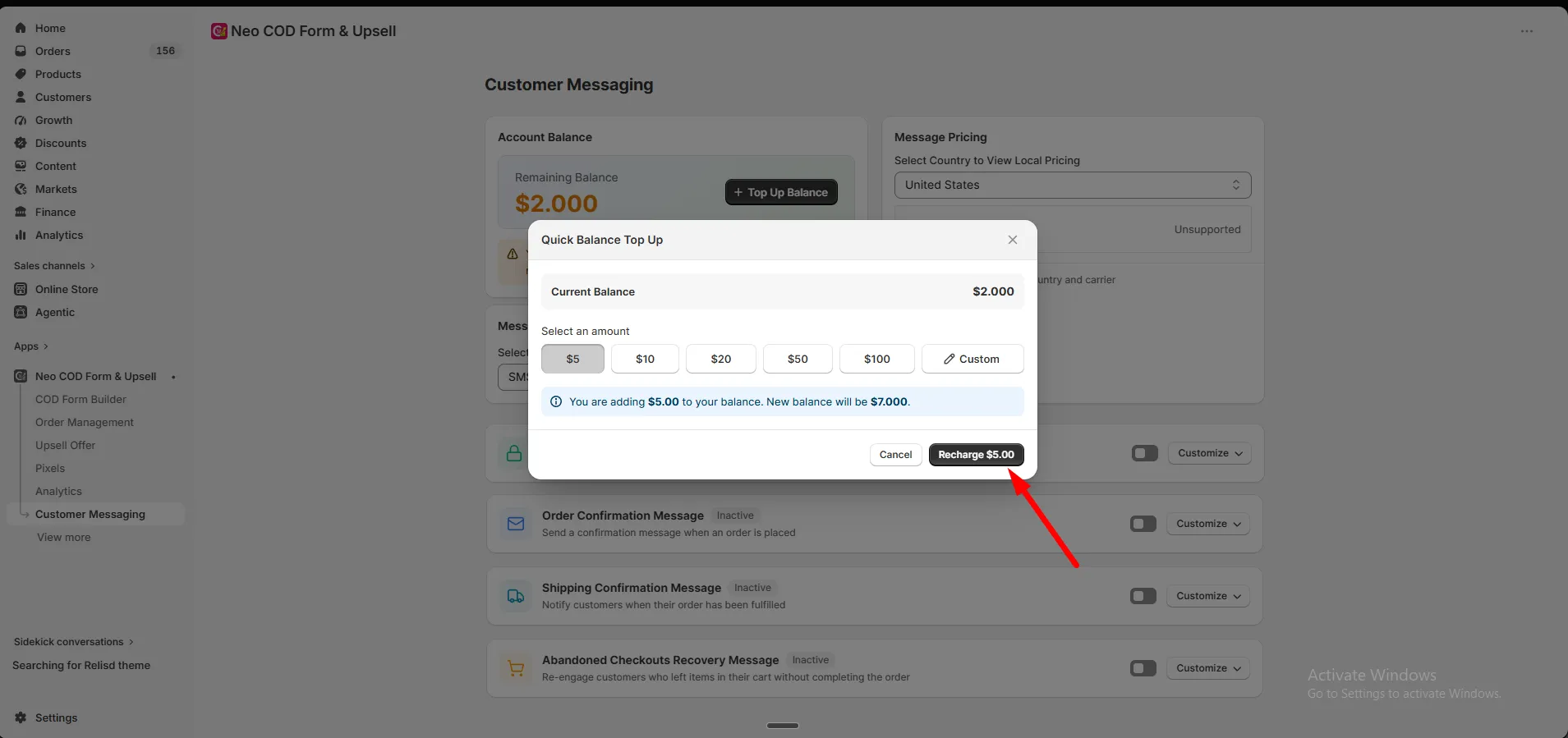
Step 5: Check the summary. It shows the amount you’re adding and your new balance.
Step 6: Click Recharge to confirm.
Step 7: Approve the charge in Shopify.
Once approved, the amount is added to your balance.