
Show the form as a pop-up or embedded
You can display your COD form in two ways: as a pop-up, or embedded directly on the page.
Where to find it
Section titled “Where to find it”Go to Form Builder → Preferences → Form Display.
Choose a display mode
Section titled “Choose a display mode”The form opens in a pop-up when a customer clicks the buy button.
Step 1: Select Pop-up Form.
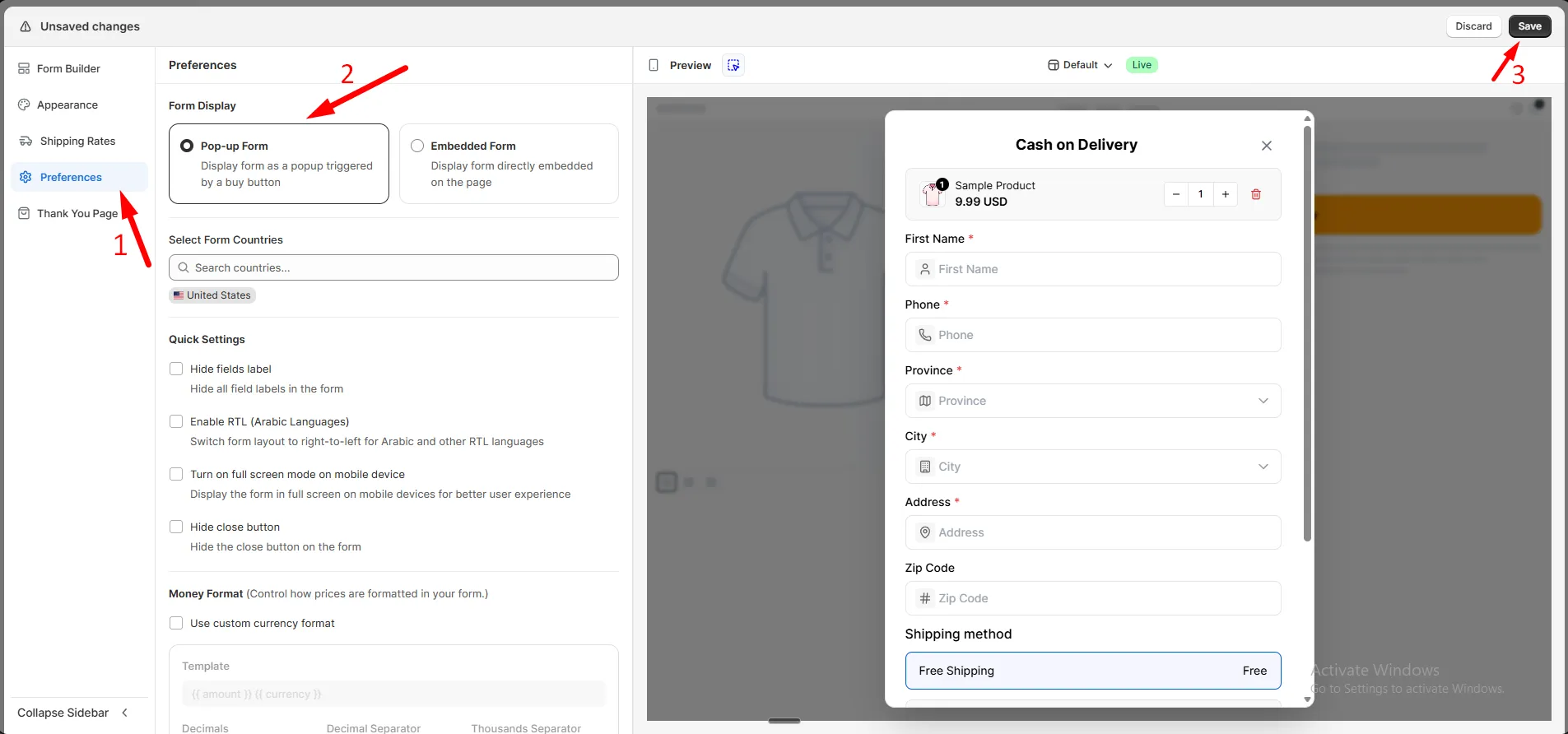
Step 2: Click Save.
The form shows directly on the page, with no button click needed.
Step 1: Select Embedded Form.
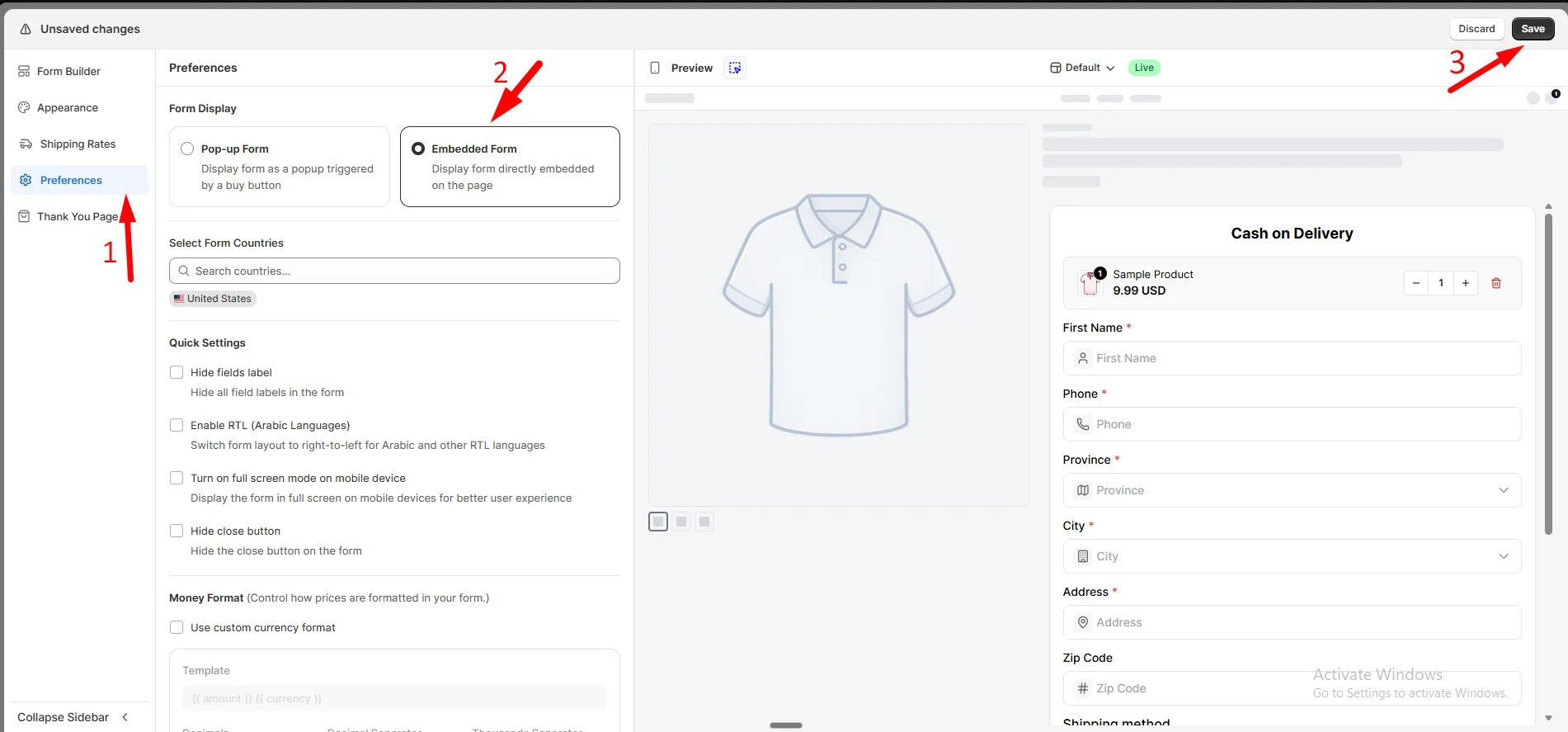
Step 2: Click Save.