The Real Cost of Running a Shopify Store in 2026
Plan fees are the smallest part of your Shopify bill. Here is the honest 2026 breakdown of card rates, transaction fees, chargebacks, app spend, and the losses Shopify never invoices you.
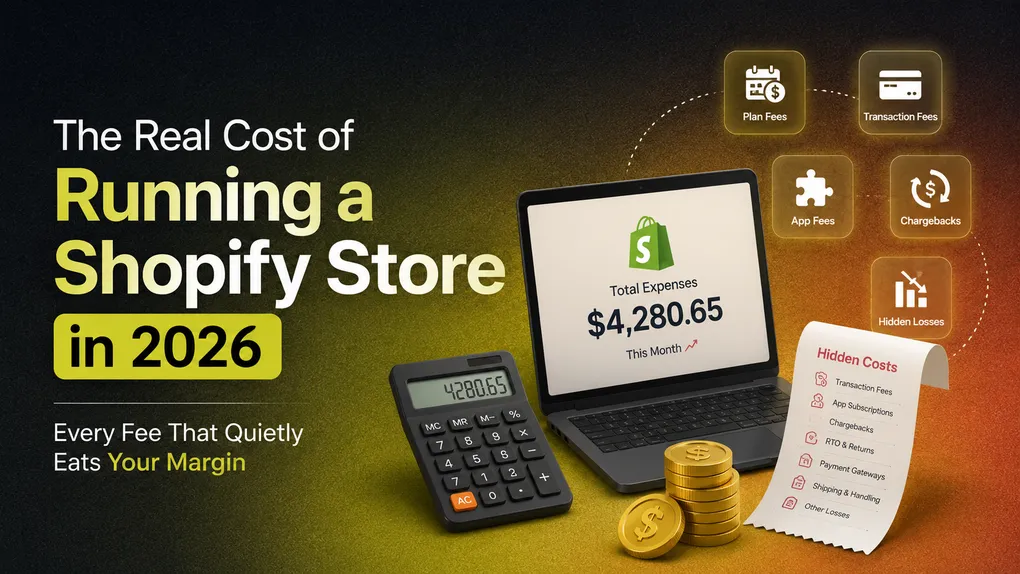
Open your Shopify billing page and look at the number at the top. Now open your bank statement and look at what actually left your account last month. For most merchants those two numbers are not even close.
That gap is where profit goes to die.
We have spent a lot of time inside COD-heavy stores, and the pattern repeats everywhere. A merchant budgets $25 a month, feels fine about it, and then wonders six months later why a store doing $18,000 in revenue is barely paying its owner. Nothing dramatic happened. There was no single big bill. Just a dozen small ones, plus a set of losses that never appear on an invoice at all.
Here is the full picture, pulled from Shopify’s own pricing page and Help Center rather than recycled from other blogs, with a section at the end on the costs that hurt most because nobody sends you a receipt for them.
Quick answer: what a Shopify store actually costs
- Plan fee: $19 to $2,300+ per month depending on tier, billing term, and country
- Card processing: 2.5% to 2.9% + 30 cents on standard cards, higher on premium and international cards
- Apps: commonly $60 to $200 a month for a small store, several hundred for a growing one
- Theme: $0 to around $400 one time, far more if you hire a developer
- All in: most stores land somewhere around 4% to 5% of revenue
At $10,000 a month in sales, that is roughly $400 to $500 leaving your business before you have paid for a single product or a single ad click. The plan fee is usually the smallest line on the list.
Layer 1: The plan fee
Shopify renamed its middle tier, so older guides use mismatched names. Here is what the pricing page currently shows, billed in USD:
| Plan | Pay monthly | Pay yearly | Standard online card rate | Staff accounts |
|---|---|---|---|---|
| Basic | $25 | $19 | 2.9% + 30¢ | Owner only |
| Grow (formerly “Shopify”) | $65 | $49 | 2.7% + 30¢ | 5 |
| Advanced | $399 | $299 | 2.5% + 30¢ | 15 |
| Plus | from $2,300 | not offered | from 2.25% + 30¢ | Unlimited |
There is also an Agentic plan at $0 per month for selling your catalog through AI chat channels, where you only pay when a sale happens, and a POS Pro add-on at $89 per month per location for physical retail.
Four things worth knowing before you pick:
Basic gives you zero additional staff accounts. Not one. If you have a virtual assistant, a bookkeeper, or a business partner who needs admin access, you are looking at Grow. That is a $30 a month jump on annual billing, and it catches a lot of small teams by surprise.
Annual billing saves roughly 24%, but you pay for the whole year up front. At $19 a month that is $228 in a single hit. If cash flow is tight, the few dollars extra per month for monthly billing is buying you flexibility.
Plus has no yearly discount option. The pricing page lists yearly billing as unavailable on Plus, and the plan is contract-based rather than a rolling subscription. Shopify does currently advertise a $399 introductory offer to try it.
The trial is short. Three days free, then $1 per month for the first three months. That promo is real and useful, but plenty of merchants build a budget around it and get a shock in month four.
Layer 2: Card processing, the fee that actually scales
This overtakes your plan fee the moment you start selling properly. Shopify publishes different rates for different card types, and almost every “Shopify costs 2.9%” article only quotes the first row.
| Rate type | Basic | Grow | Advanced |
|---|---|---|---|
| Online standard cards | 2.9% + 30¢ | 2.7% + 30¢ | 2.5% + 30¢ |
| Online premium cards | 3.5% + 30¢ | 3.3% + 30¢ | 3.1% + 30¢ |
| Online international cards | +1% | +1% | +1% |
| In person | 2.6% + 10¢ | 2.5% + 10¢ | 2.4% + 10¢ |
| In person, manually keyed | 3.5% + 10¢ | 3.5% + 10¢ | 3.5% + 10¢ |
| PayPal Wallet | from 3.49% + 49¢ | from 3.49% + 49¢ | from 3.49% + 49¢ |
Two details that catch people out.
Premium cards cost 0.6 points more. American Express and commercial cards sit in the premium bracket. If your customers skew corporate, your blended rate is meaningfully above the headline number.
The 30 cent fixed fee is per transaction, not per dollar. On a $150 order it is noise. On a $12 order it is 2.5% on its own, pushing your effective rate past 5.4%. Stores selling cheap single items feel this badly and usually cannot work out why their margins look worse than a competitor selling the same product in a three pack.
The refund detail nobody mentions
Shopify’s Help Center states it plainly: credit card transaction fees are not returned to you when you issue a refund. You take the sale, you pay the processing, you give the money back, and the processing stays gone. On a store running a 10% refund rate that is a permanent leak sitting quietly in your P&L.
Layer 3: The third-party gateway surcharge
The most misunderstood fee on the platform, and worth being precise about.
Use Shopify Payments and you pay processing only. Use an outside gateway (PayPal as a primary processor, a direct Stripe account, a local provider) and Shopify adds a surcharge on top of whatever your gateway already charges:
- Basic: 2%
- Grow: 1%
- Advanced: 0.6%
- Plus: 0.2%
Read that again if you are on Basic. Your gateway takes roughly 2.9%, and Shopify takes 2% on the same order. Nearly 5% before anything else. For merchants in countries where Shopify Payments is not available, this is not a choice, it is a tax on geography.
Two surcharge traps almost nobody writes about
Running both at once costs extra. Per Shopify’s Help Center, if you use Shopify Payments alongside a direct third-party provider, your third-party transactions are charged the surcharge as normal, and your Shopify Payments transactions are charged the standard rate plus a 1.25% premium. Splitting your payments across two processors is more expensive than either one alone.
Gift cards and store credit now count. For Shopify stores created on or after May 12, 2025, orders paid for wholly or partly with store credit or gift cards are charged third-party transaction fees on that portion, even when you use Shopify Payments. If a customer pays with a card plus $10 of store credit, you get charged the surcharge on the $10. Stores created before that date are exempt. If you run a gift card programme on a newer store, this is a line item you should be watching.
The COD exemption
Here is the part that matters most for cash-on-delivery merchants, straight from Shopify’s documentation: transaction fees do not apply to manual payment methods, which include cash on delivery, bank deposits, cheques, and draft orders marked as paid or pending. No card processor, no percentage, no 30 cent fixed fee, no third-party surcharge.
That is a genuine structural advantage prepaid-only stores do not have. It is also why COD stores need to be far more careful about an entirely different set of costs, which we get to below.
Layer 4: Cross-border fees
- International cards: +1% on top of your plan’s standard rate
- Currency conversion: 1.5% per transaction, built into the price your buyer sees. Shopify’s Help Center notes the rate is either 1.5% or 2% depending on where your store is located
- Duties and import tax at checkout: 0.85% with Shopify Payments, 1.5% without, deducted from your payout if you enable it
- Shopify Managed Markets: 3.5% per transaction, or 3.25% on Plus, in exchange for merchant-of-record service, guaranteed duties, tax filing, and HS code classification
One timing detail worth flagging for anyone reconciling payouts: as of April 6, 2026 Shopify calculates currency conversion fees directly on the gross order amount. Previously the calculation deducted Shopify Payments fees first, so your effective rate came out slightly under the stated rate. If your FX line looks a little higher than it did last year, that change is why.
Layer 5: Chargebacks
Shopify publishes chargeback fees by country. A selection:
| Country or region | Chargeback fee |
|---|---|
| United States | $15 USD |
| United Kingdom | £10 GBP |
| Canada | $15 CAD or $15 USD |
| Eurozone | €15 EUR |
| Ireland | €15 EUR plus 23% VAT |
| Australia | $25 AUD |
| New Zealand | $20 NZD |
| Japan | ¥1,300 JPY |
| Singapore | $16.35 SGD |
| Hong Kong SAR | $85 HKD |
| Mexico | $200 MXN |
The disputed amount and the fee are both taken from you immediately when the chargeback is filed, not when it is decided. Win, and both come back. Lose, and you keep nothing.
Two things merchants usually learn the hard way:
Winning does not clean your record. Shopify is explicit that your chargeback rate is based on the number of disputes filed, not the outcomes. Win every single one and your rate is unchanged. A high rate can affect your Shopify Payments account standing, trigger reserve thresholds, and cost you eligibility for features like the Shop app.
An inquiry is not a chargeback. With an inquiry, no money is taken during the investigation. Resolve it well and it ends there. Ignore it and it can escalate into a full chargeback with the fee attached. Inquiries are the cheapest disputes to win, and the easiest to lose by not responding.
Layer 6: Apps, where the budget really goes
Here is the honest truth that app companies do not lead with: apps usually cost more than your Shopify plan, often several times more.
Costs scale with revenue because so many popular tools charge per email sent, per order processed, or per message delivered. Your email platform grows with your list. Your review app grows with your order count. None of that is visible when you install on a free trial at 200 orders a month.
The dead subscription problem is real. Merchants who audit their app list for the first time routinely find a few hundred dollars a month of tools they stopped using and never properly cancelled. Put a recurring reminder in your calendar every quarter and read every line on your billing page.
Overlapping apps are the bigger problem. A lot of stores pay four separate subscriptions for four pieces of the same job: one for the order form, one for upsells, one for quantity discounts, one for pixel tracking. Each adds a monthly charge and another script to your storefront, which slows your pages, which costs conversions, which costs you money a second time in a way that never shows up as a fee.
This is exactly the case for consolidating. Neo COD Form & Upsell puts the COD order form, one-tick upsells, downsells, pre-purchase offers, quantity discounts, and multi-platform pixel tracking in a single app, free for the first 100 orders a month and $6.99 or $12.99 on the paid tiers. Whether or not it fits your store, the principle holds: every app you remove is a fee removed and a script removed.
Layer 7: The smaller line items
- Marketplace order syncing: the first 50 synced marketplace orders each month are free, after which Shopify charges 1% of those orders, capped at $99 a month
- Premium theme: roughly $280 to $400 one time. Free themes are genuinely good now and most new stores do not need to spend here
- Custom theme development: several thousand dollars and up
- Domain: $10 to $20 a year
- Professional email: Shopify does not include mailboxes, so budget for Google Workspace or similar
- Third-party calculated shipping rates: included on Advanced and Plus, a paid add-on on Grow, unavailable on Basic
- Shopify Capital: repaid as a percentage of daily sales over a maximum 18 month term. Convert the flat fee to an annualised rate before you decide it is cheap
On the plus side, two things genuinely offset the bill: shipping discounts of up to 87%, and 1% back on all sales as Shopify credits, capped at $5,000 on Basic and rising by tier.
The costs Shopify never bills you for
This is where the biggest money is, and it is the section most pricing articles skip entirely.
Abandoned checkouts
The Baymard Institute’s aggregate of roughly 50 separate studies puts the average cart abandonment rate at about 70%. Mobile runs worse, commonly cited between 76% and 80%. The most quoted reason shoppers bail is unexpected extra costs appearing at checkout, at roughly 48%, with forced account creation and a complicated checkout close behind.
Nobody invoices you for this. But 1,000 carts a month at a $75 average value with 70% evaporating is $52,500 of demand you paid to generate and did not convert. Shaving five points off that number is worth more than every fee optimisation in this article combined.
For COD stores in particular, a long multi-step checkout is a killer. A shopper paying cash on delivery does not need a billing address, a card form, or an account. Every field you show them that they do not need is a chance to leave. A one page order form with only the fields you actually require will usually outperform standard checkout in COD markets.
Failed deliveries and RTO
If you sell cash on delivery, this is your largest hidden cost by a wide margin, and it dwarfs anything Shopify charges.
The published numbers are stark. Prepaid orders typically see return-to-origin rates of 5% to 12%. COD orders commonly run 20% to 40%. KPMG research has put return shipments at up to 20% of total ecommerce shipments overall, rising to around 40% for COD. GoKwik’s data across the Indian market puts the national average near 23%.
Now price a single failed delivery. You pay forward shipping. You pay reverse shipping. You lose the ad spend that generated the order. You lose the packaging. Inventory sits locked in transit for a week or two. Someone on your team spends fifteen to thirty minutes on it. On a ₹1,000 order, industry write-ups commonly put the loss between ₹350 and ₹700. A store shipping 500 orders a month at a 25% RTO rate is looking at 125 failed deliveries and roughly ₹50,000 gone, every month.
Compare that to arguing about whether you should be on the $19 or the $25 plan.
The encouraging part is that most RTO is preventable at the point of order, not at the point of delivery. Operational analyses of COD businesses consistently find the majority of RTO comes from customer-side causes: a change of mind, an unreachable phone number, a bad address, no cash on hand, or an order that was never serious. Those are order-capture problems, not logistics problems.
Which is why the controls at the form matter so much. Validating the phone number before the order is created, blocking repeat offenders by phone, email, or IP, restricting delivery to postal codes you can actually service, and capping suspicious quantities all remove bad orders before you have spent anything shipping them. Neo COD Form & Upsell builds those validation and blocking rules into the order form itself, alongside 25+ configurable fields, so the filtering happens before the order hits your fulfilment queue rather than after.
Broken tracking data
The quietest cost of all. If your pixels do not fire correctly on order confirmation, your ad platforms optimise against incomplete data, and you pay more per acquisition for the rest of the campaign because the algorithm is learning from a partial signal.
This hits COD stores hardest, because custom order forms often sit outside Shopify’s native checkout and the standard purchase event never fires. Merchants then see a dashboard reporting half their real conversions and shut off a campaign that was actually profitable. Getting Facebook, Google Ads, TikTok, Pinterest, Snapchat, X, and GA4 firing properly on your COD flow is not a nice-to-have, it is a cost control measure.
A realistic example
A store doing $15,000 a month, 300 orders, $50 average order value, domestic, Shopify Payments, on Basic annual billing:
| Line item | Monthly cost |
|---|---|
| Basic plan | $19 |
| Card processing (2.9% + 30¢ on 300 orders) | $525 |
| Apps | $110 |
| Domain and email | $12 |
| Chargebacks (2 disputes, 1 lost) | $65 |
| Theme (amortised from a $300 one-off) | $25 |
| Total | $756 |
Roughly 5% of revenue, and the plan fee is 2.5% of the total bill. Everyone budgets for the $19. Almost nobody budgets for the $737 sitting underneath it. Even if Shopify made the plan free tomorrow, your bill would barely move, because the plan was never the problem.
How to actually cut the bill
Ranked by money saved per hour of effort:
- Fix your COD order flow first. If you are running 25% RTO, getting to 15% is worth more than everything else on this list put together.
- Switch to Shopify Payments the day it becomes available in your market, and do not run it alongside a direct third-party provider unless you have to, because of the 1.25% premium.
- Audit your apps quarterly. Cancel the dead ones, consolidate the overlapping ones.
- Do not upgrade your plan for status. Upgrade when the maths works. Basic to Grow is $30 more a month on annual billing and saves 0.2% on card processing, so it breaks even around $15,000 a month in card volume. Below that, the only reason to move up is staff accounts.
- Raise your average order value rather than chasing more orders. The 30 cent fee, the shipping, and the RTO risk are broadly the same on a $30 order and a $70 order. Quantity breaks and one-click upsells at the point of purchase are the cheapest lever here.
- Show shipping costs early, since unexpected costs at checkout are the single most cited abandonment reason.
- Respond to every inquiry. They cost nothing to win and turn into chargeback fees if ignored.
- Use a free theme until a paid one has a specific job to do.
FAQ
Is Shopify expensive in 2026? The platform is not expensive. The platform plus thirty add-ons is expensive. Most stores land at 4% to 5% of revenue in total platform and ecosystem costs, which is broadly in line with other hosted platforms once apps are counted.
What is the cheapest way to run a Shopify store? Basic on annual billing at $19 a month, Shopify Payments to avoid the surcharge, a free theme, and a deliberately small app stack.
Does Shopify charge a transaction fee on cash on delivery orders? No. Shopify’s documentation lists cash on delivery among the manual payment methods that transaction fees do not apply to. Your plan fee still applies. The real cost of COD is not a Shopify fee at all, it is failed deliveries.
How much is the Shopify chargeback fee? It depends on your country. $15 USD in the United States, £10 in the UK, €15 across the eurozone, $25 AUD in Australia. It is taken when the dispute is filed and returned if you win.
Do I get my processing fee back when I refund an order? No. Shopify states that credit card transaction fees are not returned when you issue a refund.
Does Shopify still have a $5 Starter plan? Starter no longer appears on the main Shopify pricing page. The current lineup is Agentic, Basic, Grow, Advanced, and Plus, with POS Pro as an add-on. Plan availability differs by country, so check the pricing page for your region.
The takeaway
The plan fee is the number Shopify advertises and the number merchants argue about. It is also, for nearly every store, the smallest thing you pay.
Processing takes more. Apps usually take more than processing. And for COD merchants, failed deliveries take more than everything else combined, without ever appearing on a bill.
Budget for the whole picture, then spend your optimisation time where the money actually is: on the order form, on the quality of the orders you accept, and on getting more value out of each one that converts. If you want one tool covering the COD form, the upsells, the fraud controls, and the pixel tracking instead of four separate subscriptions, Neo COD Form & Upsell is free on your first 100 orders a month.
Shopify fees quoted here come from Shopify’s own pricing page and Help Center, checked August 2026. Plan prices, card rates, plan availability, and chargeback fees vary by country and billing term. Always confirm the numbers for your own region on shopify.com/pricing before you commit.