15 Shopify Product Options Problems & How to Fix Them
Product options not showing, prices not updating, or customizations missing at checkout? Fix 15 common Shopify product options problems step by step.
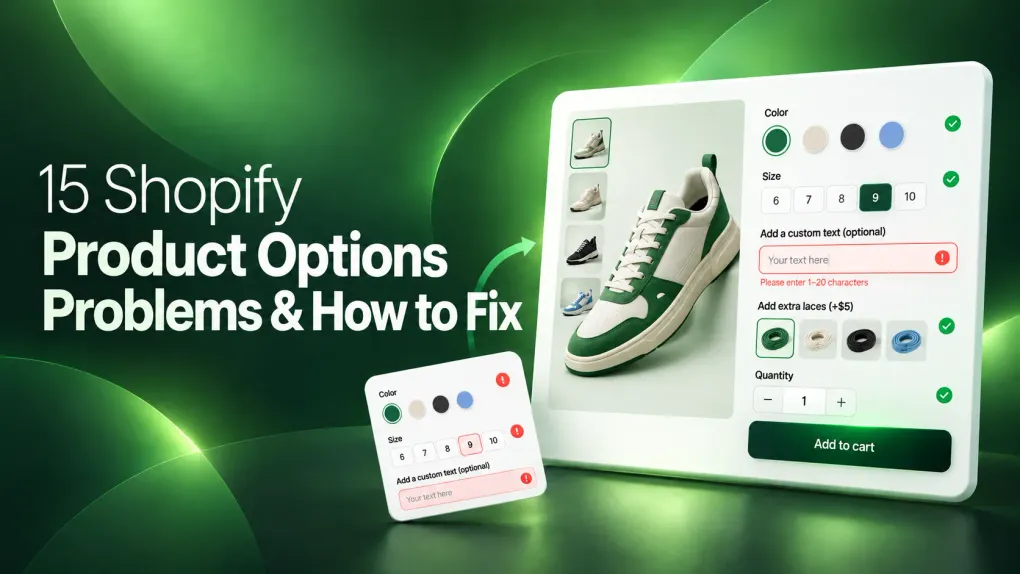
You’ve added product options to your Shopify store, but they’re not showing up, prices aren’t updating, customizations disappear at checkout, and other issues keep popping up. Often, it comes down to how your product options app handles theme integration, pricing, and customer selections.
Choosing the right app can make product customization easier to manage. For example, Wow Custom Product Options supports conditional logic, live preview, and add-on pricing, helping you build and manage more flexible product options. However, theme compatibility and integration issues may still require troubleshooting.
But if you’re already facing issues, this guide covers 15 common Shopify product options problems, their likely causes, and practical fixes to get everything working properly.
Match Your Symptom to the Right Fix
Use the table below to match your symptom to the right fix. Each row links to the detailed solution.
| Reader Situation | Problem to Check | Check Before Using Fix |
|---|---|---|
| Options invisible on product page | 1. Product Options Not Showing on Product Page | Is app embed enabled in theme customizer? |
| Mobile users can’t see options | 2. Options Not Appearing on Mobile | Does the app have mobile-specific settings? |
| Cart shows base product only | 3. Options Not Appearing in Cart | Does the theme use cart drawer vs page? |
| Orders arrive without customization | 4. Customization Data Missing From Orders | Where does the app store data (line items vs metafields)? |
| Show/hide rules ignored | 5. Conditional Logic Not Working | Are field names exact matches (case-sensitive)? |
| Customers can’t upload files | 6. File Upload Not Working | What are the file size/type limits on the current plan? |
| Settings reset after save | 7. Product Options Not Saving | Any browser console errors on save click? |
| Option price doesn’t change total | 8. Price Not Updating With Options | Is price tied to variant or separate add-on? |
| Bundle pricing wrong | 9. Add-On Price Not Calculating | Does the app support price stacking? |
| Wrong variant selected | 10. Options Conflicting With Variants | Are option values mapped to correct variant IDs? |
| Broke after theme switch | 11. Options Disappearing After Theme Changes | Did you re-add app blocks in the new theme? |
| Fresh theme install, options broken | 12. App Not Working With a Shopify Theme | Is the theme on the app’s tested-compatible list? |
| Checkout shows no customization | 13. Customization Not Displaying at Checkout | Using checkout UI extensions or legacy checkout.liquid? |
| Preview frozen/stale | 14. Live Preview Not Updating | Are preview assets cached? Try incognito. |
| Page loads slow with options | 15. Product Options Slowing Down the Page | What’s the app’s script size? Any unused options loaded? |
Fix Display Problems With Product Options
Display issues are the most common entry point. Start here if options don’t appear where they should.
1. Product Options Not Showing on Product Page
The app embed is disabled in the theme customizer. Go to Online Store > Themes > Customize > App embeds and toggle the app on.
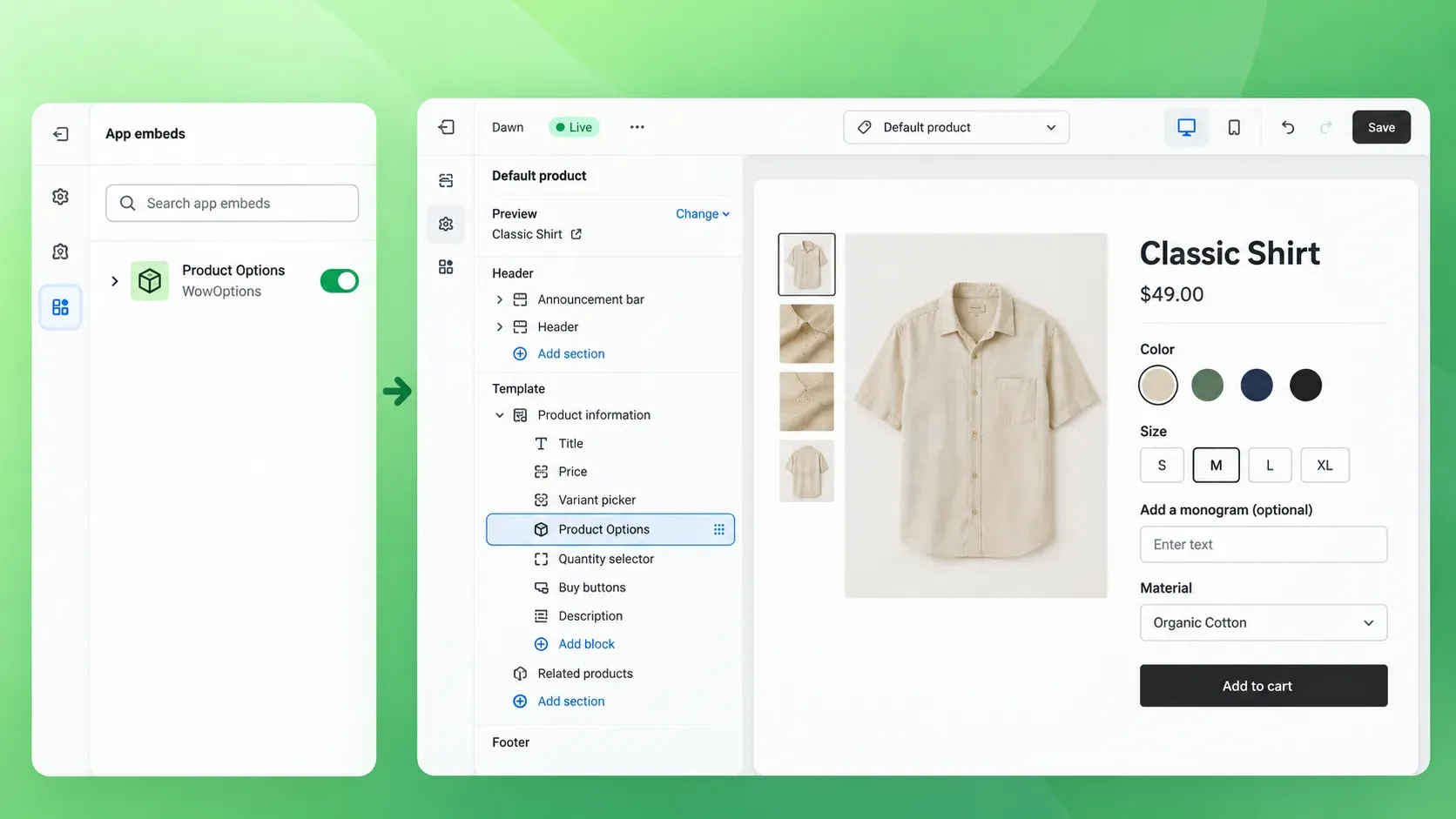
Some themes hide the embed toggle under a collapsed section. If the embed is on but options still don’t appear, the theme may not render the app block in the product template.
Add the block manually in the product page section.
2. Options Not Appearing on Mobile
Many apps have a separate mobile visibility setting. Check the app’s configuration for a “Show on mobile” toggle.
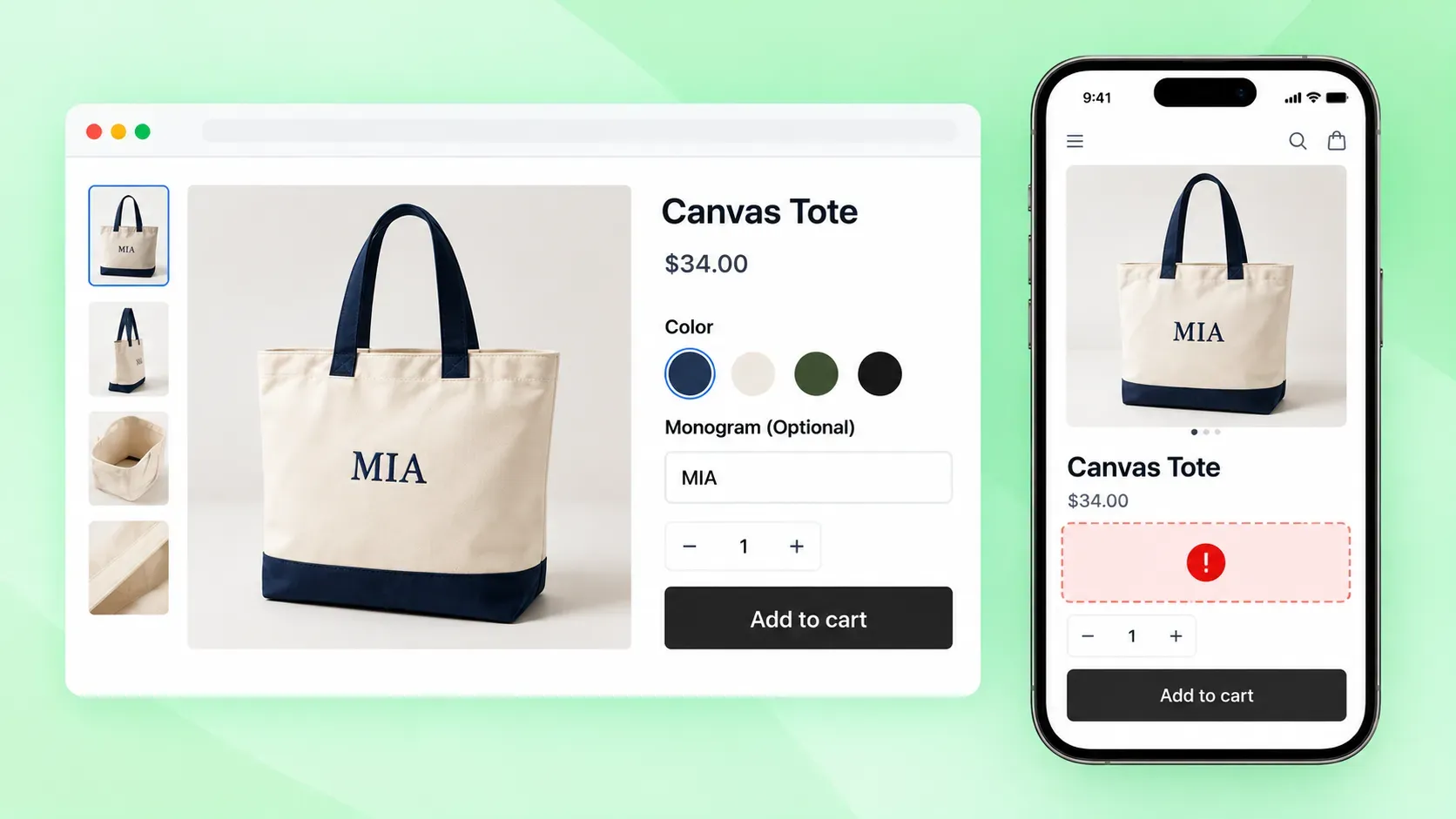
If the app uses CSS to hide options on small screens, inspect the element in browser dev tools. Look for display: none or visibility: hidden at mobile breakpoints. Override with custom CSS if the app permits.
3. Options Disappearing After Theme Changes
Switching themes resets all app blocks. After activating a new theme, return to the customizer and re-add every app block to the product template.
Some themes use different section names. For example, “Product form” vs “Product information.” Place the block in the equivalent section. Save and publish.
4. App Not Working With a Shopify Theme
Not every app tests against every theme. Check the app’s documentation for a list of compatible themes. Dawn and other Online Store 2.0 themes have the best support.
If your theme isn’t listed, test on a Dawn duplicate first. If it works there, the issue is theme-specific CSS or JavaScript conflicts. Contact the app developer with your theme name and a preview link.
5. Live Preview Not Updating
The preview canvas caches the initial render. Hard-refresh the page (Ctrl+Shift+R / Cmd+Shift+R). If that fails, clear the browser cache or test in an incognito window.
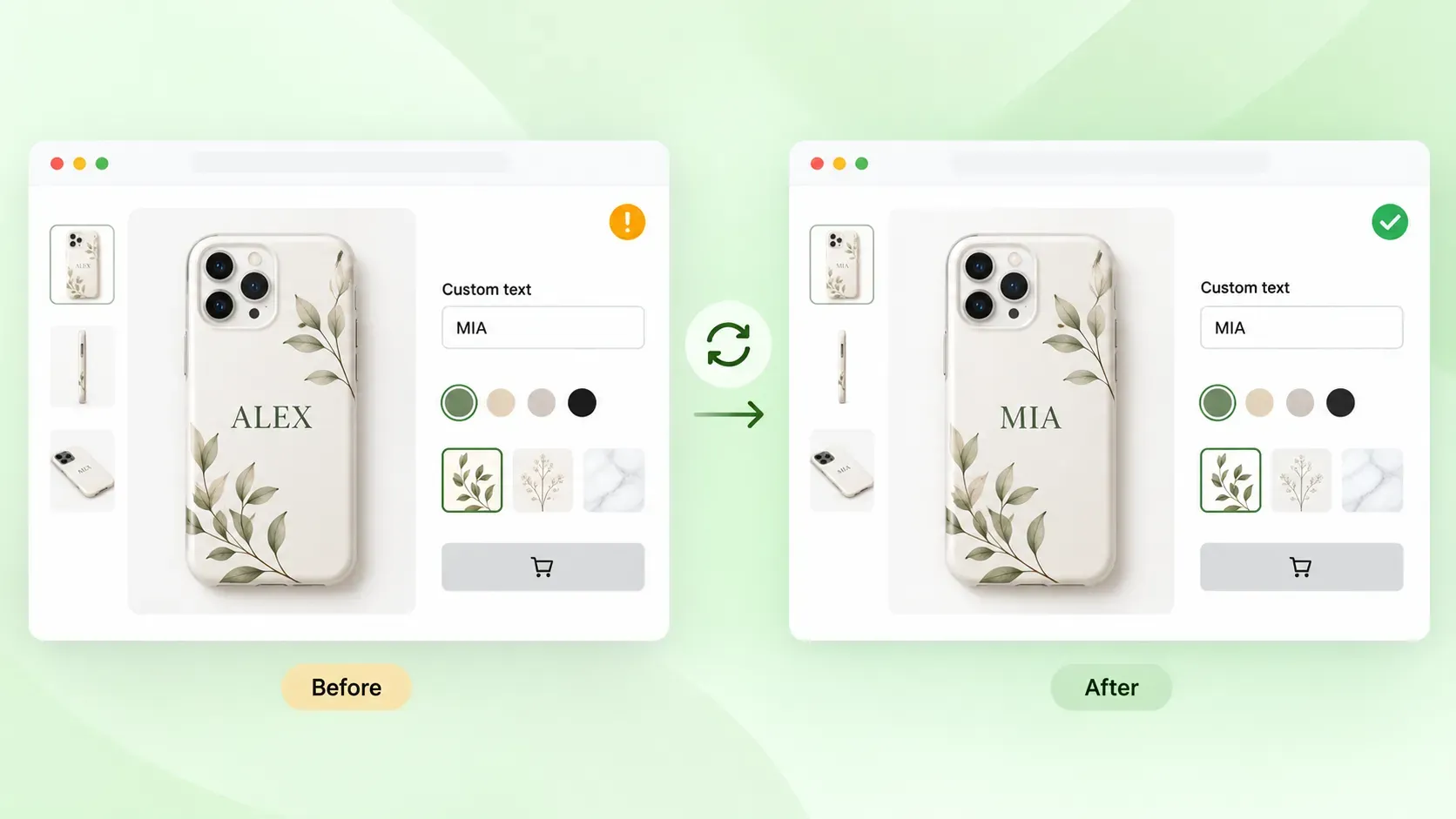
Large product images can stall the preview script. Compress images before upload. Some apps limit preview refresh rate. Check the settings for a “real-time” or “debounced” toggle.
Fix Cart and Checkout Option Problems
Cart and checkout problems silently kill revenue. Fix these before checking analytics.
6. Options Not Appearing in Cart
Shopify passes option data through line item properties. If your theme uses a cart drawer (ajax cart), the drawer template may not render those properties.
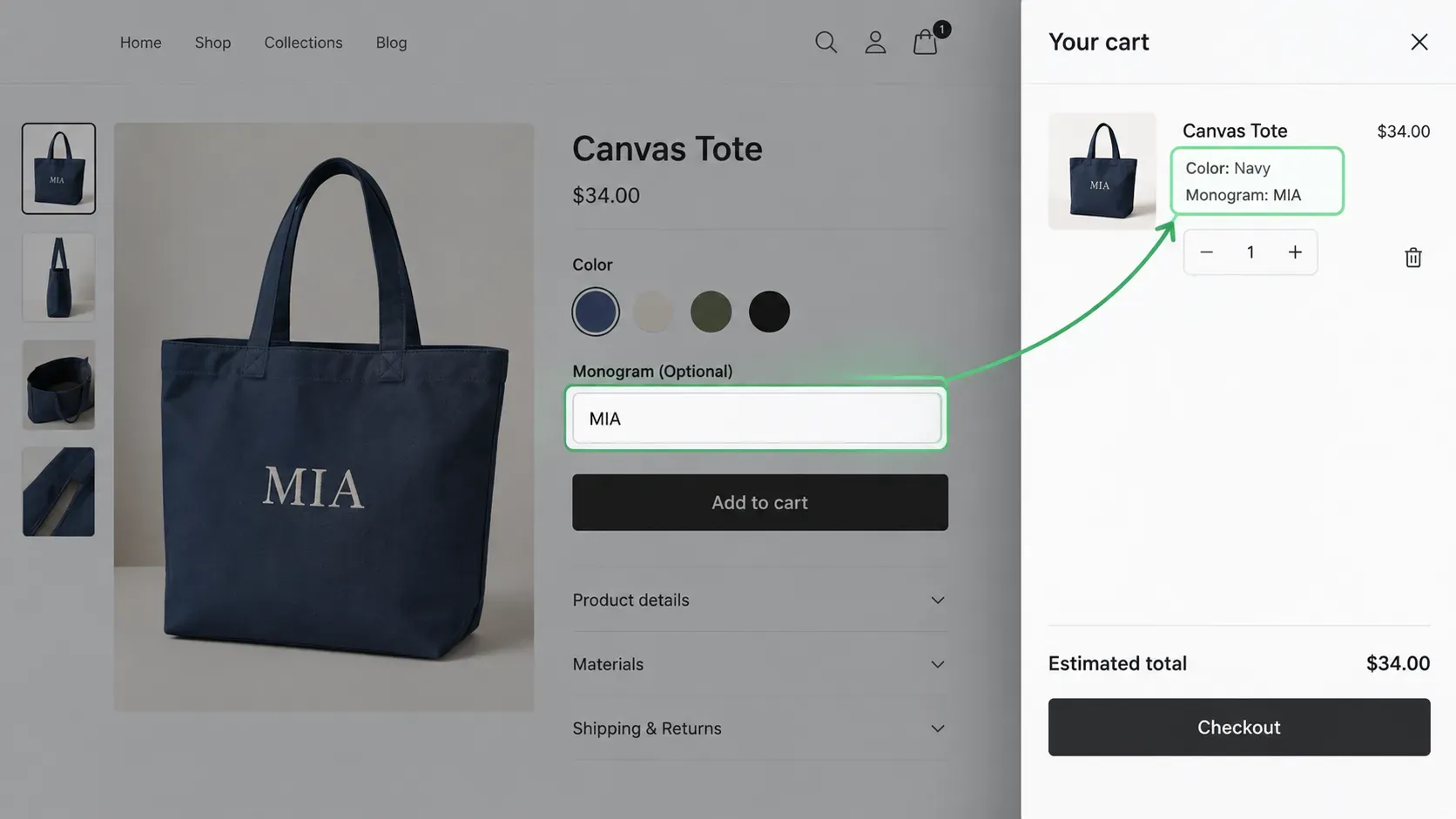
Check cart-drawer.liquid or the equivalent section for item.properties output. For cart page themes, verify cart.liquid includes the properties loop. Some apps require a specific snippet. Consult the app’s integration guide.
7. Customization Not Displaying at Checkout
Checkout extensibility replaced checkout.liquid. Customizations now surface through checkout UI extensions or customer privacy metafields.
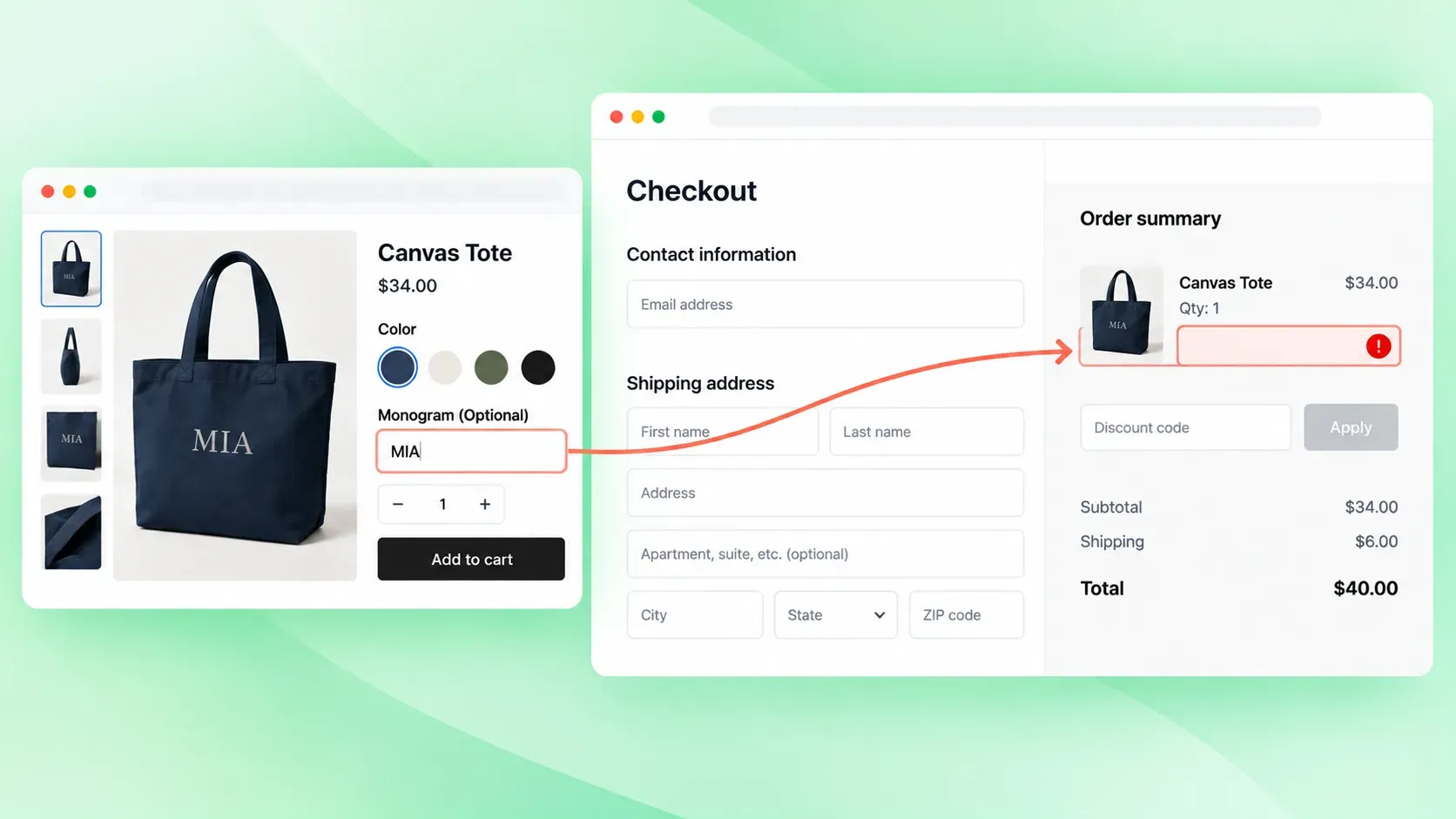
Confirm the app has a checkout UI extension installed and enabled in Settings > Checkout. For metafield-based apps, verify the metafield definition exists and the namespace/key matches the app’s expectation. Legacy checkout.liquid customizations no longer run.
8. Price Not Updating With Options
Price add-ons work two ways: variant-based (each option maps to a variant with its own price) or calculated (base price + option surcharge).
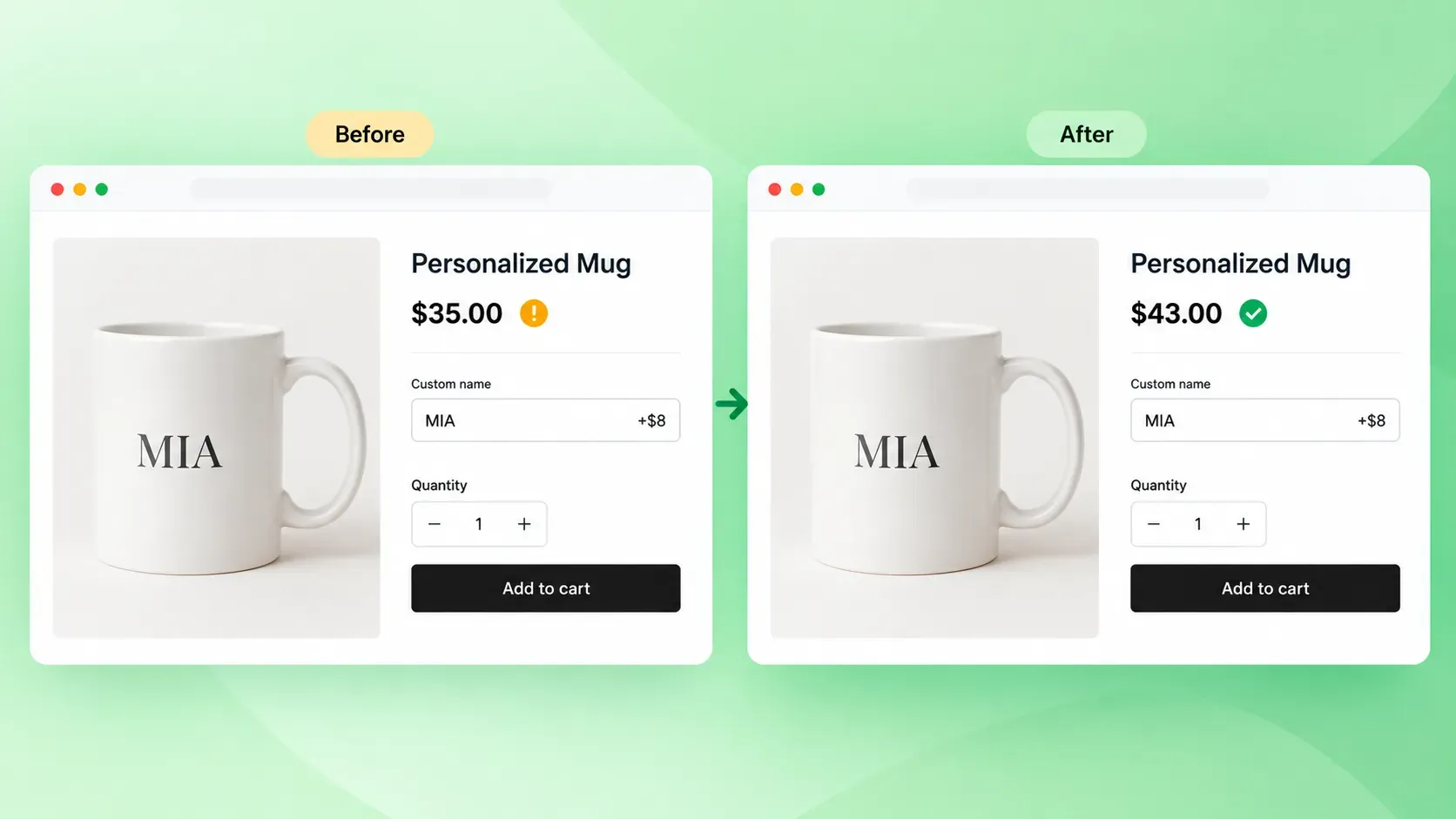
For variant-based, ensure each option combination maps to an existing variant ID. For calculation, verify the price rule uses the correct operator (add, multiply, fixed) and currency format.
Shopify Scripts or automatic discounts can override calculated prices. Disable them temporarily to isolate.
9. Add-On Price Not Calculating
Bundles and upsells often use separate pricing logic. Check whether the app stacks multiple add-ons or applies only the highest.
Quantity rules matter: some apps multiply the add-on by line item quantity, others treat it as a flat fee. Test with quantity > 1. If the app integrates with Shopify Functions, verify the function is deployed and active.
Fix Data and Logic Problems With Options
Data and logic issues hide until orders arrive. Verify these before launching campaigns.
10. Customization Data Missing From Orders
Apps store customization in line item properties, order notes, or metafields. Line item properties appear on the order details page under “Additional details.”
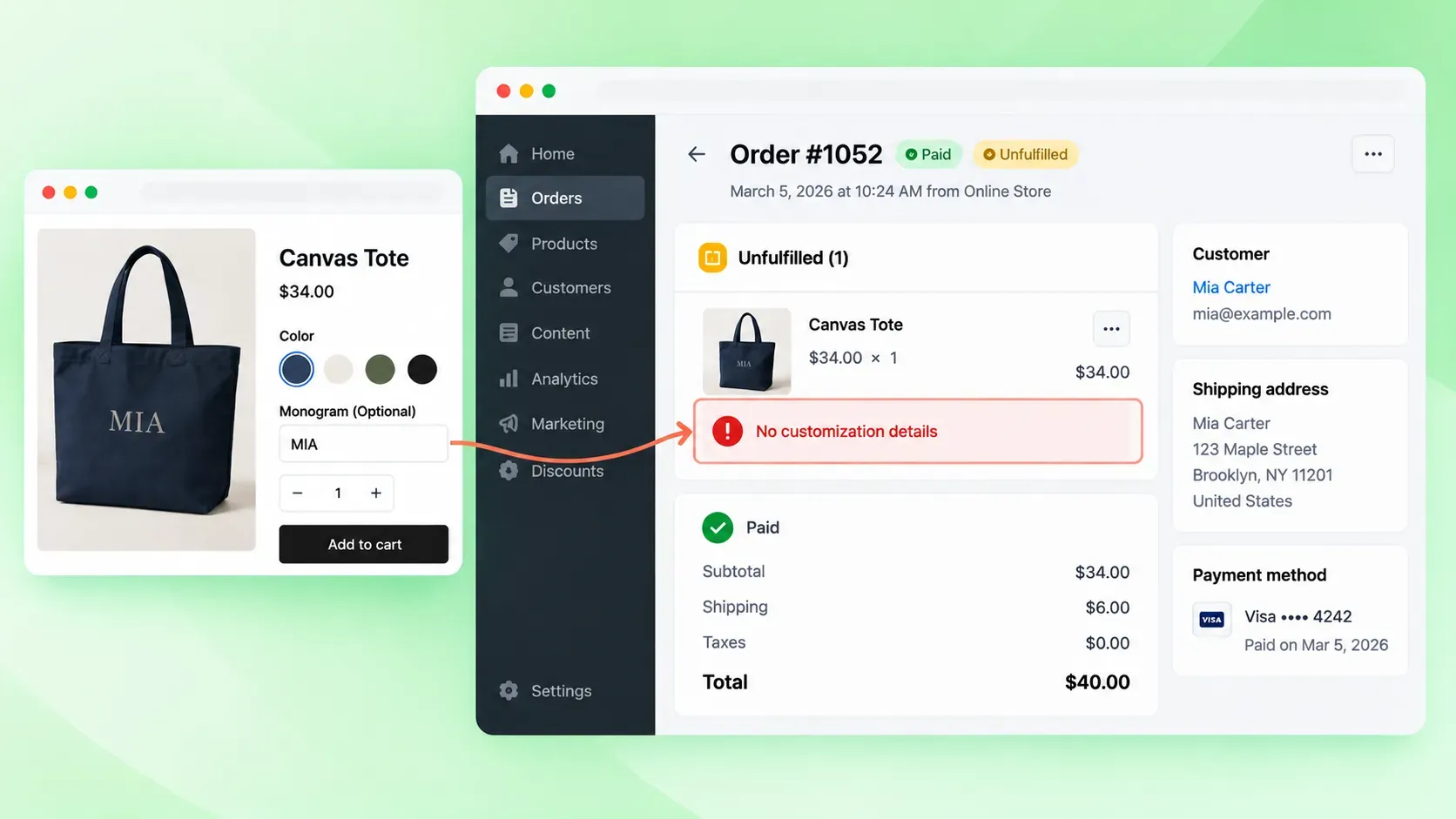
Metafields require a specific definition to show in admin. Check the app’s settings for “Save to order notes” or “Save to metafields.” If using a fulfillment service, confirm the service reads the correct field.
11. Conditional Logic Not Working
Logic rules depend on exact field name matches. A field named “Color” won’t match a rule targeting “color.” Copy the field API name from the app’s field list, not the display label.
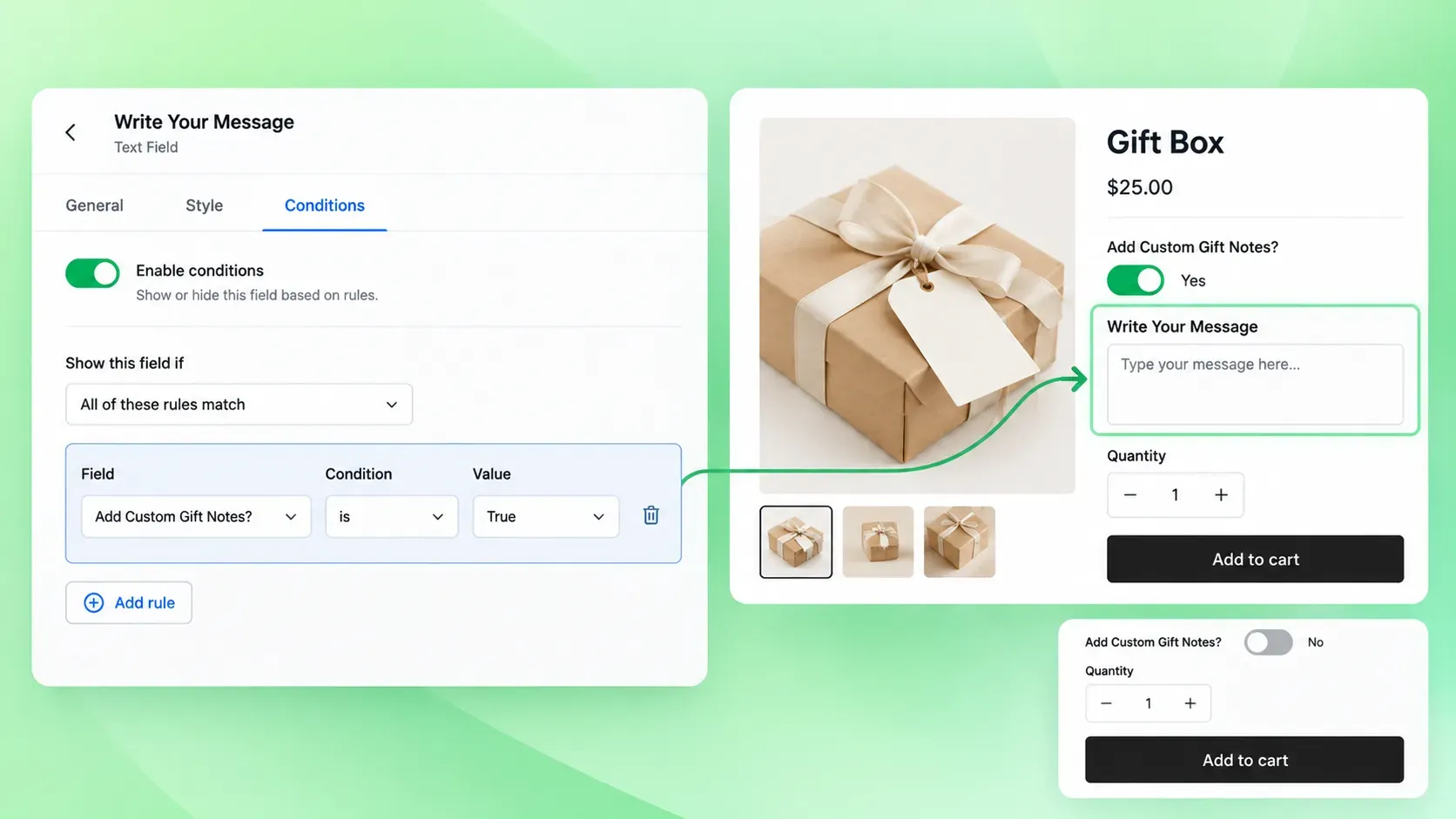
Rule order matters. Earlier rules can hide fields that later rules try to show. Test each rule in isolation. Most apps cap the number of active rules per tier.
12. File Upload Not Working
File uploads fail silently when limits are exceeded. Common limits: 10-20 MB per file, specific MIME types (JPG, PNG, PDF), and total uploads per order.
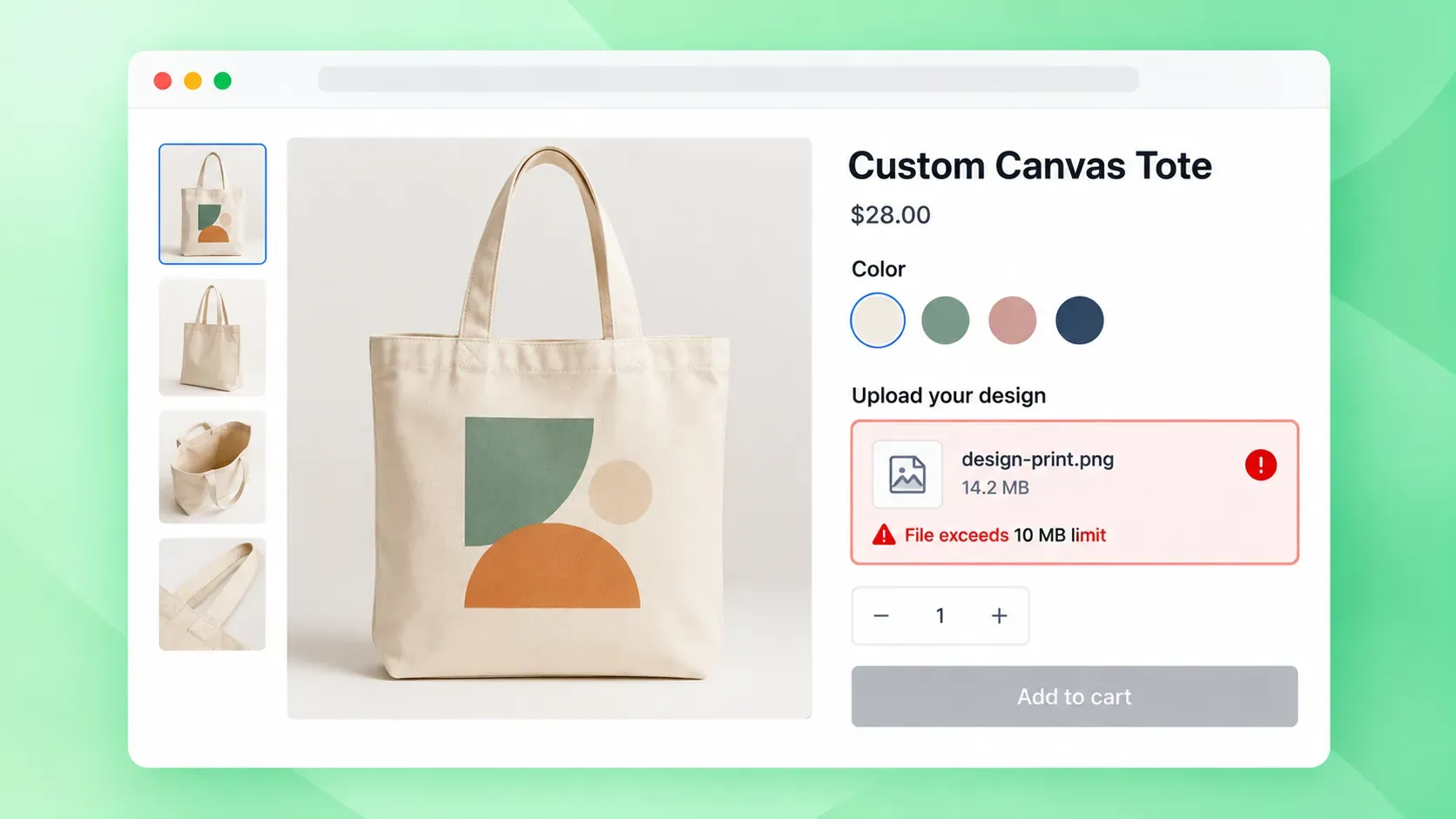
Check the app’s plan limits. Free tiers often restrict uploads. Server-side, the app may use a CDN with its own constraints. If uploads stall at 99%, it’s usually a CORS or CDN timeout. Test with a small text file first.
13. Product Options Not Saving
Open browser dev tools (F12) and watch the Network tab when you click Save. A 403 means missing API permissions. The app needs write_products scope.
A 422 means validation failed (duplicate handle, invalid characters). A 500 is an app server error. Clear browser cache and try a different browser. If the app uses an app proxy, verify the proxy URL hasn’t changed.
14. Options Conflicting With Variants
Shopify limits products to 100 variants and 3 options. If your app creates virtual options beyond this, they won’t map to real variants.
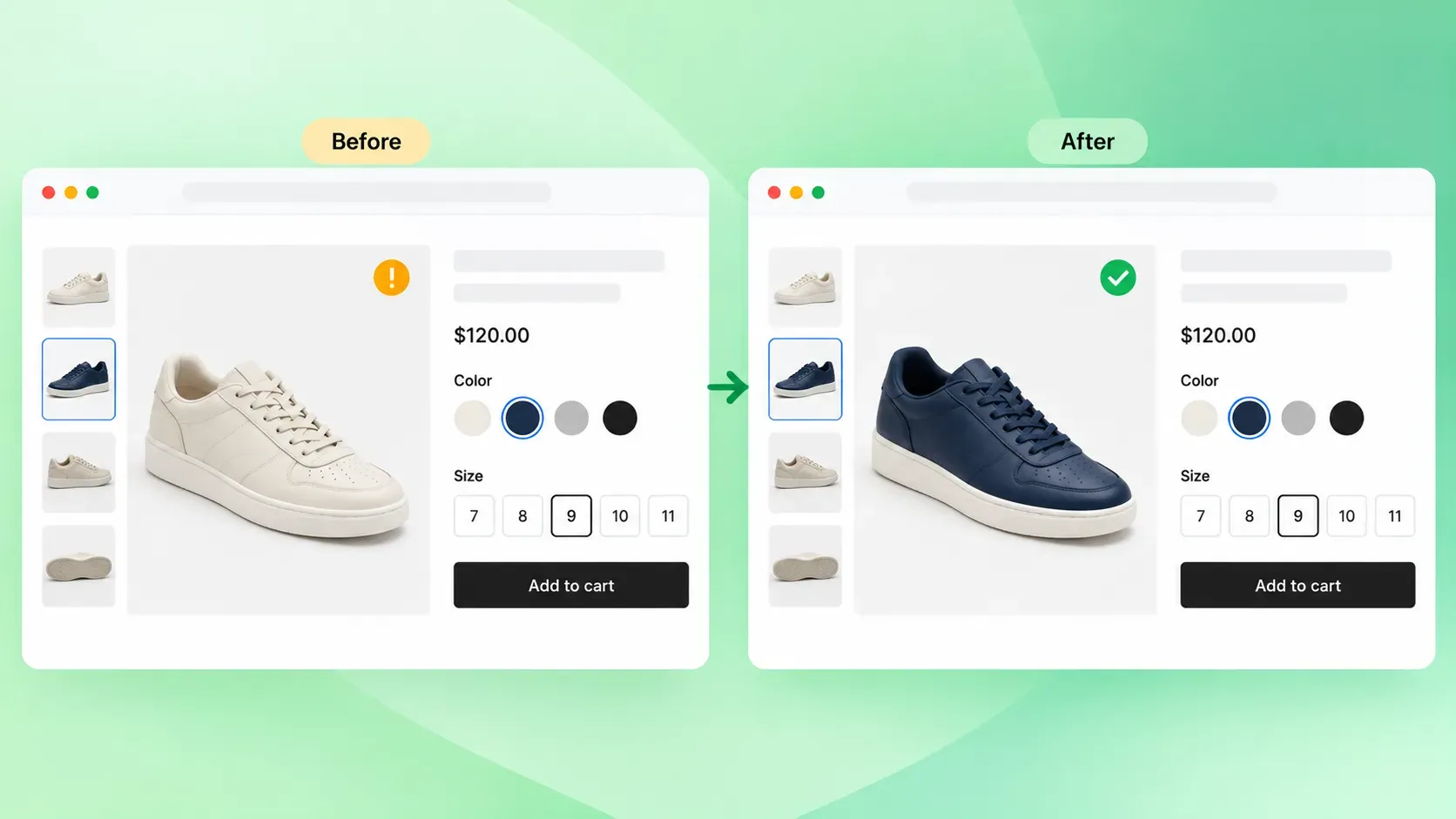
Ensure each option value maps to a valid variant ID. Duplicate option values across different option names cause selection conflicts. Use the app’s “variant mapper” or “SKU builder” to verify the mapping before publishing.
Fix Performance Problems From Product Options
Performance issues compound. A slow option script affects every product page using it.
15. Product Options Slowing Down the Page
Heavy option sets load large JavaScript bundles. Check the Network tab for the app’s script size. Anything over 100 KB gzipped is noticeable.
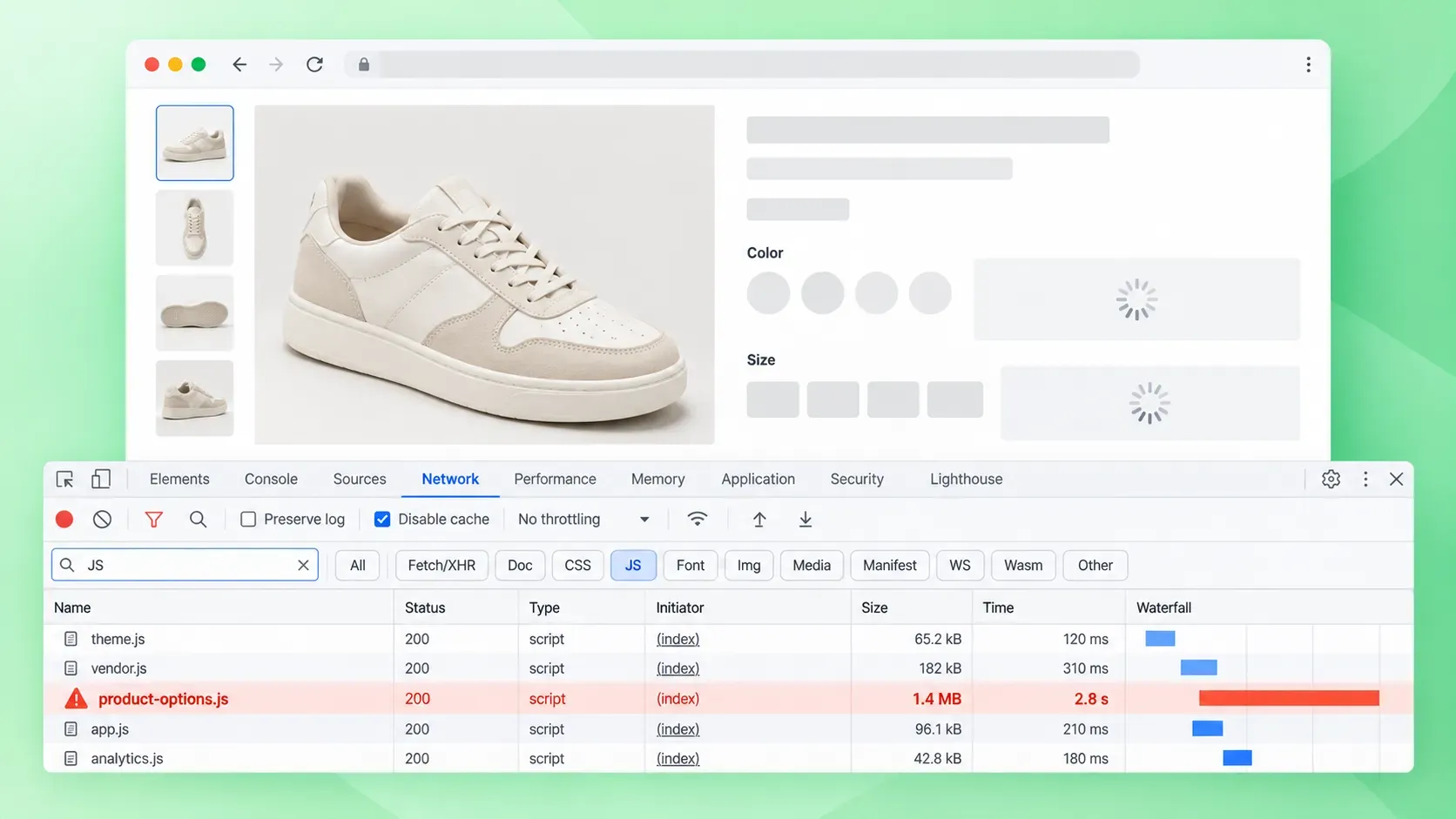
Disable unused option types. For example, turn off file upload if you don’t need it. Enable the app’s CDN if available.
For stores with many option-heavy products, consider lazy-loading the app script after the initial render. Monitor Core Web Vitals in Search Console. LCP and CLS are the most affected metrics.
Tools That Prevent These Option Problems
If you’re tired of patching, Wow Custom Product Options handles every case on this list natively: live preview, conditional logic, file uploads, price rules, checkout display, and performance without theme conflicts or version drift.
- Live preview that updates without caching issues: the canvas re-renders on every option change. Fixes problems #5 and #14.
- Conditional logic with exact field matching: rules reference the field API name directly, so “Color” never fails to match “color.” Rule order is visible and editable. Fixes problem #11.
- File uploads with clear plan limits: each tier states max file size, allowed MIME types, and total uploads per order. No silent 99% stalls; CORS and CDN timeouts handled server-side. Fixes problem #12.
- Price rules that stack correctly: add, multiply, or fixed operators apply per option. Quantity rules (per-line vs flat) are explicit. Shopify Functions integration is one-click. Fixes problems #8 and #9.
- Checkout UI extensions for customization display: works with Checkout Extensibility out of the box. Metafield mapping is automatic; legacy checkout.liquid never required. Fixes problems #7 and #10.
- Lightweight script that preserves Core Web Vitals: bundle stays under 100 KB gzipped. Unused option types are tree-shaken. CDN delivery is default. Fixes problem #15.
- Theme-agnostic block registration: after a theme switch or fresh install, Wow Custom Product Options re-adds its blocks to the product template automatically. Tested against Dawn and all major Online Store 2.0 themes. Fixes problems #3, #4, and #13.
Why Choose Wow Custom Product Options
Each fix above is a symptom of the same root cause: options apps that treat Shopify’s extension points as optional. Wow Custom Product Options treats them as the contract.
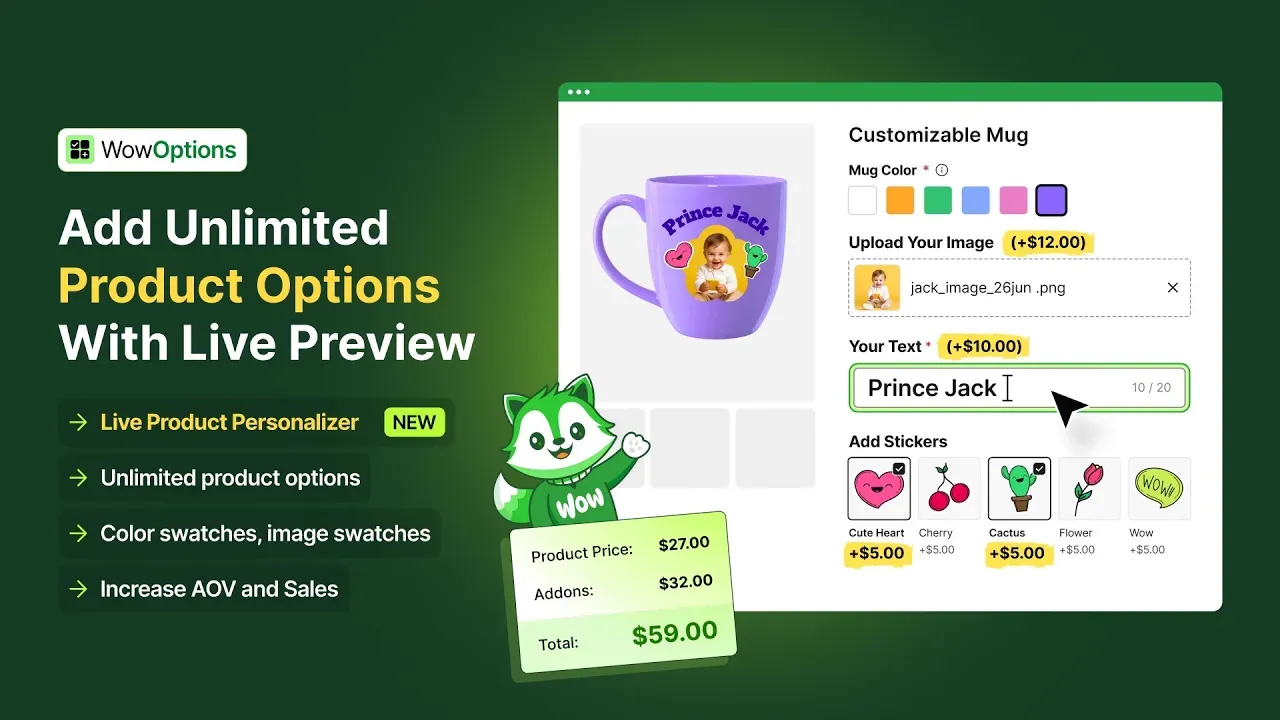
You configure once; the app handles embeds, blocks, logic, pricing, checkout, and performance across theme changes, platform updates, and traffic spikes.
FAQs About Shopify Product Options Problems
These questions cover the most common follow-ups after fixing the issues above.
Q: Why Do My Product Options Work in Preview But Not on the Live Store?
Preview mode often loads the theme with different settings or without certain scripts. Check that app embeds are enabled for the live theme, not just the preview. Some apps require a published theme to initialize properly.
Q: Can I Migrate Option Data From One App to Another?
Most apps export option configurations as JSON or CSV. Import capability varies. If the new app supports the same field types, migration is usually straightforward.
Custom logic and conditional rules rarely transfer cleanly. Plan to rebuild them.
Q: Do Product Options Affect SEO?
Options themselves don’t directly impact SEO. However, slow page speed from heavy option scripts can hurt rankings.
Unique option combinations that create indexable URLs (via variant parameters) can cause duplicate content. Use canonical tags if needed.
Q: Why Does My Conditional Logic Work on Desktop But Not Mobile?
Mobile browsers handle JavaScript events differently. Touch events may not trigger the same change listeners as click events.
Test the logic on a real device, not just browser dev tools device toolbar. Some apps have separate mobile logic settings.
Q: How Do I Know If a Theme Is Compatible Before Buying?
Check the app’s documentation for a tested themes list. Install the theme as a trial (most paid themes offer a preview period) and test the app on a duplicate store.
Contact the app developer. They often maintain an internal compatibility matrix not published publicly.
Q: What Happens to Option Data If I Uninstall the App?
Line item properties on existing orders remain. Metafields persist unless the app deletes them on uninstall (rare).
New orders won’t have the option fields. Export any configuration before uninstalling if you plan to reinstall or migrate.
Q: Can I Use Multiple Product Options Apps Simultaneously?
Technically yes, but they often conflict on the product page (both trying to render in the same block), in the cart (both writing line item properties), and at checkout (both injecting UI extensions).
Pick one primary app. Use a second only for a feature the first lacks, and test thoroughly.
Fix Shopify Product Options: Prevent the Next Break
Clear option visibility and previews reduce the confusion that causes most abandoned custom orders. The root cause is usually a disabled embed, theme conflict, or plan limit, not the app itself.
Before you ship, watch one customer complete the flow and fix any step where the choice or price is not obvious.
If you’re tired of patching, Wow Custom Product Options handles every case on this list natively: live preview, conditional logic, file uploads, price rules, checkout display, and performance without theme conflicts or version drift.