How to Increase Average Order Value With COD Upsells on Shopify
Increase COD order value with quantity discounts, one-tick upsells, and downsells. Learn where and how to use each offer.
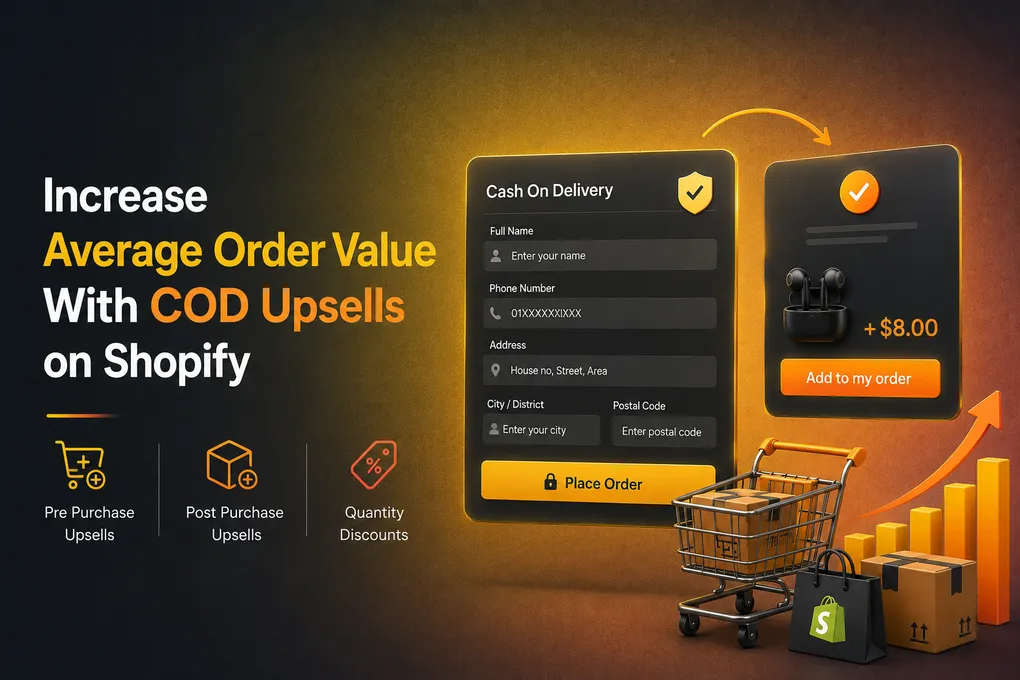
Most COD store owners spend all day thinking about one number: how many orders came in today.
It is the wrong number to obsess over.
You can double your orders and still lose money. I have watched it happen to plenty of stores. Ad costs go up, courier fees stay the same, a chunk of parcels come back unopened, and at the end of the month the bank balance says something very different from what the Shopify dashboard said.
The number that actually saves a cash on delivery business is average order value. How much money is in each parcel you send out.
Because here is the thing nobody tells beginners: your cost to deliver a $15 order and a $40 order is almost exactly the same. Same ad click. Same courier pickup. Same packing. Same risk of the customer refusing at the door. The only thing that changes is how much profit is sitting inside the box.
This post is about how to move that number using upsells that live inside your COD order form. Not fancy theory. The actual offers, the actual placement, and the mistakes that kill it.
Why AOV Matters More for COD Than for Card Payments
Key idea: In COD, delivery and acquisition costs are relatively similar whether the parcel is small or large. Increasing the value inside each successful delivery can therefore have an outsized effect on profitability.
Let us do the math out loud, because this is the part that makes people change their whole strategy.
Say you sell a product for $20. Your product cost is $8.50. Delivery costs you $2.50. Your ad cost per order is $6.
That leaves you $3 of profit. Feels okay.
Now add reality. Roughly a quarter of your COD parcels come back. In India, industry data puts \COD return to origin rates around 25 to 30 percent while prepaid orders sit closer to 2 to 3 percent. Each returned parcel costs you shipping in both directions and gives you zero revenue.
Run 100 orders. Seventy five get delivered and paid. Twenty five come back. You paid ad money on all 100.
Suddenly that $3 per order profit is gone. You are at breakeven or below.
Now change one thing. Keep everything the same, but push the average order value from $20 to $30 by getting some customers to take a second unit or add a related item.
Your product cost goes up a bit. Your delivery cost does not. Your ad cost does not. Your RTO rate roughly does not. That extra $10 is mostly profit, and it is the difference between a store that scales and a store that quietly dies.
This is why operators who have been doing this a while say the same thing: \the incremental cost of selling more to a buyer who is already in your funnel is close to zero, because you already paid the acquisition cost, so the upsell is pure margin expansion.
One more way to see it. \A 10 percent lift in average order value can absorb roughly a 20 percent rise in customer acquisition cost without touching your margin. When Facebook and TikTok costs jump next month, and they will, AOV is the buffer that keeps you alive.
What the Data Says About Upsells Actually Working
Benchmark note: The figures in this section are the claims and benchmarks contained in the supplied draft. They should be independently verified before publication.
I am wary of blog posts that throw big percentages around, so here is what holds up across multiple sources.
Upselling and cross selling are consistently reported to \lift revenue by somewhere between 10 and 30 percent for stores that do it properly. Bundles and quantity offers land in a similar range, with \bundled offers commonly credited with 20 to 30 percent AOV increases.
Placement matters a lot. Benchmark data for Shopify stores puts \pre purchase upsells converting around 8 to 15 percent, in cart offers around 5 to 12 percent, and post purchase offers around 3 to 8 percent.
Pre purchase converts highest, and a COD form gives you a clean place to run it. The offer appears the second she taps Buy Now, before the form even opens. Intent is at its peak and there is no half filled form to abandon. You do not need Shopify Plus or checkout extensibility for any of this.
The second slot is just as valuable and almost nobody uses it. After she fills the form and taps Place Order, one more offer opens in a modal before the confirmation shows. That is the highest intent moment in the whole flow, because the work is already done.
What both slots have in common is the thing that actually protects your numbers: neither one makes the form longer. Every field and every block inside the form costs you completions. These two offers sit outside it, on either side.
So the answer is both. One offer before the form opens, a lean form, one offer after Place Order.
The Six COD Upsell Types That Actually Move AOV
| # | Upsell Type | Best Use |
|---|---|---|
| 1 | Quantity discounts | Increase units per order |
| 2 | One-tick upsells | Add a relevant low-friction item |
| 3 | Downsells | Recover customers who reject the main offer |
| 4 | Free delivery threshold | Encourage customers to add more |
| 5 | Pre-purchase offers | Capture intent before the form opens |
| 6 | Post-purchase offers | Capture the highest-intent moment before confirmation |
Not every upsell is worth building. These six are, roughly in order of how much money they make for cash on delivery stores.
1. Quantity discounts, the workhorse
Buy 1 for $20. Buy 2 for $35. Buy 3 for $48.
Boring. Ancient. Still the best performing offer in COD markets, and it is not close.
It works because it needs zero explanation, zero extra decisions, and zero new product education. The customer already wants the thing. You are just saying she can have more of it for less each.
It works especially well for consumables and repeat use products. Skincare, supplements, socks, underwear, phone accessories, kitchen items, kids clothes. Anything a person will need again in two months.
A few rules that make the difference between a quantity offer that converts and one that gets ignored:
Make the middle option the obvious winner. Most people pick the middle. Design your pricing so option two is the deal you actually want them to take, and put a small “most popular” tag on it.
Show the saving in money, not percentage. “Save $5” beats “Save 12 percent” in almost every test I have seen in South Asian and MENA markets. People think in currency, not in maths.
Keep it to three tiers. Four confuses. Two feels like no choice.
Preselect nothing scary. Some stores preselect the biggest bundle and it backfires. Preselect the middle if you preselect anything at all.
2. One tick upsells
A single checkbox sitting under the form fields. “Add a travel size bottle for $6.” One tap. Done. No new page, no re entering the address, no going back.
This is the highest leverage upsell for COD because it respects the one thing COD customers hate most, which is extra steps. Anything that requires a second page loses most of the people who would have said yes.
The price of the add on matters enormously. Keep it well under the main product price. A good starting rule is somewhere between 25 and 50 percent of the main item. If the main product is $25, an add on at $6 to $12 gets ticked. An add on at $22 gets ignored, because now the customer has to think, and thinking is what kills the offer.
Good one tick offers: a refill, a second colour, a carry pouch, a matching accessory, a small gift item, an extra pair.
3. Downsells, the money you are currently leaving on the table
Customer sees your quantity offer for three units. Says no. Most stores stop there.
A downsell says: fine, how about two? Or how about the single unit at a slightly better price?
You are not going to convert everyone to the big bundle. But converting a chunk of the refusers into a smaller upgrade still lifts your average. Downsells are quiet and unglamorous and they add up over a month in a way that surprises people the first time they turn them on.
4. Free delivery threshold
\Around 90 percent of US shoppers say they add extra items to qualify for free shipping, which makes the free shipping threshold one of the most reliable AOV levers available. The behaviour is not America specific. In COD markets where delivery charges are visible and often paid at the door, it might be stronger, because the customer feels that charge very physically.
The mistake almost everyone makes is setting the bar too high. If your typical order is $20, set the free delivery line at $24 or $25. Not $40. A target that feels reachable changes behaviour. A target that feels far away gets ignored and just makes your delivery fee look worse.
Show it as a live line inside the form. “Add $4 more for free delivery” does real work.
5. Pre purchase offers
This one sits before the form, not inside it.
The customer taps Buy Now. Instead of the form opening straight away, she sees a single offer first. Take it or dismiss it, and the form opens either way.
That timing is the whole point. She has just tapped the button, so intent is at its highest, and the form has not started yet so there is nothing to abandon. It also keeps the form itself short, which is the thing that actually protects your conversion rate.
Keep it to one offer, one screen, and an obvious way to skip. A related product, a bigger size, an extra unit. If she has to think about it, it is the wrong offer.
6. Post purchase upsells
She has filled in the form and tapped Place Order. Before the confirmation appears, one more offer opens in a separate modal above the form. She adds it or dismisses it, and then her order confirms.
This is the highest intent moment in the entire flow, and most COD stores never use it. She has already typed her name, her number, her address. She has already tapped the button. Mentally the purchase is done. Adding one item at that exact second takes one tap and no new information.
It also does not lengthen your form, which is the part that matters. Everything you put inside the form itself costs you completions. This sits outside the form, after the work is finished, so the form stays as short as it was.
Because it fires before confirmation, the total she sees on the confirmation is the final total including the add on. No surprise at the door, no separate order to reconcile, no second parcel. That is a real advantage over post purchase upsells built for card checkouts, which often create a second transaction.
Go bigger here than you would in the pre purchase slot. She is past the effort, so a heavier offer is fair game. A second unit, a full size version, a related item at 50 to 70 percent of the main product price.
The strongest angle for COD is the shared parcel: add this to the same delivery, no extra delivery charge. In markets where the customer physically hands over cash for shipping, that is a saving she understands instantly.
One offer, plus a downsell if she declines. And make the dismiss option obvious, because at this point she believes she has ordered and anything that feels like a trap turns into a refused parcel later.
The COD specific trap: bigger orders can mean bigger losses
Here is the part most upsell articles will never tell you, because most upsell articles were written for card paying markets.
When you raise the value of a COD order, you also raise the value of every order that comes back.
A returned $20 parcel hurts. A returned $60 parcel hurts three times as much, because you have more product tied up, more shipping burned, and more cash sitting in a box going in the wrong direction.
So chasing AOV without controlling order quality is how COD stores blow up. You cannot separate the two. Any serious upsell strategy for cash on delivery has to sit next to order verification.
What that looks like in practice:
Verify the phone number with an OTP before the order is accepted, especially on high value orders. A real number is the single best predictor of a delivered parcel.
Set a quantity ceiling. If someone orders eight units of a product that normally sells one at a time, that is worth a manual call before dispatch, not an automatic pickup.
Block by area where your data tells you to. Every merchant eventually finds two or three postal codes that destroy their numbers. Block them or make them prepaid only.
Block repeat offenders by phone, email, and IP. The same number placing and refusing orders three times is not a customer.
Consider a small advance for large orders. Even a token prepayment on orders above a certain value filters out casual clicks without killing genuine buyers.
Do this and your upsells make you money. Skip this and your upsells simply increase the size of your problem.
How Neo COD Form & Upsell handles this
This is our app, so read it with that in mind.
We built Neo COD Form & Upsell after seeing the same split over and over. Merchants either had a form app that made ordering fast but had no way to raise order value, or they had an upsell app built for card checkouts that did nothing useful for a COD flow. Very few tools treated AOV and order quality as the same problem.
Here is what is inside it that relates to this article.
Quantity discounts built into the form. Set your tiers, choose your labels, and they show up inside the order form itself. No separate page, no cart step.
One tick upsells. A single checkbox add on that the customer taps without leaving the form or re entering anything. This is the offer type that fits COD buyer behaviour best.
Downsells. When a customer passes on the bigger offer, present the smaller one instead of losing the upgrade entirely.
Pre purchase upsells. An offer that fires when the customer taps Buy Now, before the form opens. She takes it or dismisses it and the form loads either way, so your form stays short and your offer still lands at peak intent.
Post purchase upsells. An offer that opens in its own modal after she taps Place Order and before the confirmation appears. She adds it or dismisses it, then the order confirms with the correct final total. This is where the bigger offers go, and because it sits outside the form, it does not make the form any longer. Having both slots in one app means you are not stitching a COD form together with an upsell app that was never built for cash on delivery.
A form you can actually shape. Drag and drop editor with 25 plus field types, your own fonts and colours, and a customisable checkout button that starts the COD flow wherever you want it on the page. If your form looks like a bolted on widget, your upsell inside it looks like a scam. Matching your store design matters more than people think.
Order control sitting right next to the upsells. Validation and blocking rules by phone number, email, IP address, postal code, and quantity, plus OTP phone verification. This is the piece that stops a higher AOV from turning into a higher RTO bill.
Pixel tracking that reports properly. Built in support for Facebook, Google Ads, TikTok, Pinterest, Snapchat, X, and GA4, firing from your own page. Important for upsells specifically, because if your purchase values are not reporting correctly, your ad platform cannot optimise toward higher value buyers, and you lose the compounding benefit of a better AOV.
Pricing you can test on. The free plan covers 100 orders a month and includes the quantity discounts, one tick upsells, downsells, pre purchase and post purchase upsells, pixels, and form customisation. Paid plans are 6.99 dollars a month for 700 orders and 12.99 dollars a month for unlimited. You can validate whether upsells move your numbers before spending anything.
The app currently holds a 5.0 rating on the Shopify App Store, and most of the early reviews come from merchants in COD heavy markets, which is who it was built for.
A Seven-Day Plan to Raise Your COD AOV
Rule: Make one meaningful change at a time, then measure the result before adding another offer.
If you want something to actually do this week, here it is.
Day 1. Find your current AOV. In Shopify admin, Analytics, then Reports, then average order value. Write the number down. Also write down your current RTO rate, because you need to watch both together.
Day 2. Pick one product. Your best seller. Do not try to do this across your whole catalogue at once.
Day 3. Build one quantity offer on it. Three tiers. Middle tier marked as most popular. Savings shown in currency.
Day 4 to 7. Leave it alone and let it run. Resist the urge to change it daily.
Day 8. Compare AOV against the same period before. If it moved, add a one tick offer under the form fields. If it did not move, your tier pricing is probably too aggressive or your product is a genuine one time purchase.
Week 2. Add the free delivery threshold, set 15 to 20 percent above your current AOV.
Week 3. Add your post purchase offer, the one that fires after Place Order. Make it your biggest and lead with the shared delivery angle.
Week 4. Turn on downsells behind both offers. Check your RTO rate again. If it climbed with your AOV, tighten your blocking rules and add OTP before you push further.
Small, one change at a time, measured. That is how you find out what your specific customers respond to instead of copying what worked for someone selling a different product in a different country.
Mistakes that kill COD upsells
Offering something unrelated. A phone case upsell on a skincare product does not convert, it just adds noise and slows the form.
Pricing the add on too close to the main product. It stops being an easy yes and becomes a second buying decision.
Stacking too many offers. Every extra element on the form costs you a percentage of buyers who just wanted to order and leave.
Forgetting that the customer pays cash at the door. A $75 order is a lot of cash for someone to have ready when the delivery man knocks. If your bundle pushes the total past what a normal customer keeps at home, refusals go up. Know your market’s comfortable cash range and design bundles under it.
Skipping post purchase entirely. The most common mistake. Merchants pile everything into the form, hurt their conversion rate, and never touch the one placement that costs nothing.
Making the pre purchase offer hard to dismiss. If she cannot see how to skip it and get to the form, you lose the order, not just the upsell. The skip option should be obvious.
Not showing the updated total. If she adds something and the amount she owes at the door changes without her clearly seeing it, she refuses the parcel and you pay shipping both ways. Make sure the confirmation shows the final figure.
Not tracking upsell revenue separately. If you cannot see which offers get taken, you are guessing. Look at take rate per offer, and track pre purchase and post purchase separately, because they behave nothing like each other.
Chasing AOV while ignoring delivery rate. The only number that ever mattered is money collected, not money ordered.
Frequently asked questions
What is a good average order value for a COD store? There is no universal number because it depends entirely on your product and market. What matters is the direction. If your AOV is growing month over month while your delivery rate holds steady, you are doing it right. Compare yourself to your own last month, not to a benchmark from a different country.
Do upsells hurt conversion rate on a COD form? They can if you overload the form. A single well placed offer usually does not. This is why you add one at a time and measure after each. If your conversion drops noticeably after adding an offer, remove it and try a different type.
Which upsell works best for cash on delivery? Quantity discounts, in most markets, for most products. They are the easiest to understand and the least demanding of the customer. One tick add ons come second.
Should I use pre purchase or post purchase upsells? Both. The pre purchase offer shows when she taps Buy Now, before the form opens. The post purchase offer shows after she taps Place Order, before the confirmation. Neither one adds a single field to the form, which is why they beat cramming more blocks into the form itself. If you only set up one this week, start with post purchase, because intent is highest there.
Does a post purchase upsell create a second order in Shopify? Not with this flow. Because the offer appears before the confirmation rather than after it, the add on becomes part of the same order. One order, one parcel, one delivery charge, and the confirmation she sees already shows the final amount she will pay at the door.
Can I run upsells without Shopify Plus? Yes. Because a COD form lives on your own product page rather than inside Shopify’s checkout, you can run both pre purchase and post purchase offers on any Shopify plan. That is one of the underrated advantages of the form approach.
Will bigger orders increase my RTO? They can, which is why verification is not optional. Use OTP, quantity limits, and area based blocking so the extra order value does not turn into extra returned parcels.
How long before I know if an upsell is working? Give it at least seven days and a reasonable number of orders. Judging an offer after twelve orders tells you nothing. If your volume is low, run it for two weeks.
Can I test upsells for free? Yes. The free plan on Neo COD Form & Upsell includes quantity discounts, one tick upsells, downsells, and both pre purchase and post purchase upsells for up to 100 orders a month, which is enough to see whether the numbers move.
The Simple Strategy
- Start with one best-selling product.
- Add a three-tier quantity discount.
- Add a one-tick complementary offer.
- Add a post-purchase offer before confirmation.
- Put a downsell behind rejected offers.
- Monitor AOV and RTO together.
- Change one thing at a time and give it enough volume to learn.
Final Thought
Getting more orders is expensive. Ad platforms decide that price and they raise it every year.
Getting more money out of the orders you already have is cheap, and you control it completely.
For cash on delivery stores in particular, where margins are thin and a quarter of your parcels can come back, average order value is not a nice to have metric. It is often the difference between a business and an expensive hobby.
Pick one product. Build one quantity offer. Watch it for a week. Then build the next one.
If you want the form and the upsells and the order filtering in one place, Neo COD Form & Upsell is free to start and takes about half an hour to set up.