5 Common Shopify COD Mistakes and How to Avoid Them
Long checkouts, unverified orders, thin margins, and silence after the sale. These five COD mistakes cost Shopify stores real money. Here is the fix for each one.
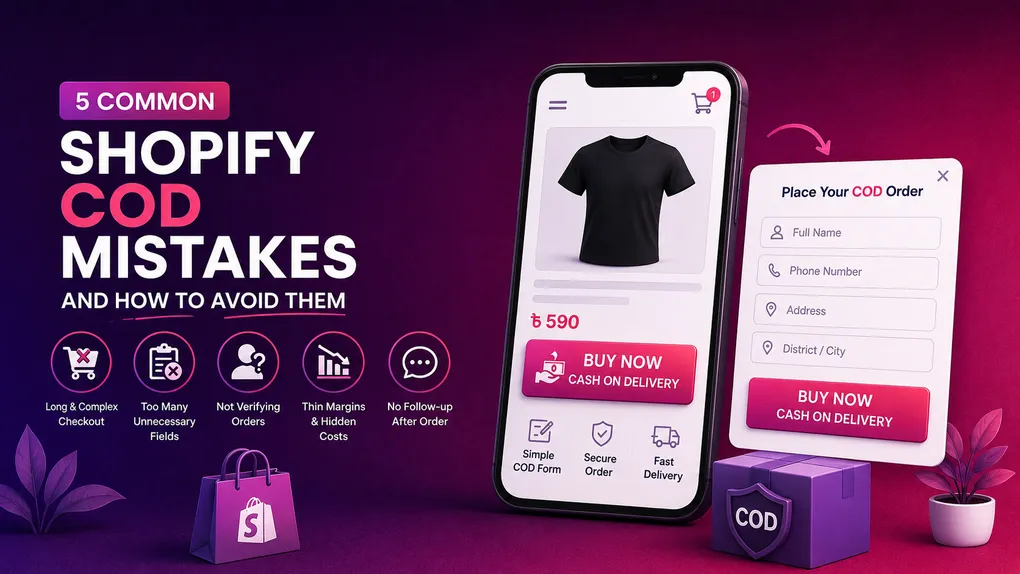
Here is something odd about cash on delivery stores.
The ones that fail and the ones that print money often sell the same product, at the same price, to the same kind of customer, using the same courier. From the outside they look identical. One is profitable at 40 orders a day. The other is losing money at 200.
The difference is almost never the product. It is a handful of small setup decisions that nobody warns you about when you install Shopify and switch on cash on delivery.
I have looked at a lot of COD stores over the last couple of years, and the same five mistakes keep showing up. Not exotic ones. Boring, fixable ones that quietly eat 20 or 30 percent of your profit every month while your dashboard says business is fine.
Let us go through them one by one, with the actual fix for each.
Mistake 1: Leaving COD buried at the bottom of Shopify’s normal checkout
This is the most common one and it costs the most.
You turn on cash on delivery in Shopify settings, it appears as a payment option, and you move on. Job done. Except now think about what your customer actually has to do to buy from you.
They tap “Add to Cart.” Then they go to the cart page. Then they hit checkout. Then they type an email. Then a first name, last name, address, apartment, city, postal code, phone. Then they pick a shipping method. Then, finally, on a separate screen, they get to choose “Cash on Delivery” and confirm.
That is five screens and a pile of typing before a person who just wants to pay the delivery guy in cash can place an order.
The research on this is not subtle. Baymard Institute puts the average cart abandonment rate at around 70 percent, and mobile is worse than desktop by a wide margin. Their checkout studies also found that the number of form fields matters more than the number of steps, and that the average checkout has roughly 11 fields when most stores could finish the job with 7 or 8. Complexity alone drives close to one in five abandonments.
Now add the part that is specific to your market. Your buyer is on a mid range Android phone, on mobile data, with a keyboard that keeps covering the field they are typing in, and they have never entered a credit card online in their life. Shopify’s checkout was designed beautifully for a card paying customer in the United States. Your customer is not that person.
The fix
Move the order to the product page. A one page COD form sitting directly under the product photo means the customer never leaves, never sees a cart, and never gets handed off to a checkout flow built for someone else.
Name, phone, address, tap the button. Done in under a minute.
You do not have to disable Shopify’s checkout to do this. Most COD stores run both. The form catches cash buyers on the product page while the regular checkout stays live for anyone who wants to pay by card or wallet. Orders from the form land in your Shopify admin exactly like any other order, so nothing changes about fulfilment, inventory, or reporting.
There is a quiet bonus here too. When the order happens on your product page, your Facebook or TikTok pixel fires on a page you own, instead of at the end of a checkout flow where events often go missing. Better data in means better targeting out, and a lower cost per order over time.
If you want to see this working before you commit, Neo COD Form & Upsell lets you build the form with a drag and drop editor and 25 plus field types, with built in pixel support for Facebook, Google Ads, TikTok, Pinterest, Snapchat, X, and GA4. The free plan covers 100 orders a month. That is enough to test it on your best selling product for a week and compare the numbers honestly.
Mistake 2: Asking for information you are never going to use
This is the opposite failure, and stores make it right after fixing mistake number one.
You install a COD form, get excited, and then add every field you can think of. Email. Alternate phone. Company name. Date of birth. Gender. How did you hear about us. A dropdown for preferred delivery time. A comment box.
Each of those looks harmless on your desktop screen. On a phone, each one is another tap, another keyboard popup, another chance for someone to give up. The pattern in checkout research is consistent: completion rates fall with every extra field past the essentials.
Ask yourself one question about every field on your form. Would the courier fail to deliver this parcel without it?
Email address? The courier does not need it. Company name? No. Gender? Absolutely not, and you were only collecting it because a marketing article told you to segment your audience.
The fix
Strip the form down to what actually gets the box to the door.
- Full name
- Phone number
- Full address
- City or area
That is usually the whole list. Some markets genuinely need one more. In parts of Bangladesh, India, and Pakistan, a landmark or nearby shop name is the difference between a delivered parcel and a courier calling you at 6pm saying they cannot find the place. That field earns its spot. A birthday field does not.
Two more details that matter more than people expect:
Use the right keyboard. The phone field should open the number pad, not the full alphabet keyboard. It sounds tiny. It is not. Baymard’s research has found that a large share of mobile sites still get input types and address handling wrong, and each small friction point costs you real orders.
Make the form look like your store. Match your fonts and colours. A form that looks like a bolted on widget from a different website makes people hesitate, and hesitation on a COD page is the same as leaving.
The general rule: every field you remove is a small conversion increase. Every field you add needs to justify itself.
Mistake 3: Shipping every order that comes in without checking anything
This is the one that turns a busy store into a broke store.
Here is the pattern. You fix your form, orders jump, you feel great. You ship everything. Two weeks later the courier starts returning parcels. Some customers do not pick up the phone. Some say they never ordered anything. Some just refuse the box at the door with no explanation.
That is RTO, return to origin, and it is the defining problem of cash on delivery. The reported numbers are ugly. Industry sources put COD return rates in India in the 20 to 30 percent range, with some Shopify merchants reporting 25 to 40 percent, against roughly 4 to 8 percent for prepaid orders. A KPMG study cited across the logistics industry found returns can hit 40 percent on COD shipments.
And RTO does not cost you one shipping fee. It costs you two, forward and reverse, plus your ad spend on that order, plus the packaging, plus the days the product spent in a van instead of on your shelf. A returned 1,000 taka order does not cost you 1,000 taka of profit. It costs you real money out of pocket.
The reason this happens is simple. Your customer has nothing at stake. There is no payment, no commitment, no consequence for changing their mind. A bored teenager can place fifteen orders in ten minutes with a fake name.
The fix
Filter before you ship, not after. A few layers, each one catching something the others miss:
Verify the phone number with OTP. The customer gets a code by SMS and types it into the form. This one step removes the single largest category of junk orders, the ones placed with a made up number, because a fake number cannot receive a code. It adds maybe fifteen seconds for a real buyer.
Block by phone, email, and IP. If one number has ordered and refused three times, that person should not be able to place a fourth order. Same for an IP address that fires off ten orders in an hour.
Block or restrict problem postal codes. Pull your last three months of orders and sort your RTO rate by area. You will almost certainly find a small number of pin codes doing most of the damage. You do not have to shut them out completely. You can require prepayment there while keeping COD everywhere else.
Set quantity limits. A first time customer ordering twelve units of a 900 taka product is not usually a whale. It is usually a problem.
Confirm before dispatch. A WhatsApp or SMS message within a few minutes of the order, and a reminder the morning of delivery, catches the “I forgot” and “I am not home” cases. RTO research consistently finds that most returns come from customer side issues, which means pre shipping confirmation and pre delivery reminders do more for your numbers than switching couriers ever will.
Neo COD Form & Upsell handles the filtering layers inside the form itself, with validation and blocking rules by phone, email, IP address, postal code, and quantity, plus OTP phone verification. The point is that the junk order never reaches your courier at all, so you never pay for it.
One honest warning: do not stack every rule on day one and walk away. Blocking rules that are too aggressive will silently kill good orders too. Turn them on one at a time and watch what happens for a week.
Mistake 4: Pricing COD orders as if they were prepaid orders
Most COD merchants do their margin maths once, at the start, on a spreadsheet, using the product cost and the selling price. Then they never touch it again.
The problem is that the real cost of a COD order includes things that spreadsheet did not have:
- Forward shipping
- A cash collection fee from the courier, often 1 to 3 percent of the order value
- Reverse shipping on the parcels that come back
- Wasted ad spend on those returned orders
- Packaging you cannot reuse
Run a store at a 25 percent RTO rate and you are effectively paying for the shipping on four parcels to get paid for three. If your margin per order was 30 percent, it is not 30 percent anymore. It might be nothing.
And here is the thing that makes it worse: your cost to deliver a small order and a large order is almost identical. Same click, same courier pickup, same packing, same door, same risk of refusal. The only variable is how much profit is sitting inside the box.
The fix
Two moves, and they work together.
Raise your average order value. This is the fastest lever a COD store has, because you control it completely and no ad platform can raise the price on you. Put the offers inside the form, before the order is placed, not after:
- Quantity discounts. Buy 2 save 10 percent, buy 3 save 20 percent. On consumables and anything people buy repeatedly, this quietly does more work than any other offer type.
- One tick upsells. A single checkbox to add a matching item. No new page, no retyping anything.
- Downsells. If someone declines the main offer, show a cheaper one instead of nothing.
Neo COD Form & Upsell includes quantity discounts, one tick upsells, downsells, and pre purchase upsells on every plan, including the free one, so you can test whether your customers actually take the offers before you spend anything.
Nudge people towards prepaid. You are not trying to kill COD. You are trying to give the customer a reason to choose the option that costs you less. A small discount for paying online, free delivery on prepaid orders, or a modest COD handling fee on cash orders. Even shifting 15 percent of your orders from cash to prepaid changes your monthly numbers noticeably, because prepaid orders barely ever come back.
Also worth doing: cap COD above a certain order value. Higher value cash orders carry the most risk, because that is where a customer is most likely to not have the money ready on delivery day.
Mistake 5: Going quiet the moment the order is placed
Think about what your customer experiences after they tap the order button.
Nothing.
No message. No call. No text. Just silence for three or four days. Then a stranger turns up at their door holding a box and asking for money.
Put yourself in that moment. You ordered something on your phone on Sunday night. It is now Thursday afternoon. You are at work, or cooking, or with family. An unknown number is calling you. Half the time, you do not even pick up.
That is not a customer who changed their mind. That is a customer who forgot, or got surprised, or simply did not have cash in the house that day. And it comes back to you as a returned parcel that you paid to send and paid to get back.
This is one of the biggest reasons COD parcels fail, and it is also the cheapest one to fix. A message costs you almost nothing. A returned parcel costs you twice.
The fix
Send three messages. That is the whole system.
Message one, right after the order. Within a few minutes, while they still remember doing it. Keep it simple. What they ordered, how much they will pay at the door, and roughly when it will arrive. Something like:
Hi Rahim, thanks for your order. 2 x Cotton Shirt, 1,290 taka to pay on delivery. Your parcel arrives in 2 to 3 days. Reply CANCEL if you changed your mind.
That last line feels scary. It is not. A cancel now is free. A cancel at the door costs you both shipping legs plus the ad spend. You want the weak orders to fall out early, not late.
Message two, when it ships. Tell them the parcel is on the way and give them the courier name. This matters more than people think. When the courier calls from an unknown number, your customer needs to already know who that is. Otherwise it looks like spam and goes unanswered.
Message three, the morning of delivery. The most valuable one. Remind them the parcel arrives today, remind them of the exact amount, and ask them to keep the cash ready. Two problems solved in one message: the customer being out, and the customer not having the money on hand.
Use whatever channel your customers actually read. In most COD markets that means WhatsApp first and SMS as a backup. Email is usually a waste of time here.
A few small things that make a big difference:
- Write in the language your customers speak, not English by default.
- Always name the amount. “Your order is on the way” is weak. “1,290 taka to pay on delivery” is what makes someone put money aside.
- Use a name they recognise. Your store name, not a random number.
- Reply when people write back. Half these messages get answers. An unanswered question turns into a refused parcel.
You can start doing all of this by hand tonight. If you get 20 orders a day, it is maybe 20 minutes of work, and it will save you more money than anything else on this list for that amount of effort. Automate it later, once you know it works.
A quick self check
Go through this list on your own store right now. It takes ten minutes.
- Can a customer on a phone place a COD order in under 60 seconds, without leaving the product page?
- Does your form have any field the courier does not need?
- Is the phone number on your orders verified in any way?
- Do you know your RTO rate by postal code?
- Is there any offer inside your form that raises order value?
- Does your customer get any message between placing the order and the courier knocking?
- Do you know your cost per delivered order, not per order?
Every “no” on that list is money leaking somewhere. You do not have to fix all seven this week. Fix the one that is costing you the most and move to the next.
Frequently asked questions
What is a normal RTO rate for COD orders? It varies a lot by market and category, but industry reporting generally puts COD return rates somewhere between 20 and 40 percent, against roughly 4 to 8 percent for prepaid. Anything above 15 percent is usually worth attacking seriously.
Does OTP verification reduce my conversion rate? Slightly, yes. A small number of buyers will drop off at the code step. But the orders you lose are heavily weighted towards the fake and low intent ones, so the delivered order count almost always goes up even when the placed order count goes down. Judge it on delivered orders, not placed orders.
Should I stop offering cash on delivery altogether? Not if you sell where COD is normal. In a lot of markets, removing it costs you far more in lost sales than you save in returns. The goal is to run COD properly, not to run away from it.
Does Shopify charge extra for cash on delivery? No. COD is a manual payment method and Shopify does not add a fee for it. Your costs come from your courier and your RTO rate, not from Shopify.
Will a COD order form give me more fake orders? It can, if you add speed without adding filtering. That is exactly why OTP, blocking rules, and quantity limits matter. Fast form plus no verification is the worst possible combination.
What should I send my customer after a COD order? Three messages work well. A confirmation within minutes of the order, a note when the parcel ships, and a reminder on the morning of delivery with the exact amount to keep ready. Send them on WhatsApp or SMS, in the language your customer speaks.
How long should I test a change before judging it? At least seven days, and longer if your volume is low. Judging a form change on fifteen orders tells you nothing except how noisy small samples are.
Can I fix these things without paying for an app? Some of them. You can trim fields, send your own WhatsApp messages, and offer a prepaid discount manually. OTP verification, blocking rules, in form upsells, and clean pixel firing all need a tool. The free plan on Neo COD Form & Upsell covers 100 orders a month, which is enough to test the whole setup before you spend anything.
Final thought
None of these five mistakes are dramatic. Nobody notices them on a Tuesday. They just sit there, taking a small percentage off the top of every order, and by the end of the quarter that small percentage is the reason the business is not growing.
The encouraging part is that all five are inside your control. You do not need more traffic to fix them, you do not need a better product, and you do not need to spend more on ads. You need a shorter form, a verified phone number, an offer in the right place, and a customer who knows the parcel is coming.
Start with the one that is bleeding hardest. For most COD stores, that is the third one on this list.
If you want the form, the verification, the upsells, and the pixel tracking in one place, Neo COD Form & Upsell is free to start and takes about half an hour to set up properly.