Ai theme Code Editor Review 2026: AI Shopify Theme Bug Fixer & Code Editor
Ai theme Code Editor review: the AI Shopify app that scans your theme, fixes Liquid, CSS and JS bugs, and previews changes in a sandbox. Features & pricing.
Introduction
Every Shopify store owner has had that moment. You open your store on a Monday morning, and something looks wrong. A section is overlapping on mobile. The add to cart button lost its colour. A snippet you pasted three weeks ago is throwing a Liquid error on the product page. You did not touch anything, but something broke anyway.
At that point you have three bad options. Wait for a freelance developer to reply. Pay an agency a minimum charge for a ten minute fix. Or open the theme code editor yourself and hope you do not make it worse.
That is the exact gap Ai theme Code Editor is built to close. It is a Shopify app from SectionKit that puts an AI developer directly inside your admin, scans your theme for problems, and writes the actual code fix for you.
In this review we will go through what the app does, its main features, the pricing tiers, the limitations you should know about before installing, and whether it makes sense for your store in 2026.
What is Ai theme Code Editor?
Ai theme Code Editor is a Shopify app that works as an intelligent theme assistant. Instead of hunting through Liquid files yourself or hiring someone every time a small thing breaks, you describe the problem in plain English and the AI generates the code that fixes it.
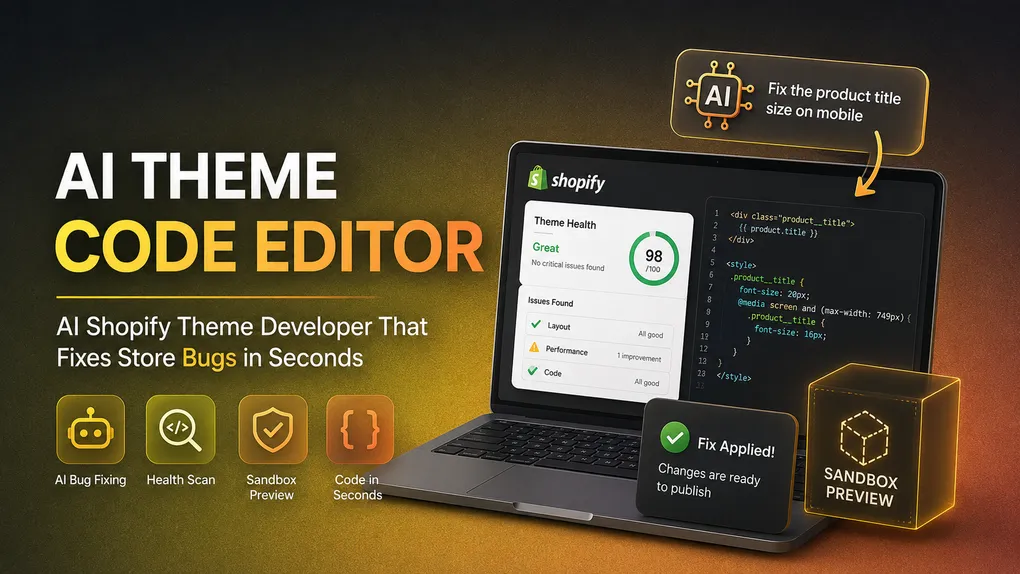
The app does two jobs. First, it scans your active theme and detects health issues on its own, things like broken layouts, syntax errors, and performance bottlenecks that slow your storefront down. Second, it acts as an on demand developer. You type a request such as “make the product title smaller on mobile” or “the announcement bar is hiding behind the header,” and it produces precise Liquid, CSS, and JavaScript changes.
The part that matters most for nervous store owners is the sandbox. Every change can be previewed in a safe environment before it goes live, so you are never publishing blind to a store that is taking real orders.
The app was launched on 3 July 2026 by SectionKit and sits in the Page builder category of the Shopify App Store. It works with Shopify Admin and is currently available in English.
Key Features of Ai theme Code Editor
1. Instant AI Bug Fixing
This is the headline feature. You describe the issue the way you would describe it to a developer over WhatsApp, and the app writes the fix. There is no need to know which file the problem lives in, no need to understand Liquid tags, and no need to figure out whether the problem is CSS or JavaScript.
Typical requests this covers:
- Sections overlapping or breaking on mobile
- Buttons, fonts, or colours not matching your brand
- Spacing and padding issues between sections
- Liquid syntax errors after a copy paste job
- Elements that appear on desktop but disappear on mobile
For a store owner in the middle of a campaign, this is the difference between fixing something in five minutes and losing a day of sales while you wait for a reply.
2. Automated Theme Health Scanning
Most theme problems are found by customers, not by merchants. The app flips that around by scanning your theme automatically and surfacing issues before they cost you an order.
The scan looks for broken layouts, code errors that are quietly failing in the background, and performance bottlenecks that drag down your load time. Speed is not a vanity metric on Shopify. It affects bounce rate, ad cost, and organic ranking, so having a tool that flags heavy or badly written code is genuinely useful.
3. Sandbox Preview Before Publishing
This is the feature that makes the app safe to use, and it is worth paying attention to.
Any code the AI writes can be tested in an isolated sandbox environment first. You see exactly what the change looks like, confirm it does what you wanted, and only then publish it to your live theme. If it is not right, nothing reaches your customers.
For anyone who has ever pasted code straight into theme.liquid at eleven at night and taken the store down, this alone justifies the install.
4. Plain English Customisation, Not Just Repairs
The app is not limited to fixing what is broken. It also builds what you want.
If you need a custom section, a different layout for a collection page, a restyled footer, or a tweak to how your cart drawer behaves, you can describe it and the AI will generate the code. This puts it somewhere between a bug fixer and a lightweight custom development service, which is why it is categorised as a page builder rather than a pure maintenance tool.
Supported page types include collections, FAQs, contact pages, cart pages, footers, forms, career pages, theme sections, and fully custom pages.
5. Automated Theme History Logging
Every change is logged. That means you have a record of what was modified and when, which is important when you are making a lot of small edits over several weeks and cannot remember what caused a regression.
Higher tiers add instant rollback triggers, so you can undo a change quickly rather than digging through Shopify’s theme backups.
6. Multi Theme Support
If you run more than one theme, for example a live theme and a seasonal or testing theme, the app can link multiple themes depending on your plan. The free tier covers one theme, the paid tiers scale up to unlimited.
7. Multi File Synchronisation
Real theme changes rarely live in one file. A new section might need a Liquid template, a CSS block, and a schema update. On the Business plan and above, the app handles multi file changes together instead of leaving you to patch each piece separately.
Ai theme Code Editor Pricing Plans
The pricing is built around AI token usage rather than order volume, which is a sensible model for a tool like this. The more code you generate, the more tokens you use.
Free Plan
- 60K monthly Claude Code AI tokens
- Link 1 active store theme
- Secure sandbox environment testing
- Automated theme bug detection
- Standard Liquid code adjustments
- Automated theme history logging
Starter Plan, $19 per month
- 2 million monthly Claude Code AI tokens
- Link up to 2 active themes
- Everything in the Free plan
- Full CSS and JavaScript fixes
- Faster priority AI processing
- Safe modification of premium themes
Business Plan, $49 per month
- 5.14M monthly AI tokens
- Link up to 5 active store themes
- Everything in the Starter plan
- Premium model processing priority
- Multi file synchronisation
- Detailed theme performance checks
- AI conversion optimisation tweaks
- Complex script architecture fixes
Premium Plan, $129 per month
- 13.54M Claude Code AI tokens
- Unlimited store themes
- Everything in the Business plan
- Maximum response size caps
- Deep codebase layout restructures
- VIP technical developer support
- Dedicated high capacity channels
- Instant system rollback triggers
All charges are billed in USD on a 30 day recurring cycle.
A note on value: a single hour of Shopify developer time typically runs between $25 and $60. The Starter plan at $19 per month costs less than an hour of freelance work, and it is available at two in the morning when your store breaks. That maths is what makes tools in this category attractive to small and mid sized merchants.
One thing worth flagging honestly: the free plan’s 60K token allowance is small. It is enough to test the app and handle a couple of simple fixes, not enough to run ongoing theme work. Treat it as a trial rather than a permanent tier.
What Merchants Are Saying
Here is where transparency matters more than hype. Ai theme Code Editor launched in July 2026 and currently has no public reviews on the Shopify App Store.
That is not a red flag on its own, every app starts at zero, but it does mean you are installing without the usual social proof. There is no track record yet of how the support team responds under pressure, how the AI performs across unusual or heavily customised themes, or how well it handles the messier premium themes that have been modified by three different developers over two years.
If you are cautious, the sensible approach is to start on the free plan, run the app against a duplicated theme rather than your live one, and judge the output quality yourself before committing to a paid tier. The sandbox feature makes that a low risk test.
Who Should Use Ai theme Code Editor?
This app is a good fit for:
- Solo store owners and small teams with no developer on retainer who still need theme problems solved quickly
- Dropshippers and testers who spin up new stores often and need fast layout tweaks without hiring out every job
- Merchants on premium themes who want small customisations without paying agency rates for each one
- Store owners who have inherited a messy theme and want a scan that tells them what is actually broken
- Anyone who is nervous about editing code and wants a sandbox safety net before anything goes live
It is probably not the right fit for:
- Stores with a full time in house developer, who will move faster in their own workflow
- Very complex builds with heavy custom apps and headless setups, where AI generated changes need careful human review anyway
- Merchants who need guaranteed human accountability on every change for compliance reasons
Things to Consider Before You Install
A fair review needs the caveats too.
The app needs theme edit access. That is unavoidable for a tool that writes code, but it is worth being aware that you are granting write permission to your online store theme. Duplicate your live theme before you start, as a matter of habit.
AI code still needs review. The sandbox is there for a reason. Preview every change, check it on mobile as well as desktop, and do not publish anything you have not looked at.
Token limits are the real constraint. Your usable ceiling is tokens, not features. If you plan to do heavy restructuring work, budget for the Business or Premium tier rather than expecting the Starter plan to carry it.
It is a new app. Features, pricing, and support quality can all change quickly in the first year of an app’s life. Check the listing for current details before you commit.
Final Verdict
Ai theme Code Editor tackles a problem that almost every Shopify merchant has and almost none enjoy dealing with. Theme code breaks. Small customisations cost more than they should. Developers are not always available at the moment you need them.
Putting an AI assistant inside the admin that scans for issues, writes Liquid, CSS, and JavaScript fixes from plain English descriptions, and lets you preview everything in a sandbox before publishing is a genuinely practical answer to that. The pricing is reasonable, the free tier lets you try it without risk, and the sandbox removes most of the fear factor around touching theme code.
The honest caveat is that it is new and unproven in public. There are no merchant reviews to lean on yet, so you are evaluating it on the strength of the feature set and your own testing rather than on other people’s experience.
If you run a Shopify store without a developer on call and you have ever lost a morning to a broken section, it is worth installing on the free plan, pointing it at a duplicate theme, and seeing what it can do. The downside is a few minutes of your time. The upside is not needing to file a support ticket the next time your mobile layout falls apart.
Get the app here: Ai theme Code Editor on the Shopify App Store
Frequently Asked Questions
Does Ai theme Code Editor work with any Shopify theme? It is built to work with Shopify themes generally, including premium ones. Full support for modifying advanced premium themes starts on the Starter plan.
Will it break my live store? Changes are previewed in a sandbox environment before publishing, so nothing reaches your live theme until you approve it. Duplicating your theme before you begin is still good practice.
Do I need to know how to code? No. You describe what you want in plain English and the app generates the Liquid, CSS, or JavaScript for you.
Is there a free version? Yes. The free plan includes 60K monthly AI tokens, one linked theme, sandbox testing, automated bug detection, and standard Liquid adjustments.
What happens if I run out of tokens? Token allowance is tied to your plan, so you would need to upgrade to a higher tier for more monthly capacity.
Can it improve my store speed? The app scans for performance bottlenecks, and detailed theme performance checks are included from the Business plan upward.